Lost a Business Receipt? What Your Bank Statement Can Prove
Use a card statement, vendor records, and a business-purpose note to document a missing receipt and flag expenses that still need review.

A $96.40 card charge is in your books, but the print shop receipt is gone. The statement shows who charged you and how much. It may leave out what you bought and why the purchase belonged to your business.
Ask the vendor for an itemized copy first. If you cannot get one, match the card charge to any independent record that describes the purchase, then write a short note connecting it to your work. Keep unresolved items visible for review before relying on them for a deduction.
What a bank or card statement can show
A legible statement can help establish payment. A card entry usually gives you a merchant, an amount, and a transaction date. A vendor document can fill in the item or service, and your project records can explain the business purpose. The IRS guidance on business records explains that a combination of documents may be needed to substantiate an expense. IRS Publication 583 distinguishes evidence of payment from evidence that you incurred a business expense.
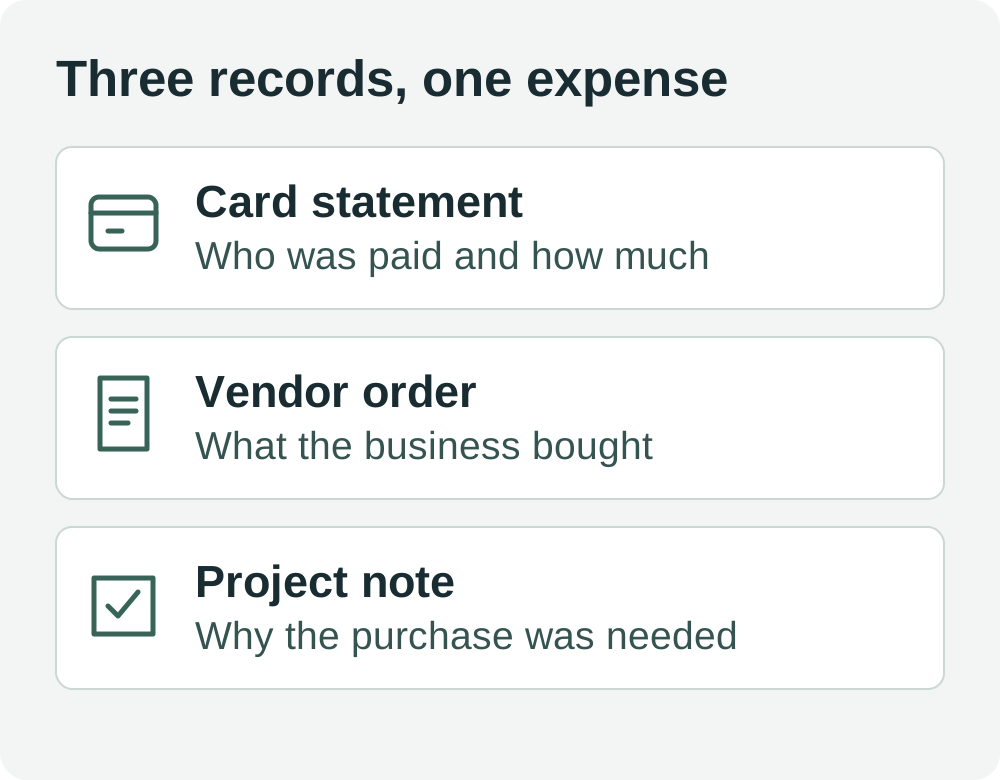
For a charge labeled simply “PRINT SHOP,” you might need three pieces:
- Payment: The card statement shows a $96.40 charge at the merchant.
- Purchase: The vendor's job confirmation shows what the shop printed and what it cost.
- Business purpose: The client work order links those prints to a paid design project.
Use the transaction date and amount to find the matching documents. If the order date and statement date differ, keep both dates with their labels. Record the difference if it helps someone find the charge later.
Ask for an itemized copy before reconstructing the record
Search the email address used at checkout and the merchant account's order history. Try the purchase amount, order number, or merchant name. If the card descriptor differs from the storefront name, search both.
For an in-person purchase, contact the vendor with the date, amount, store location, and last four digits of the card if needed. Ask for the itemized receipt or invoice. A copy of the card terminal slip may confirm the charge while leaving the item details unresolved. Share only the transaction details the merchant needs to find it.
If the vendor sends a copy, save it with the existing expense record and match it to the statement line. When a receipt arrives later, add it to that same expense rather than creating a second entry.
Rebuild the missing information from records you already have
Look for an order confirmation, vendor invoice, pickup email, paid bill, or service agreement. The best match identifies the same vendor and purchase and explains the line items. Check whether discounts, credits, split payments, or a second order explain any difference between the document and the card charge.
Use a project email, calendar entry, or work order to explain why you made the purchase. Record which files support each detail. Date the note when you write it, and describe any uncertainty explicitly. Your note provides context for the documents you have. It cannot independently confirm that an unverified item was purchased.
If all you have is the charge, keep the expense flagged for follow-up. A merchant that sells both household and business items gives you little basis to identify the purchase from its name alone. Keep any personal portion separate when you can identify it, and leave an unknown split open for review.
Worked example for a 2026 print job
A freelance designer sees a $96.40 card charge dated November 6, 2026. The paper receipt is missing. The vendor cannot retrieve the receipt but emails the print job confirmation. It shows $84.00 for proofs, $8.00 for rush handling, and $4.40 in tax charged by the vendor. Those amounts add up to $96.40. The $4.40 is an example line item from the fictional order.
The designer saves the card statement, job confirmation, and client work order under the same expense entry. The dated note reads:
> November 12, 2026. Paper receipt unavailable. Print job PJ-317 supplied proofs for client project D-24. Job confirmation and card charge both total $96.40. The client work order lists printed proofs as a deliverable.
A second charge from the same shop for $32.10 has no order details. The designer leaves it open. The statement confirms that both charges occurred, and the three supporting records explain only the first purchase. The designer keeps the $32.10 separate until the details can be confirmed.
Review unresolved expenses before filing
At month end, review your missing-document list by vendor and date. Mark which items have an itemized copy, which have enough information to explain the purchase, and which still need follow-up. If you send records to a preparer, include the statement reference and explain what each attachment shows. Ask them to review uncertain amounts or business use before you claim the expense.
This example concerns ordinary U.S. business recordkeeping for a 2026 purchase. Travel, gifts, and vehicle use can have additional documentation requirements. Consult the recordkeeping chapter of IRS Publication 463 for the relevant tax year if the missing receipt relates to one of those expenses. The workflow here is educational and leaves eligibility decisions to the facts of each expense.
Use the Eonebill expense tracker to organize the receipts you recover. For a purchase you paid for with a personal card, see how to record a personally paid business expense before matching any reimbursement or transfer.
Ready to manage invoices, contracts & proposals in one place? Try Eonebill free — no credit card required.
Start Free →Frequently Asked Questions
More Posts

How to Invoice an Approved Change Order Without Billing Twice
Turn an approved scope addition into a traceable invoice. Reconcile prior billing with a $1,800 project and $360 change-order example.

How to Resend an Invoice Copy Without Charging Twice
Resend a lost invoice with its original reference, distinguish copies from corrections, and explain payments already received. Includes a $900 example.

How to Invoice a Partial Delivery Without Billing Twice
Bill split shipments clearly: link each delivery note to its invoice, track quantities already billed, and avoid charging twice. Includes a $480 worked example.
Newsletter
Join the community
Subscribe to our newsletter for the latest news and updates