Invoice Ninja vs Eonebill (2026) — Open Source vs AI-Powered...
Invoice Ninja vs Eonebill: open source invoice software vs AI-powered cloud platform. Compare pricing, features, AI generation, document types, and setup complexity. Which is better in 2026?
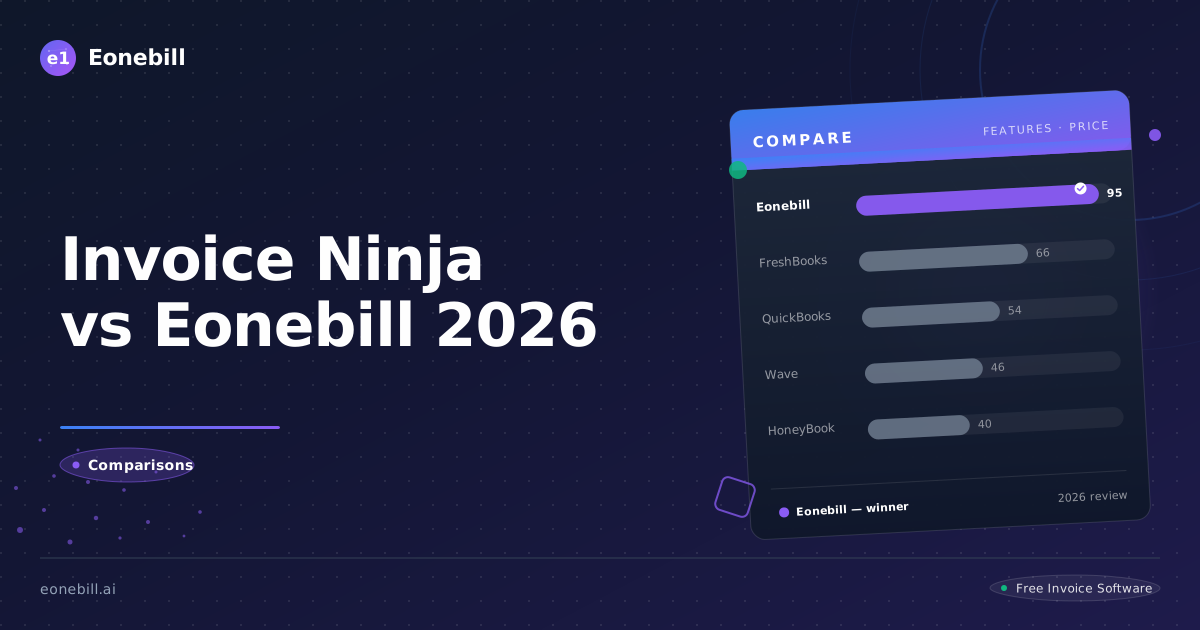
Quick Comparison
| Feature | Invoice Ninja | Eonebill |
|---------|---------------|----------|
| Free Plan | Self-hosted (requires tech setup) | 3 clients, 30 docs/mo |
| Cloud Price | $10/month | $19/month |
| AI Invoice Generation | ❌ No | ✅ Yes — native AI |
| Contract Generator | ❌ No | ✅ Yes |
| Proposal Generator | ❌ No | ✅ Yes |
| Expense Tracking | ✅ Paid plan | ✅ Free plan |
| Receipt Management | ❌ No | ✅ Yes |
| Stripe Payments | ✅ Manual setup | ✅ Built-in |
| Self-Hosted Option | ✅ Yes (free) | ❌ No |
| Technical Knowledge Required | ✅ Yes | ❌ No |
| Setup Time | Hours to days | Minutes |
| Credits Rewards | ❌ No | ✅ Yes |
| Best For | Developers, tech-savvy users | Non-technical freelancers |
TL;DR
Invoice Ninja is an open-source invoicing platform that rewards technical users. If you're comfortable with self-hosting, server management, and manual payment gateway setup, it offers a powerful and free solution.
Eonebill is an AI-first cloud platform for non-technical freelancers. Describe your work in plain English, get a complete invoice in seconds. No server setup, no technical knowledge, no credit card required.
If you're a developer or have tech skills: Invoice Ninja. If you just want to invoice clients without dealing with servers: Eonebill.
What Is Invoice Ninja?
Invoice Ninja is an open-source invoicing and quote platform founded in 2014. It has two options:
- Self-hosted: Free, open source (MIT license), you run it on your own server
- Cloud: $10/month, hosted by Invoice Ninja
Invoice Ninja's key features:
- Invoice and quote creation
- Time tracking
- Expenses (paid cloud plan)
- Client and product databases
- Multiple payment gateway support (manual setup required)
- Multi-language and multi-currency
- Highly customizable templates
Invoice Ninja's limitations:
- No AI invoice generation
- No contract or proposal generation
- No receipt management
- Self-hosted option requires technical skills
- Cloud option starts at $10/month
- No credits rewards system
- Payment gateways require manual setup
- No native Stripe "Pay Now" buttons
What Is Eonebill?
Eonebill is an AI-powered invoice and business document platform built for US freelancers and small businesses. Instead of filling out forms by hand, you describe your work in plain English and Eonebill generates a complete invoice — ready to send in seconds.
Eonebill covers 6 document types:
- Invoice — AI-generated from plain English
- Contract — AI-generated service agreements and NDAs
- Proposal — AI-generated project proposals
- Estimate & Quote — AI-assisted project estimates
- Receipt — automated receipt capture
- Expense — IRS Schedule C-categorized tracking
Eonebill's key features:
- Native AI invoice generation (free plan included)
- 6 document types vs Invoice Ninja's 2-3
- Stripe "Pay Now" buttons built-in
- Credits rewards system
- 14 languages
- No technical setup required
- Free plan: 3 clients, 30 docs/mo
AI Comparison: Eonebill's Key Advantage
Invoice Ninja has zero AI features. You pick a template, fill in the form, and send. Every invoice requires the same manual data entry.
Eonebill's AI is native. Describe what you did — "freelance photography session for Client X, 4 hours, $175/hr, plus $200 in equipment rental" — and Eonebill generates a complete, formatted invoice in seconds.
The same AI generates contracts and proposals. For freelancers billing multiple clients, this saves hours per week.
Open Source vs Cloud: The Core Trade-off
Invoice Ninja's open-source model is a genuine advantage for developers who want:
- Full control over their data
- Ability to self-host on their own server
- Customization of source code
- No vendor lock-in
But for most non-technical freelancers, this is a liability:
- Setting up self-hosted Invoice Ninja takes hours to days
- You need to manage servers, security, backups, and updates
- Payment gateway integration requires technical configuration
- When something breaks, you're responsible for fixing it
Eonebill requires zero technical knowledge. Sign up, describe your work, get an invoice. No servers, no setup, no maintenance.
Document Type Comparison
| Document | Invoice Ninja | Eonebill |
|----------|---------------|----------|
| Invoice | ✅ | ✅ AI-generated |
| Contract | ❌ | ✅ AI-generated |
| Proposal | ✅ (called "Quote") | ✅ AI-generated |
| Estimate | ✅ | ✅ |
| Receipt | ❌ | ✅ |
| Expense | ✅ Paid plan | ✅ |
Invoice Ninja supports 3 document types (2 on free). Eonebill supports 6, all powered by AI.
Payment Integration
Invoice Ninja supports multiple payment gateways (Stripe, PayPal, Authorize.net, and others) but requires manual setup — you configure each gateway individually.
Eonebill's Stripe integration is built-in. Send an invoice with a "Pay Now" button and clients can pay via credit card or bank transfer immediately.
Pricing Comparison
| Plan | Invoice Ninja | Eonebill |
|------|---------------|----------|
| Free | Self-hosted (requires tech setup) | 3 clients, 30 docs/mo |
| Cloud | $10/month | $19/month |
| AI Features | ❌ None | ✅ Included |
Eonebill's free plan is more accessible — no server setup required. Invoice Ninja's free plan sounds attractive but has a hidden cost: your time and technical expertise.
Final Verdict
Choose Invoice Ninja if:
- You're a developer or have server management experience
- You want full control over your data
- You're comfortable setting up and maintaining your own server
- You want maximum customization
Choose Eonebill if:
- You want to get started without any technical setup
- You prefer AI to help generate invoices from plain English
- You need contracts, proposals, or expense tracking
- You want Stripe "Pay Now" buttons built in
- You want a platform that requires zero maintenance
For non-technical freelancers — which is most freelancers — Eonebill's AI-first approach and zero-setup model is far more practical. The hours you'd spend setting up Invoice Ninja's self-hosted version are better spent billing clients.
Try Eonebill's AI invoice generator free — no credit card, no server setup, no technical knowledge required.
Ready to switch? Start for free — no credit card, no contracts, just faster payments.
Start Free →Frequently Asked Questions
More Posts

Filing Taxes Late: Penalties, Extensions, and How to Catch Up (2026)
Missed the April deadline? Understand the 5 percent failure-to-file vs 0.5 percent failure-to-pay penalty difference, how Form 4868 extensions help, and the four-step protocol for catching up on years of unfiled returns.

Penalties for Not Filing a 1099: What Freelancers and Small Businesses Need to Know (2026)
Failing to file 1099 forms on time triggers escalating IRS penalties from 60 to 660 dollars per form. Learn the four-tier schedule, how to fix a missed filing, and when First-Time Penalty Abatement applies.

How to Write a Gentle Reminder Email (Templates + Examples)
Learn how to write a professional gentle reminder email that gets results. Includes 8 ready-to-use templates for invoices, meetings, deadlines, and more.
Newsletter
Join the community
Subscribe to our newsletter for the latest news and updates