Client Overpaid an Invoice? How to Record and Resolve It
Work through a $150 client overpayment, document a refund or agreed future credit, preserve the original invoice, and keep a clear payment trail.
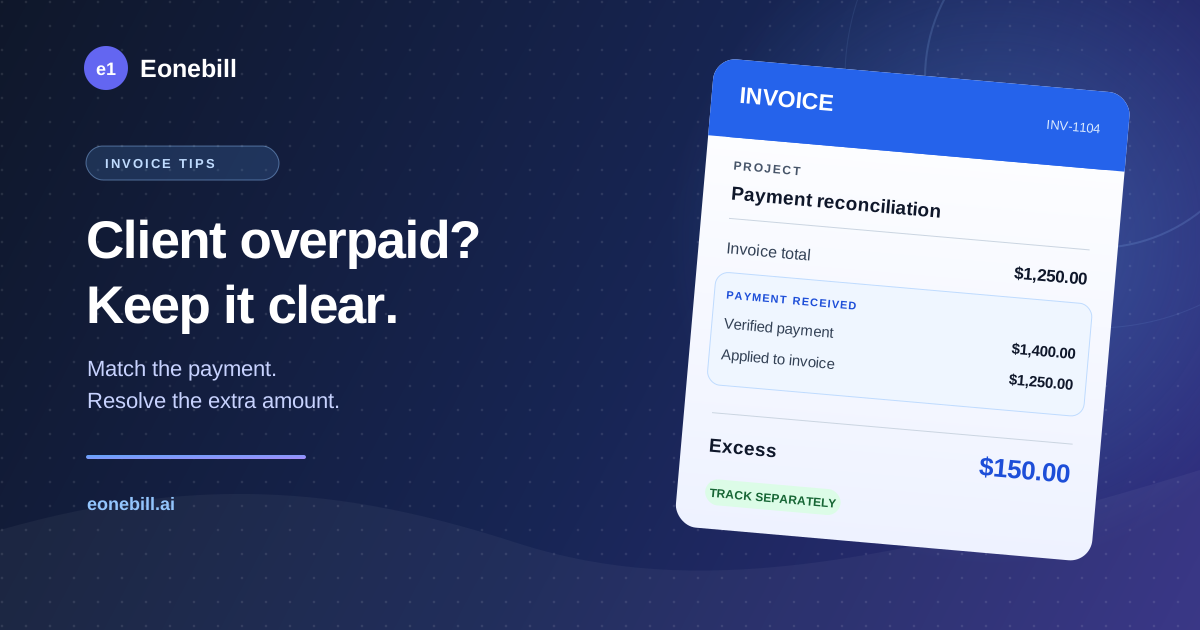
A client pays $1,400 against a $1,250 invoice. The project is complete, the invoice total is correct, and the extra $150 was not an agreed tip or deposit. What should your records show while you work out what happens next?
Start by verifying the payment and the client's intention. Preserve the original invoice, apply only the amount owed to it, and track the excess separately until you have documented its resolution. If you return it, record the refund; if the client agrees to use it toward later work, keep a traceable customer balance. Do not quietly increase the invoice to absorb the difference.
This guide follows a hypothetical US freelance service business through that workflow. The examples exclude sales tax, foreign currency, processor charges, and disputes so the numbers stay clear. They illustrate operational records, not accounting entries or tax-return instructions. Official recordkeeping, payment-provider, and fraud guidance was checked on November 4, 2026. No tax rates, filing thresholds, or refund deadlines are asserted.
Confirm that the extra payment is really an overpayment
Compare the payment with the complete client account before taking action. A transfer larger than one invoice may cover two invoices, a previously agreed deposit, or a payment from a different project. Ask the client's accounts-payable contact which document numbers the transfer covers.
For a first review, collect these references:
- Original invoice: its number, agreed total, and remaining balance before this payment.
- Payment: the amount, currency, date, payer name, and bank or processor transaction reference.
- Other open work: invoices and deposits that might explain the difference.
- Client confirmation: whether the excess was accidental and how they want it resolved.
Use the actual bank or processor record rather than a screenshot sent by the payer. A pending transaction is not evidence that a refund is safe to release. If something looks unusual, ask your bank or provider to help verify the payment before sending money elsewhere.
Also check whether your own team has already initiated a refund. Two people acting on the same email can return the money twice. Assign one person to handle the resolution and keep the payment reference in the shared record.
Keep the invoice total and the payment allocation separate
In our invented example, invoice INV-1104 is for $1,250 of completed design work. The client sends $1,400, and confirms that the excess is an accidental overpayment.
The reconciliation is:
- Original invoice total: $1,250. The agreed price has not changed.
- Verified client payment: $1,400. Retain the payment reference.
- Amount applied to INV-1104: $1,250. The invoice has no remaining amount due.
- Excess awaiting resolution: $150. This is $1,400 minus $1,250.
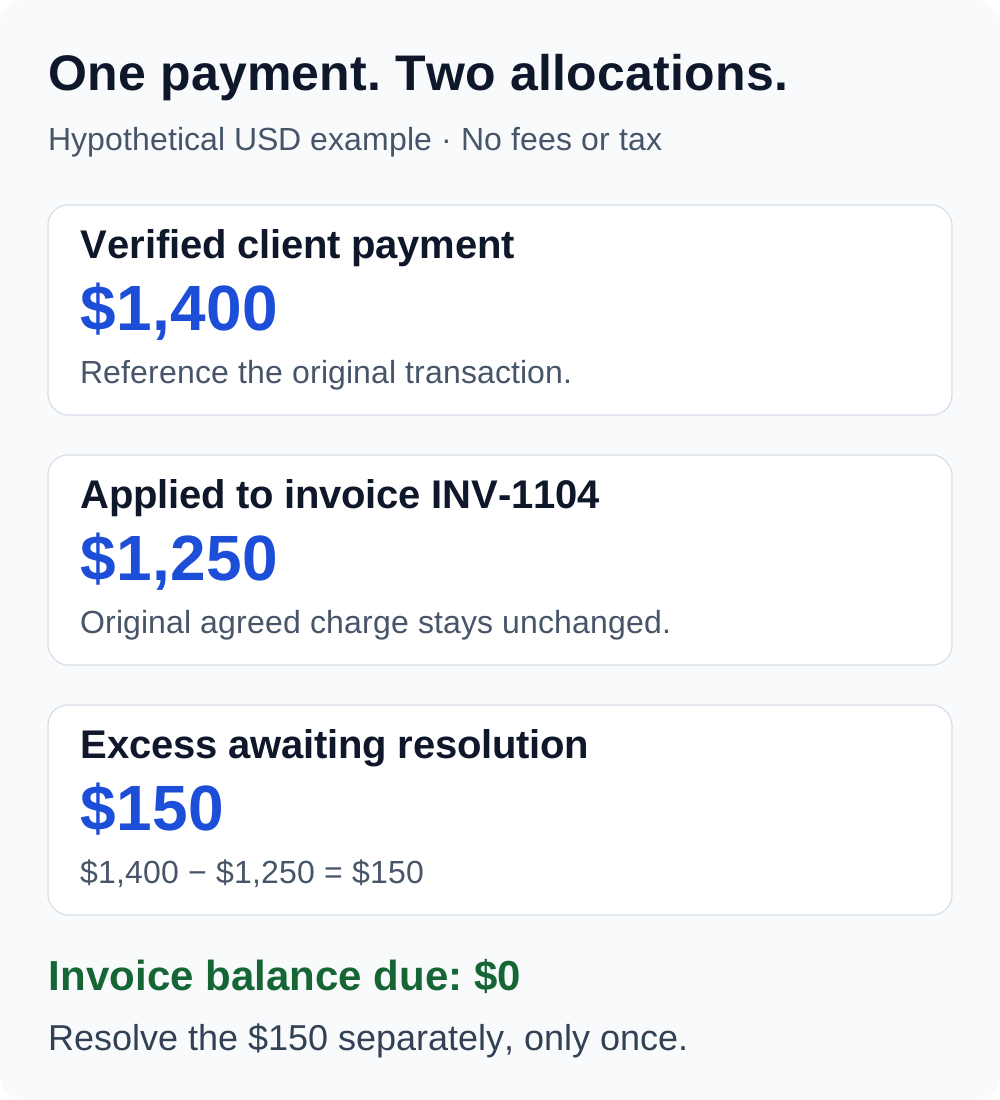
These labels prevent two common mistakes. Raising the invoice total to $1,400 would make the records describe work that was never agreed. Recording a second $150 sale would create another unsupported charge. Keep the invoice and the excess connected through their references instead.
The exact accounts and journal entries depend on your accounting system and circumstances. Ask your bookkeeper how to represent the separate customer balance. The reconciliation above is a practical way to explain what happened; it does not prescribe a universal bookkeeping entry.
Return the excess when a refund is agreed
For a verified accidental overpayment that the client wants returned, document the $150 refund against the original payment and invoice. Keep the reason specific: “Excess payment against INV-1104; agreed invoice price unchanged.”
A refund record should make the following details easy to find:
- The original invoice and payment references.
- The amount being returned and its currency.
- The client's written request or confirmation.
- The refund transaction reference, initiation date, and current status.
- The final confirmation, or the next action if the refund fails.
Use the bank or payment provider's supported process. As one provider-specific example, Stripe's refund documentation permits partial refunds, sends refunds back to the original payment method, and states that original processing fees are not returned. This does not establish how another provider handles fees or destinations. Check the terms for the actual transaction.
Keep provider fees separate from the amount the client overpaid. Do not silently reduce the agreed return because you expect to lose a processing fee. Resolve any proposed fee treatment with the client and check the applicable agreement and rules.
Initiating a refund and confirming its completion are different events. Tell the client the actual status. If the provider says it is pending or failed, keep the record open and follow the provider's instructions rather than sending a second payment immediately.
Carry the excess forward only with a clear agreement
If the client prefers to use the extra $150 toward future work, get that instruction in writing. Record which customer owns the balance, the originating invoice/payment, the amount, and whether it has been used. The label in your accounting software may vary; use one your bookkeeper can reconcile.
Suppose a later invoice, INV-1120, charges $900 for a separate project. The client authorizes applying the full $150 balance:
- New project charge: $900. This describes the new work.
- Existing customer balance applied: $150. Reference the earlier overpayment.
- Amount still payable: $750. This is $900 minus $150.
- Unused balance from the overpayment: $0. Mark it as used once.
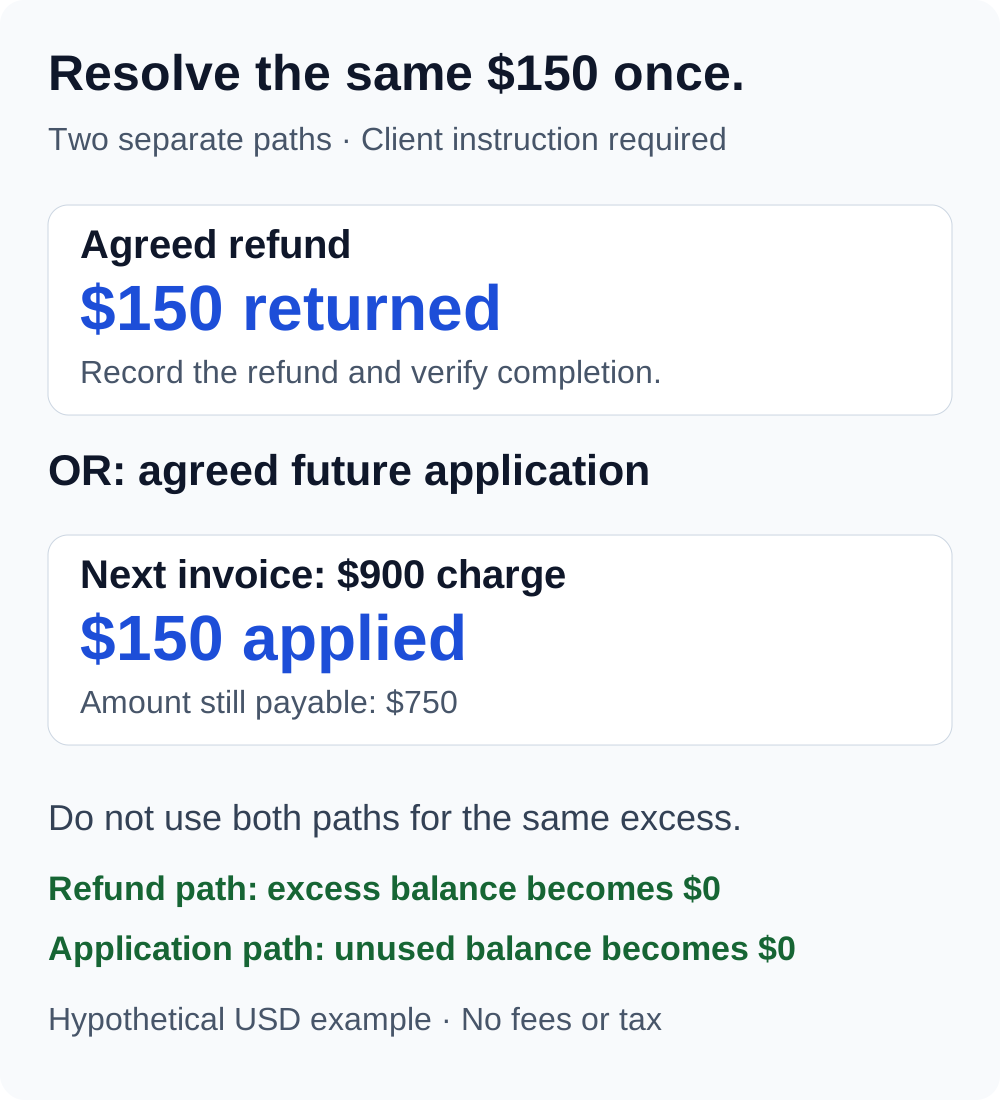
The $150 application settles part of the new invoice; it does not mean you sold the new work for $750. Keep the full charge, balance application, and final amount due distinguishable. If only $100 is applied, the remaining balance is $50, not $150. Update the customer record at the same time as the invoice allocation.
Do not describe an accidental overpayment as a discount or automatically turn it into a nonrefundable deposit. A deposit concerns an agreement for future work; a price reduction changes the charge. Neither follows simply from receiving too much money.
Send a short confirmation the client can reconcile
Avoid asking the client to decode a negative invoice total. State what was billed, what arrived, and what is happening to the difference. Here is an original template for the refund path:
Subject: $150 overpayment on invoice INV-1104
“Hi Morgan, we received $1,400 for invoice INV-1104, whose agreed total is $1,250. We have applied $1,250 to that invoice, leaving it paid in full. As you requested, we have initiated a $150 refund through the original payment method. The refund reference is [reference], and its current status is [actual status]. We will confirm completion once it is verified. Thank you.”
For an agreed carry-forward, replace the refund sentences with: “As you confirmed, we will hold the remaining $150 for application to your next invoice. The balance reference is [reference]. We will show the application separately when that invoice is issued.”
Only use the language that matches the actual agreement and transaction status. Do not state that money has reached the client's bank merely because you clicked a refund button.
Recognize an overpayment request that needs bank review
Some overpayments are errors; others are fraud attempts. The Michigan Attorney General's fake-check guidance describes a pattern in which someone sends a check for too much and asks the recipient to return the difference. Available funds do not prove that the check is genuine, and discovery can take weeks.
If an unfamiliar payer asks you to send the excess to another person, buy gift cards, or make a separate wire transfer, stop and contact your bank through a known channel. Do not rely on the payer's instructions or treat a visible account balance as verification. Keep the messages and payment details for the bank's review.
For a card payment, also check for an existing dispute or refund before taking another action. Stripe specifically warns that a bank dispute and a separate refund can create duplicate credits for certain payment methods. Use your actual provider's process to resolve that situation.
Keep one complete record for the reviewer
The IRS recordkeeping guidance emphasizes records that explain income and expenses. Its supporting-document guidance lists invoices, receipts, deposit information, and other transaction evidence. An invoice alone cannot explain every later movement of money.
For this workflow, keep the original invoice, payment evidence, client instruction, allocation note, and refund confirmation or later balance application together. These are suggested workflow documents, not a mandated IRS form. Keep unresolved items visible to your bookkeeper.
If the overpayment and its resolution cross a year-end, or a tax form includes an amount you cannot reconcile, ask a qualified tax professional to review the facts. This guide does not decide the income timing, sales-tax treatment, information-return correction, or journal entries for your business. Do not alter a tax form or assume that the net bank deposit determines the answer.
Close the loop before marking the case resolved
- Verify the original charge, payment, and payer through your own records.
- Confirm that the difference is not payment for another invoice or agreed work.
- Keep the original invoice total intact and allocate the payment clearly.
- Record the client's instruction for the excess.
- Track either the actual refund or the authorized balance application.
- Confirm completion and check that the excess was resolved only once.
Need to prepare the original billing document? Use Eonebill's free invoice generator, then retain the invoice alongside your payment records. Eonebill's invoice versus receipt guide explains why a billing document and payment evidence serve different purposes. Refund execution and customer-balance accounting should follow your bank, processor, and bookkeeping workflow; this article does not claim that the generator automates them.
General educational information for US freelancers and small businesses. This is not individualized accounting, tax, or legal advice. Examples are invented and do not represent a customer case or guarantee an outcome.
Create this in 30 seconds — free invoice with Eonebill, no sign-up required.
Create Free Invoice →Frequently Asked Questions
More Posts

Check Received in December, Deposited in January: Which Tax Year?
Find the tax year for a December customer check deposited in January, then match the bank entry without counting the income twice.

Form 1099-NEC Amount Wrong? How to Reconcile It
Trace a Form 1099-NEC Box 1 mismatch to specific invoices and payments, then send the payer a documented correction request.

How to Reconcile a Stripe Refund in a Later Payout
Trace a Stripe refund into a later payout, match the bank deposit, and link it to the original invoice with a worked two-month example.
Newsletter
Join the community
Subscribe to our newsletter for the latest news and updates