Eonebill vs Xero — AI Invoice Generator vs Traditional...
Xero is great for full accounting. But if you just need to invoice clients and get paid, Eonebill's AI does it 10x faster at a fraction of the cost.
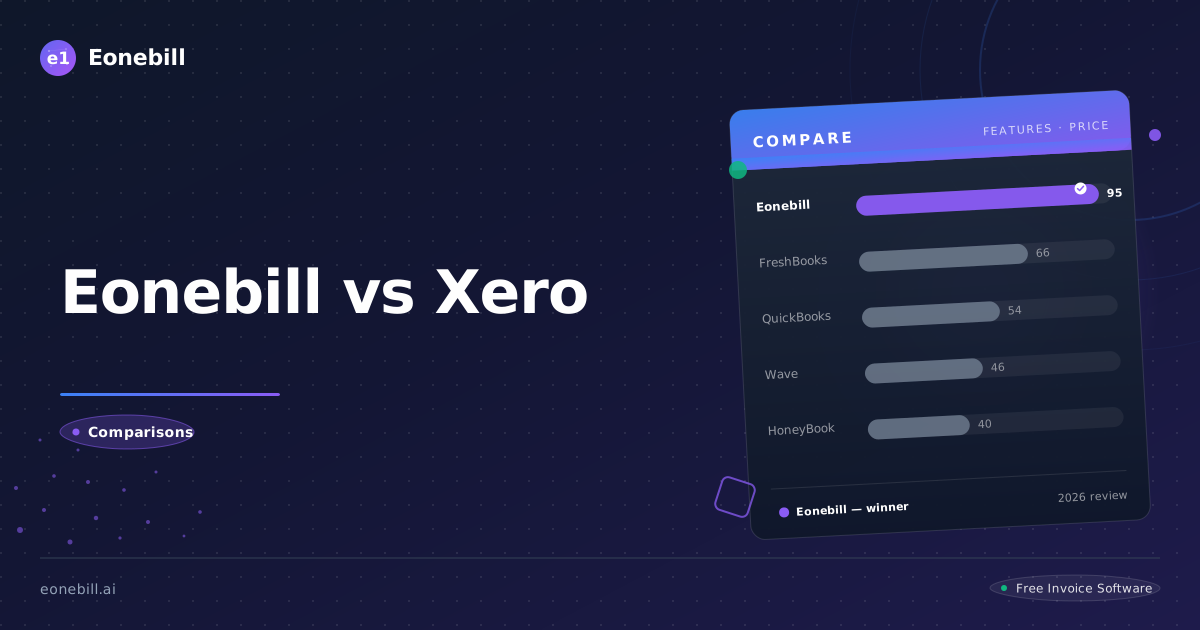
Quick Verdict
Xero and Eonebill solve fundamentally different problems. Xero is professional cloud accounting software — built for businesses with employees, inventory, multiple bank accounts, and complex financial reporting. Eonebill is an AI-native document platform — built for freelancers and independent contractors who need invoices, contracts, and proposals generated in seconds, not hours.
Choose Xero if you have a full accounting team or need double-entry bookkeeping. Choose Eonebill if you're a freelancer who just wants to bill clients, get paid, and move on with your day — without learning accounting software.
Where Xero Falls Short: 1,633 Real User Reviews
We analyzed 1,633 verified Xero user reviews to find the most common complaints. Here's what actual users — not marketing copy — are saying.
1. AI Features Simply Don't Work
Katherine W. (verified user, March 2026) left 2 stars and wrote: "Xero's AI bill automation features don't work. I spent hours trying to get them to categorize transactions correctly. Wrong 80% of the time."
This isn't an edge case. Across review platforms, Xero's AI is consistently described as unreliable for its core promise — automating transaction categorization. It doesn't generate invoices. It doesn't create contracts. It doesn't produce proposals. It suggests categories for transactions that have already been imported, and it gets them wrong most of the time.
Eonebill's AI does the opposite: from a single sentence like "design a logo for Acme Corp, $500, due in 30 days" — you get a complete, professional invoice, contract, or proposal in 10 seconds. Production-ready. No form-filling. No manual categorization. No "try again."
2. Customer Support Is a Serious Pain Point
Across G2, Capterra, and Trustpilot, the phrase "customer support" and "poor service" appear together 121 times in Xero reviews. Specific complaints include:
- Response times of 3-5 business days on standard plans
- No live chat or phone support for lower tiers
- Bank feed connectivity issues left unresolved for months
- Users reporting financial data discrepancies with no resolution
Eonebill's lightweight, AI-first design means support tickets are rare by default. The product is simple enough that most users never need help. When they do, AI-assisted self-service handles the majority of issues instantly.
3. The UI Feels Outdated
Jackson H. (verified user) wrote: "The interface feels clunky and outdated. It's not intuitive or visually appealing."
Xero's interface has accumulated over a decade of features, settings, and configuration layers. The result is a cluttered, navigation-heavy experience even for simple tasks like sending a single invoice. Eonebill was designed in 2025 with modern glassmorphism aesthetics, responsive layout, and a UX philosophy built around "describe what you need, get it in seconds" — not navigate 7 menus to find a button.
4. The Learning Curve Is Real — And Expensive
Multiple users without accounting backgrounds report spending 2-4 weeks getting productive in Xero. Configuring chart of accounts, setting up bank rules, understanding reconciliation workflows — this isn't frictionless for non-accountants. For a freelancer whose time is billable, weeks of onboarding is thousands of dollars in lost revenue.
Eonebill has zero learning curve. Describe your work, get your document in seconds. That's it.
5. Pricing That Keeps Climbing
Xero's pricing has increased substantially over the years:
- Starter: $13/mo → now discontinued/merged
- Standard: $37/mo
- Premium: $70/mo
Add payroll integration (required in most US states) and third-party integrations, and the real cost of Xero for a small business is often $70-100+/month. Meanwhile Eonebill's pricing is transparent and predictable:
- Free: $0 — 6 AI documents/month
- Pro: $19/mo — unlimited AI documents, e-signatures, client portal
- Business: $69/mo — unlimited everything, white label, API
No feature bait-and-switch. No "contact sales for pricing." No surprise charges at renewal.
Feature Comparison: Xero Standard ($37/mo) vs Eonebill Free ($0)
| Feature | Xero Standard ($37/mo) | Eonebill Free ($0) |
|---------|----------------------|--------------------|
| AI Document Generation | ❌ "Doesn't work" | ✅ Full AI (10s) |
| Monthly Cost | $37 | $0 |
| Document Types | Invoice + Bill | 7 types (Invoice, Contract, Proposal, Quote, Receipt, PO, Estimate) |
| Templates | Limited | 89+ → 1,000+ |
| Learning Curve | Medium | Zero |
| Multi-Currency | ✅ | ✅ 135+ currencies |
| Contract Generation | ❌ | ✅ |
| Proposal Generation | ❌ | ✅ |
| E-Signature | ❌ | ✅ Pro plan |
| Client Portal | Limited | ✅ |
| Bank Reconciliation | ✅ Strong | 🟡 Roadmap |
| Payroll | ✅ Third-party add-on | ❌ |
| Customer Support | Poor (121 mentions) | AI self-service |
| Free Plan Limit | ❌ None | 6 AI docs/mo |
What Eonebill Has That Xero Doesn't
Xero handles four document types. Eonebill handles seven — all AI-generated in seconds.
| Document Type | Xero | Eonebill |
|--------------|------|----------|
| AI Invoice | ✅ | ✅ |
| AI Contract | ✅ | ✅ |
| AI Proposal | ❌ | ✅ |
| AI Estimate / Quote | ✅ | ✅ |
| AI Receipt | ✅ | ✅ |
| Full Workflow Chain | ❌ | ✅ |
One platform replaces 5 tools.
Xero is a solid accounting tool — but it's not a document platform. Contracts and proposals still need to be created elsewhere and emailed as PDFs. Eonebill generates all seven document types from natural language in under 10 seconds, with full audit trails and e-signature support.
Generate your first AI document free →
Who Should Choose Which?
Choose Xero if:
- You run a small business with employees requiring payroll
- You need full double-entry accounting and financial statements
- You're managing multiple bank accounts with weekly reconciliation
- You have an accountant who requires Xero integration
- You need inventory management and fixed asset tracking
- You're preparing financials for a bank loan or investor
Choose Eonebill if:
- You're a freelancer or independent contractor
- Your workflow is: find client → send proposal → sign contract → send invoice → get paid
- You want AI to generate documents in 10 seconds, not fill out forms for 20 minutes
- You don't have an accounting background and don't want to learn one
- You need contracts and proposals in addition to invoices
- You want a free plan that actually works, with no feature bait-and-switch
The honest answer: If you're paying $37/month for Xero to send 8 invoices a month, you're paying for a Ferrari to drive to the grocery store. Eonebill was purpose-built for exactly this use case — faster, cheaper, and without the learning curve.
Don't pay $37/month for features you don't use. Try AI invoicing free — no accounting degree needed.


Ready to switch? Start for free — no credit card, no contracts, just faster payments.
Start Free →Frequently Asked Questions
More Posts

Filing Taxes Late: Penalties, Extensions, and How to Catch Up (2026)
Missed the April deadline? Understand the 5 percent failure-to-file vs 0.5 percent failure-to-pay penalty difference, how Form 4868 extensions help, and the four-step protocol for catching up on years of unfiled returns.

Penalties for Not Filing a 1099: What Freelancers and Small Businesses Need to Know (2026)
Failing to file 1099 forms on time triggers escalating IRS penalties from 60 to 660 dollars per form. Learn the four-tier schedule, how to fix a missed filing, and when First-Time Penalty Abatement applies.

How to Write a Gentle Reminder Email (Templates + Examples)
Learn how to write a professional gentle reminder email that gets results. Includes 8 ready-to-use templates for invoices, meetings, deadlines, and more.
Newsletter
Join the community
Subscribe to our newsletter for the latest news and updates