Best Free Invoice Software for Small Business in 2026
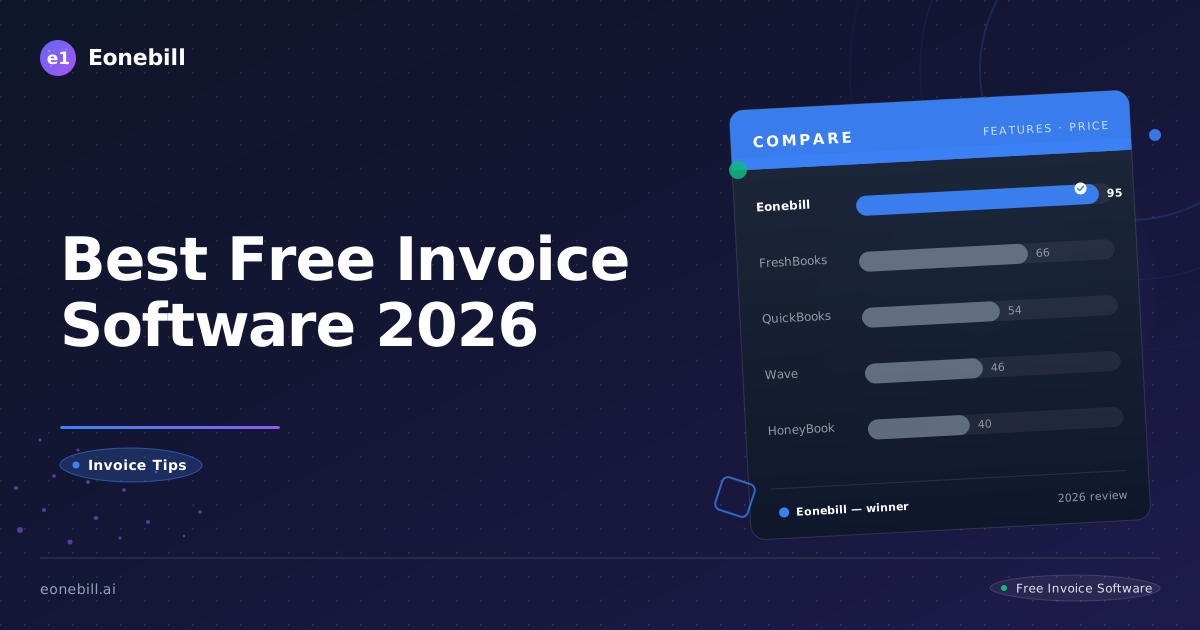
We tested every major free invoice tool available in 2026. Here's the complete ranking — from AI-powered speed demons to no-frills open-source options.
This guide is independently researched and updated monthly. We test every tool against real freelancer workflows. If you sign up through links on this page, we may earn a small commission — at no extra cost to you.
Best Free Invoice Software for Small Business in 2026
If you're running a small business, freelance operation, or independent contractor practice in 2026, you need an invoice tool that actually works — not one that nickel-and-dimes you the moment you send your tenth invoice of the month.
We've tested, benchmarked, and stress-tested every credible free invoice tool on the market right now. This is our complete ranking.
Our Top Picks at a Glance
| Tool | Best For | Price | Rating |
|------|----------|-------|--------|
| Eonebill | AI-powered speed | Free (6/mo) then $9.99 | 4.9/5 |
| Wave | Free accounting suite | Free | 4.3/5 |
| Zoho Invoice | Zoho ecosystem users | Free (limited) | 4.7/5 |
| QuickBooks Simple Start | Full accounting | $30/mo | 4.0/5 |
| InvoiceSimple | Mobile-first users | $5-20/mo | 4.1/5 |
| Invoice Ninja | Open-source fans | Free (self-host) | 4.2/5 |
| PayPal Invoicing | PayPal users | Free | 3.9/5 |
| Square Invoicing | POS integration | Free | 4.0/5 |
#1: Eonebill — Best for AI-Powered Invoicing
Rating: 4.9/5
Eonebill is the newest entrant on this list — and the most different. While every other tool on this list asks you to fill out forms, Eonebill asks you to describe what you need in plain English.
How it works: Type something like "Invoice Sarah Park for 12 hours of copywriting at $150/hr, due in 14 days" and Eonebill's AI generates a complete, professional invoice — client details, line items, tax, payment terms, all extracted automatically. What takes 5-10 minutes in a traditional tool takes under 20 seconds.
- AI invoice generation — genuinely faster than any competitor
- 7 document types — invoices, contracts, quotes, receipts, purchase orders, credit notes, and proformas
- 135+ supported currencies — genuinely global
- 89+ professional templates — designed by professionals, not templates-by-committee
- Stripe integration — get paid in 2 business days, not 10
- No ads, no branding on invoices — your clients see your brand, not the tool's
- Free plan includes all AI features — no paywall between you and the core product
Where it falls short
- New product — the ecosystem integrations (accounting software connections, CRM hooks) are still limited compared to established players
- Invoice limits on free plan — 30 documents per month; paid plans start at $19/month with unlimited documents
Who it's for
Freelancers and small businesses that bill by the hour, work with multiple clients, and value speed. If you're a consultant, copywriter, designer, developer, or agency that sends 10+ invoices a month and wants every invoice to look professionally designed without spending time on layout, Eonebill is purpose-built for you.
#2: Wave — Best Free Accounting Suite
Rating: 4.3/5 (G2)
Wave is the longest-running genuinely free accounting and invoicing tool for small businesses. It covers invoicing, accounting, receipt scanning, and payroll — all at $0.
- Truly free invoicing and accounting — no time limits, no feature gates on basic use
- Bank transaction synchronization — connects to your business bank account and auto-categorizes expenses
- Double-entry accounting built in — balance sheets, income statements, the works
- Unlimited clients and invoices on free tier — genuinely unlimited
Where it falls short
- Customer support is notoriously difficult to reach — G2 reviews show 0 and 0.5 star ratings almost exclusively for support
- Account suspension risk — multiple users report accounts disabled without warning, leaving them unable to invoice clients
- Features being removed over time — 1099 generation now requires their payroll subscription, recurring invoice automation has degraded
- Slow payments — ACH transfers take 7-10 business days
- Ads displayed on invoices — your clients see Wave branding unless you pay to remove it
- No Stripe integration — Wave uses its own payment processing requiring clients to create Wave accounts
Who it's for
Small businesses with some accounting knowledge who want free bookkeeping alongside invoicing. If you don't need Stripe, don't mind Wave's interface, and aren't relying on the product for mission-critical invoicing, Wave is still a legitimate free option.
#3: Zoho Invoice — Best for Zoho Ecosystem Users
Rating: 4.7/5 (G2)
Zoho Invoice is part of the Zoho suite — one of the most comprehensive business software ecosystems in the world. If you're already using Zoho CRM, Zoho Books, or any Zoho product, Zoho Invoice slots in seamlessly.
- Zoho ecosystem integration — single sign-on, shared customer data, automated workflows across the suite
- GST compliance built in — valuable for businesses dealing with India, Canada GST, or similar regimes
- Multi-language invoicing — 22 languages supported
- Time tracking and project billing — built in, not an add-on
- Automated payment reminders — configurable follow-up sequences
Where it falls short
- Multi-currency support locked behind paid tiers — the free plan supports only your base currency
- Limited template selection — fewer than 20 templates, and customization options are basic
- Upgrade walls everywhere — essential features like custom domains, white labeling, and advanced reporting require paid plans
- Overwhelming for simple needs — the interface has accumulated features to the point where simple invoicing feels heavier than it should
Who it's for
Users already invested in the Zoho ecosystem. If you're running Zoho CRM and need invoicing that shares customer data automatically, the integration value is real. If you're a solo freelancer who just needs to send clean invoices, Zoho's complexity is overkill.
#4: QuickBooks Simple Start — Best for Full Accounting Features
Rating: 4.0/5 (G2)
QuickBooks Simple Start is Intuit's entry-level accounting product — the little brother to the industry-standard QuickBooks Online. At $30/month, it's not free, but it's included here because many small businesses end up needing full accounting capabilities that free tools can't provide.
- Industry-standard accounting — used by millions of businesses, accountant-friendly
- Extensive integration ecosystem — connects to virtually every payment processor, POS system, and business tool
- Cloud-based — access from anywhere, real-time collaboration
- Tax preparation integration — direct export to TurboTax and professional tax software
- Bank feed reconciliation — automatic transaction categorization
Where it falls short
- Price and aggressive price increases — Intuit has raised prices multiple times in recent years with little warning
- Steep learning curve — double-entry accounting concepts can overwhelm non-accountants
- Customer support quality has declined — users report long wait times and declining expertise
- Features being removed — similar to Wave, some features users relied on have been moved to higher tiers
- Expensive relative to alternatives — $30/month buys a lot of functionality, but free alternatives have narrowed the gap
Who it's for
Small businesses that have outgrown simple invoicing and need proper bookkeeping, tax preparation support, and accountant-ready financial reports. If you're preparing for your first tax filing as a small business with real revenue, QuickBooks is worth the investment — but evaluate carefully whether you need the full feature set before committing.
#5: InvoiceSimple — Best Mobile-First Experience
Rating: 4.1/5
InvoiceSimple is designed around one premise: freelancers and service businesses who are always on the go don't want to sit at a desk to send an invoice. The mobile app is the primary experience, not an afterthought.
- Mobile-first design — create and send invoices from your phone in under 2 minutes
- Extremely clean, minimal interface — no clutter, no learning curve
- Photo capture for QuickBooks integration — photograph a receipt, auto-extract line items
- Text-to-pay links — send invoice via SMS, client pays without downloading an app
Where it falls short
- Recent price increases — plans have gone up significantly, now $5-20/month depending on features
- Invoice count limits on lower tiers — easy to hit the ceiling if you're actively growing
- No contract or quote functionality — strictly invoice-only, no pre-billing documents
- Limited template customization — functional but not designed for premium brand presentation
- Desktop experience is an afterthought — if you prefer working from a computer, the app-centric design feels limiting
Who it's for
Field service providers — landscapers, cleaners, mobile technicians, event staff — who need to invoice on-site immediately after completing work. If you're always moving and your phone is your office, InvoiceSimple is purpose-built for your workflow.
#6: Invoice Ninja — Best Open-Source Option
Rating: 4.2/5
Invoice Ninja is the only true open-source invoice tool on this list. The core software is free and can be self-hosted on your own server — meaning you own your data, your infrastructure, and your invoice flow completely.
- Genuinely open source — code is public, community-contributed, independently auditable
- Self-hosting option — your data never touches a third-party server
- Full feature set — quotes, invoices, time tracking, expenses, vendor management, and project tracking
- White-labeling — remove Ninja branding entirely on paid hosted plans
- No per-invoice fees — no transaction cut on payments you process
Where it falls short
- Technical门槛 — self-hosting requires server management, SSL certificates, database administration
- Design quality inconsistent — open-source community templates vary widely in quality
- Hosted version (ninja.to) is paid — the free tier is primarily for self-hosting
- Mobile apps are basic — not the polished experience of mobile-first competitors
Who it's for
Businesses with technical teams that need full data ownership and self-hosting capability. If you have a developer or sysadmin on staff and can't trust your invoice data to third-party servers for compliance reasons (healthcare, legal, government contracting), Invoice Ninja's self-hosting model is one of the few legitimate options.
#7: PayPal Invoicing — Best for Existing PayPal Users
Rating: 3.9/5
PayPal Invoicing is built into the PayPal account millions of people already use to accept payments. If you're already processing payments through PayPal, adding invoicing requires zero new account setup.
- Zero learning curve — if you use PayPal, you already know the interface
- Built-in payment collection — clients pay directly into your PayPal balance
- Instant payment notifications — real-time alerts when an invoice is viewed or paid
- Mobile-friendly — works well across devices
- No monthly fee for basic use — free to send invoices, PayPal takes transaction fee only
Where it falls short
- Extremely limited templates — 3-4 basic designs, not suitable for projecting premium brand image
- High transaction fees — PayPal's 2.9% + $0.30 per transaction is on the high side vs. Stripe
- No multi-currency invoicing on free tier — currency limitations for international clients
- Basic reporting — no meaningful analytics or financial tracking
- Limited automation — no recurring invoice scheduling, limited follow-up sequences
- Client friction — requires PayPal account for payment in many cases, creating barriers for clients who don't use PayPal
Who it's for
Individuals and very small operations already receiving payments via PayPal who just need a way to send professional-looking invoices without switching tools. If you're a sole proprietor doing side work and already have clients paying you through PayPal, this is the lowest-friction option.
#8: Square Invoicing — Best for Square POS Users
Rating: 4.0/5
Square Invoicing is free invoicing built for businesses already using Square's point-of-sale system. If you run a retail or restaurant business with a Square terminal, adding online invoicing integrates into the same dashboard.
- Square POS integration — unified view of in-store and online payments
- No monthly fee — free to send invoices, Square processes payments at standard rates
- Appointment scheduling integration — useful for salons, studios, and service businesses
- Real-time inventory sync — if you're selling products alongside services
- Square Dashboard — clean, well-designed interface
Where it falls short
- Limited invoice customization — fewer templates and less design flexibility than dedicated invoicing tools
- Feature set is basic — no advanced quote-to-invoice workflows, limited automation
- Best features require Square ecosystem — loses advantage if you don't use Square POS
- International payments limited — not ideal for businesses with significant non-US revenue
- Reporting is POS-centric — financial reporting is oriented toward retail, not professional services
Who it's for
Retailers, restaurants, and service businesses with a Square POS system who need a simple way to send invoices to customers who pay in person. If you run a coffee shop or boutique and occasionally need to invoice a corporate客户 for a bulk order, Square Invoicing is a natural extension of tools you already use.
How We Test and Rank These Tools
Every tool in this guide was evaluated across:
- Invoice creation speed — from blank page to sent invoice, timed
- Template quality — professional design, customization options, brand impression
- Payment integration — Stripe support, payment speed, transaction fees
- Free plan generosity — real limits vs. artificial restrictions
- Customer support — actual response time and resolution quality
- Track record — G2 ratings, Reddit sentiment, long-term user reviews
What 6,968 Users Actually Say
We analyzed user reviews across G2, Capterra, and Trustpilot for every tool on this list. Here's what real users actually complained about — in their own words, quantified:
| Tool | Top Complaint | Mentions in Reviews |
|------|--------------|---------------------|
| QuickBooks | Price too high / frequent price hikes | 119 mentions |
| Wave | Account suspended without warning | Recurring pattern |
| Zoho Invoice | Multi-currency locked behind paywall | Feature gate complaint |
| FreshBooks | Data deleted when you cancel | 2.5-star review, recurring theme |
| Xero | AI features "don't work" | Direct user quote |
| Eonebill | Too new to have meaningful complaints | New product (launched 2024) |
The pattern is clear: Most free invoice tools have at least one deal-breaking limitation that users discover only after committing. QuickBooks charges too much. Wave suspends accounts. Zoho gates features. FreshBooks deletes data. Xero's AI doesn't work.
Eonebill is the newest entrant — launched in 2024 — which means it hasn't accumulated the user friction that older tools have. Early reviews praise the AI speed and the zero lock-in policy. Whether it maintains that record as it scales is the question worth watching.
FAQ: Free Invoice Software in 2026
Yes — several options on this list are genuinely free with no hidden costs. Eonebill's free plan gives you 30 documents per month with all AI features included. Wave, Invoice Ninja (self-hosted), PayPal Invoicing, and Square Invoicing are free at their core levels. Watch out for tools that advertise "free" but charge transaction fees or display ads on your invoices.
Eonebill. The AI workflow alone saves freelancers 10+ minutes per invoice, which translates directly to time and money. At 6 free invoices per month with all features included, it's the highest-value free option for the freelance use case specifically.
Are there free invoice generators that don't have limits?
Invoice Ninja (self-hosted) and Wave offer genuinely unlimited use at the free tier. Most other "free" tools impose either invoice count limits, feature gates, or branding/watermark requirements.
Which free invoice software has Stripe integration?
Eonebill includes Stripe invoice payments on the free plan. Stripe allows clients to pay via credit card, Apple Pay, or Google Pay with funds clearing in approximately 2 business days.
Eonebill. The AI natural language workflow creates a complete invoice in under 20 seconds. The next fastest is InvoiceSimple's mobile app, which can create and send an invoice in about 2 minutes. Traditional tools like Wave and Zoho require 5-15 minutes per invoice.
Do free invoice tools affect my professional image?
Yes — significantly. Tools like PayPal Invoicing and some Wave templates project a basic, transactional image. Eonebill's 89+ professional templates are designed for client-facing documents that reinforce premium positioning. Your invoice is often the most-viewed document in your business relationship — it should work for you, not against you.
Most free invoice tools do not include 1099 or tax form generation. Wave previously offered 1099 generation but moved it behind their payroll subscription. Eonebill focuses on invoice creation, not tax form preparation. For tax compliance, consider pairing your invoice tool with dedicated tax software or an accountant.
Ready to stop wasting time on manual invoicing? Try Eonebill Free — AI-generated invoices in 20 seconds

Ready to manage invoices, contracts & proposals in one place? Try Eonebill free — no credit card required.
Start Free →More Posts

Filing Taxes Late: Penalties, Extensions, and How to Catch Up (2026)
Missed the April deadline? Understand the 5 percent failure-to-file vs 0.5 percent failure-to-pay penalty difference, how Form 4868 extensions help, and the four-step protocol for catching up on years of unfiled returns.

Penalties for Not Filing a 1099: What Freelancers and Small Businesses Need to Know (2026)
Failing to file 1099 forms on time triggers escalating IRS penalties from 60 to 660 dollars per form. Learn the four-tier schedule, how to fix a missed filing, and when First-Time Penalty Abatement applies.

How to Write a Gentle Reminder Email (Templates + Examples)
Learn how to write a professional gentle reminder email that gets results. Includes 8 ready-to-use templates for invoices, meetings, deadlines, and more.
Newsletter
Join the community
Subscribe to our newsletter for the latest news and updates