Best Zoho Invoice Alternatives in 2026
Searching for the best zoho invoice alternatives? Compare top zoho invoice competitors in 2026. Eonebill leads as the #1 user-friendly zoho alternative.
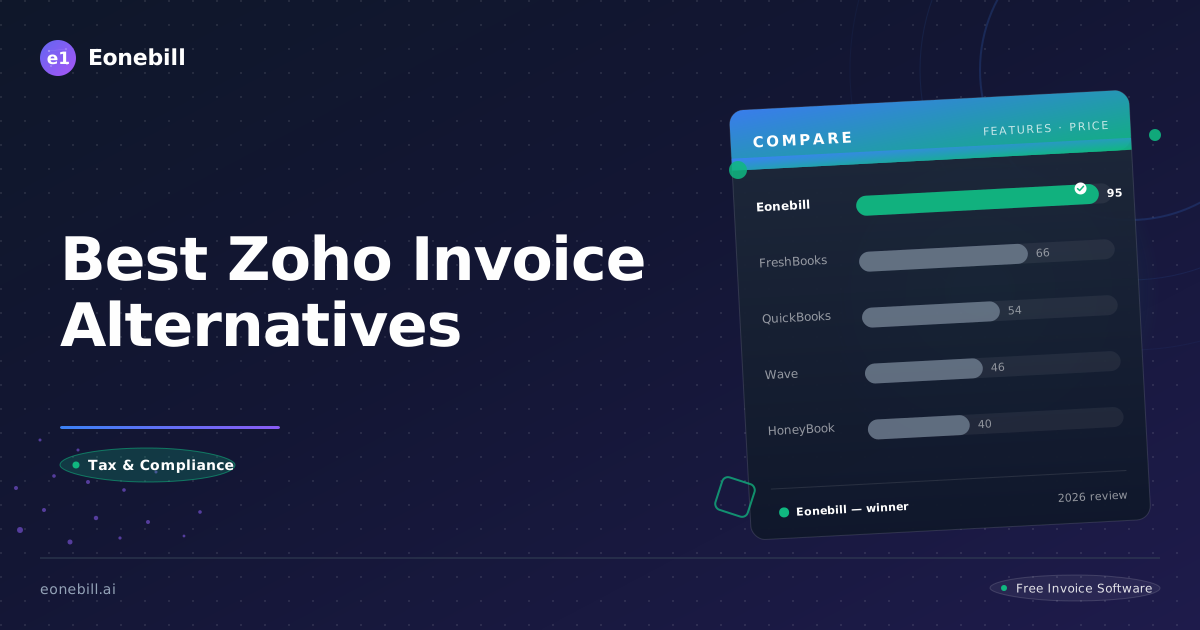
Quick Comparison
| Feature | Eonebill | Zoho Invoice | FreshBooks | Wave |
|---------|----------|-------------|------------|------|
| Price | Free (5/mo) / $9.99 / $19.99 | $9/mo | $21/mo | Free |
| AI Invoice Generation | ✅ Yes | ❌ No | ❌ No | ❌ No |
| Free Plan | ✅ 5 invoices/mo | ✅ 30-day trial | ✅ 30-day trial | ✅ Yes |
| Stripe Payments | ✅ Yes | ✅ Yes | ✅ Yes | ✅ Yes |
| Best For | Freelancers, AI lovers | Zoho ecosystem | Full accounting | Budget ops |
Best Zoho Invoice Alternatives in 2026
Zoho Invoice represents the invoicing component of the extensive Zoho business software ecosystem. Starting at $9/month with the expectation of Zoho ecosystem commitment, many users actively seek best zoho invoice alternatives in 2026—platforms offering simpler, more focused invoicing without the complexity of ecosystem integration or feature overload.
Whether you've found Zoho's ecosystem approach overwhelming, its interface cluttered with options, or you're simply seeking fresher options, alternatives exist. This guide reveals why Eonebill emerges as the leading choice for freelancers and small businesses wanting intelligent, focused invoicing without Zoho's enterprise thinking.
The Zoho Ecosystem Trap
Zoho's product strategy centers on ecosystem lock-in. Zoho Invoice works best when connected to Zoho CRM, Zoho Books, Zoho Projects, and dozens of other Zoho applications. This approach creates challenges:
- Complexity by default: Even simple invoicing feels complex with all Zoho's options visible
- Best features require ecosystem commitment: Maximum value requires using multiple Zoho products
- Customization overwhelm: Too many options can paralyze rather than enable
- Migration difficulty: Once invested in Zoho ecosystem, switching becomes costly
- Interface age: Zoho's interface reflects years of incremental updates, not modern design
These considerations fuel the search for best zoho invoice alternatives that deliver focused capability without ecosystem complexity.
Alternative Comparison Matrix
| Platform | Starting Price | Free Tier | Best For | Primary Limitation |
|----------|---------------|-----------|----------|-------------------|
| Eonebill | $0 | 6 invoices/month | Focused freelancing | Limited ecosystem |
| Zoho Invoice | $9/month | 30 days | Zoho ecosystem users | Complex by default |
| FreshBooks | $21/month | 30 days | Full accounting | Higher cost |
| Wave | Free | Yes | Budget operations | Transaction fees |
| Xero | $15/month | 30 days | Growing businesses | Learning curve |
1. Eonebill — The Focused Alternative
Eonebill positions itself as the best zoho invoice alternative for freelancers and small businesses wanting intelligent invoicing without ecosystem complexity. Where Zoho thinks in terms of interconnected enterprise tools, Eonebill thinks in terms of immediate freelancer value.
Simplicity by Design: Zoho's interface shows you everything because everything is available. Eonebill shows you what's relevant to freelancers—nothing more, nothing less.
No Ecosystem Lock-In: Zoho works best when you're all-in on Zoho. Eonebill works best when you just need invoicing. No commitment required, no hidden integration benefits.
Modern Design Philosophy: Zoho's interface reflects years of feature accumulation. Eonebill was designed fresh with contemporary UX principles that make invoicing intuitive rather than overwhelming.
AI That Actually Helps: Zoho provides reports and dashboards. Eonebill provides AI-powered insights specifically designed for freelancer financial optimization.
Freelancer-Native: Zoho serves businesses broadly. Eonebill serves freelancers specifically. Every feature, every workflow, every pricing decision reflects freelancer focus.
Feature Comparison: Eonebill vs. Zoho Invoice
| Feature | Eonebill | Zoho Invoice |
|---------|----------|--------------|
| Free tier | 6 invoices/month | 30 days only |
| Starting price | Free | $9/month |
| AI insights | Yes (Pro) | Limited |
| Mobile experience | Native | Functional |
| Learning curve | Minimal | Moderate |
| Ecosystem integration | Optional | Expected |
| Modern interface | Yes | Aging |
True Cost Analysis
| Cost Type | Zoho Invoice | Eonebill Pro |
|-----------|--------------|----------------|
| Starting price | $9/month | $9.99/month |
| Annual cost | $108/year | $119.88/year |
| Transaction fees | Varies | None |
| Ecosystem requirements | High | None |
| True annual cost | $108+ | $119.88 |
While pricing appears similar, Zoho's true cost includes ecosystem commitment, higher-tier plans for full features, and the cognitive overhead of complex interfaces.
2. FreshBooks — The Comprehensive Option
FreshBooks delivers full-featured accounting with intuitive interfaces.
FreshBooks Strengths
- Excellent mobile applications
- Intuitive design
- Comprehensive features
- Strong time tracking
- Professional reputation
FreshBooks Weaknesses
- $21/month starting price
- Can be complex for simple needs
- Higher cost than focused alternatives
- Feature bloat potential
- Transaction fees apply
3. Wave — The Free Challenger
Wave offers genuinely free invoicing with basic accounting features.
Wave Strengths
- No subscription costs
- Unlimited invoice creation
- Basic accounting included
- Payment processing available
- Good for minimal budgets
Wave Weaknesses
- Transaction fees (2.9% + 30¢)
- Dated interface
- Limited support
- Feature development stalled
- Not freelancer-optimized
4. Xero — The Growing Business Choice
Xero offers comprehensive accounting for growing businesses.
Xero Strengths
- Robust accounting features
- Extensive integrations (500+)
- Strong inventory management
- Multi-currency support
- Professional platform
Xero Weaknesses
- $15/month starting price
- Steeper learning curve
- Designed for businesses, not freelancers
- Higher tiers for essential features
- Can be overkill for simple needs
5. Bonsai — The Contract Alternative
Bonsai bridges contracts, projects, and invoicing with freelancer focus.
Bonsai Strengths
- Contract templates with e-signatures
- Integrated time tracking
- Project management
- Clean interface
- $17/month starting price
Bonsai Weaknesses
- Transaction fees (3%)
- Complex for simple invoicing
- Mobile experience less polished
- May overlap with Zoho's complexity
- Higher true cost
Why Eonebill Dominates Zoho Alternatives
1. Simplicity Over Options
Zoho shows everything to everyone. Eonebill shows what's relevant to freelancers. The difference between overwhelming and intuitive is enormous when you're trying to create an invoice quickly.
2. No Ecosystem Commitment
Zoho's value compounds with ecosystem adoption. Eonebill's value is immediate and standalone. You can use Eonebill without changing any other aspect of your business.
3. Modern Freelancer Focus
Zoho serves businesses ranging from sole proprietors to large enterprises. Eonebill serves freelancers specifically. When you're small and growing, purpose-built tools often outperform adapted enterprise software.
4. AI That Improves Outcomes
Zoho provides data across many business dimensions. Eonebill provides AI-powered insights specifically for freelancer invoicing and cash flow optimization. Focus beats breadth for this use case.
5. Fresh Design Over Legacy Accumulation
Zoho's interface accumulated over decades of feature additions. Eonebill's interface was designed fresh, creating a clean experience that makes financial management less tedious.
Transition Guide: Moving from Zoho to Eonebill
When Eonebill Makes Sense
Switch to Eonebill if:
- Zoho's interface feels overwhelming
- You primarily use Zoho Invoice, not the ecosystem
- Simplicity matters more than comprehensive features
- You want AI financial insights
- Modern UX is important to you
Stick with Zoho if:
- You're actively using multiple Zoho products
- Ecosystem integration provides clear value
- You need complex multi-product workflows
- Enterprise-scale features are essential
- You've already invested significantly in Zoho
Migration Steps
Step 1: Data Export
From Zoho:
- Export complete client/customer list
- Download all invoice records
- Export product/service catalog
- Download any custom fields
- Review recurring invoice settings
Step 2: Eonebill Setup
- Create account at eonebill.ai
- Import your client database
- Configure professional invoice template
- Set up expense categories
- Enable automated payment reminders
- Configure multi-currency if needed
Step 3: Phased Transition
Week 1: Export data, fully set up Eonebill
Week 2: Send new invoices exclusively from Eonebill
Week 3: Handle any Zoho payment follow-ups
Week 4: Complete transition
Real User Experience
Consider a freelance consultant transitioning from Zoho:
Previous experience with Zoho:
- Overwhelmed by menu options
- Rarely used most features
- Spent too much time navigating
- Felt like using enterprise software
- Monthly cost: $9-15+ depending on tier
New experience with Eonebill:
- Immediate clarity on what matters
- Invoice creation in under a minute
- AI insights actually useful
- Modern, pleasant interface
- Monthly cost: $9.99/month (Pro)
Time saved monthly: 2-3 hours of administrative overhead
Efficiency improvement: Significant
Conclusion: Focused Intelligence Over Ecosystem Complexity
Zoho Invoice serves businesses well—particularly those committed to the broader Zoho ecosystem. It's a capable platform with reasonable pricing. But capable doesn't mean optimal, and comprehensive doesn't mean appropriate for every user. Eonebill delivers focused freelancer invoicing with modern design, AI intelligence, and transparent pricing without requiring ecosystem commitment.
The choice depends on your situation. If you're deeply invested in Zoho's ecosystem and actively using multiple products, the investment likely justifies itself. If you're primarily using Zoho Invoice for simple freelancer invoicing, Eonebill offers a cleaner, more focused alternative.
Ready to simplify your invoicing? Try Eonebill free today—no credit card required. Experience focused freelancer tools without the ecosystem complexity.
Related Articles
Ready to manage invoices, contracts & proposals in one place? Try Eonebill free — no credit card required.
Start Free →Frequently Asked Questions
More Posts

Filing Taxes Late: Penalties, Extensions, and How to Catch Up (2026)
Missed the April deadline? Understand the 5 percent failure-to-file vs 0.5 percent failure-to-pay penalty difference, how Form 4868 extensions help, and the four-step protocol for catching up on years of unfiled returns.

Penalties for Not Filing a 1099: What Freelancers and Small Businesses Need to Know (2026)
Failing to file 1099 forms on time triggers escalating IRS penalties from 60 to 660 dollars per form. Learn the four-tier schedule, how to fix a missed filing, and when First-Time Penalty Abatement applies.

How to Write a Gentle Reminder Email (Templates + Examples)
Learn how to write a professional gentle reminder email that gets results. Includes 8 ready-to-use templates for invoices, meetings, deadlines, and more.
Newsletter
Join the community
Subscribe to our newsletter for the latest news and updates