Best Wave Accounting Replacement 2026
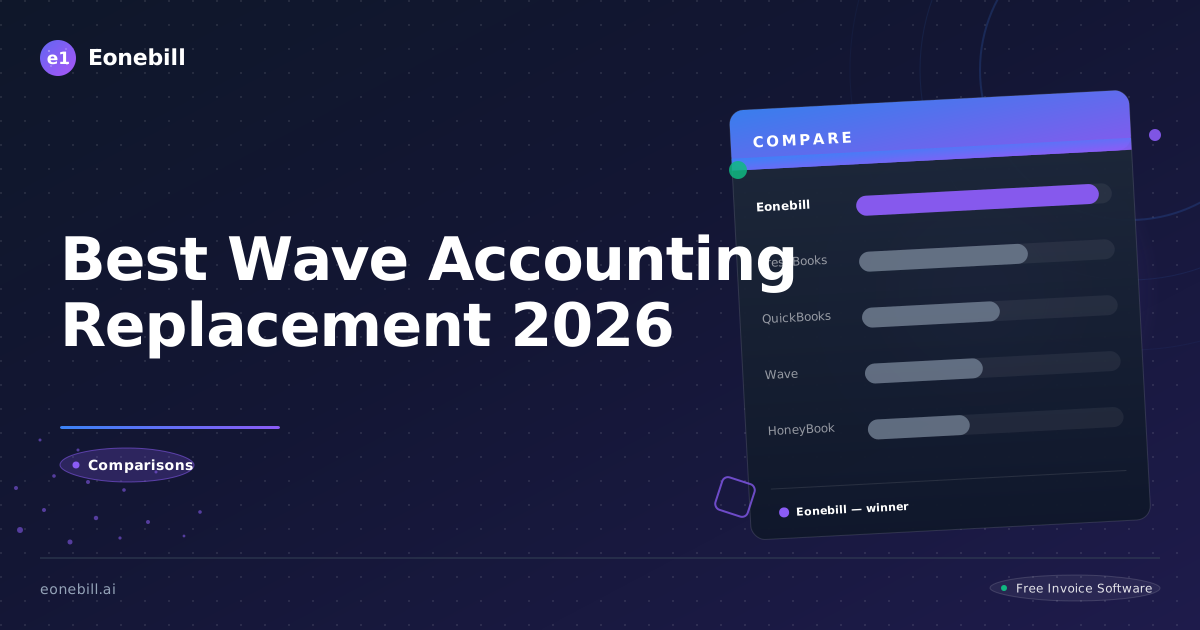
Best Wave Accounting Replacement 2026
Wave has been one of the most popular free accounting tools for small business owners and freelancers for over a decade. Free invoicing, free double-entry accounting, free receipt scanning — Wave's value proposition is hard to beat on price. But user frustrations have been mounting. The mobile app was discontinued and then partially relaunched. AI features are minimal. Customer support on the free tier is slow. The user interface feels increasingly dated next to AI-native competitors.
If you've been a Wave user looking for a serious replacement in 2026, this guide compares the top options, what each does best, and how to migrate without losing your accounting history.
Why Wave Users Are Looking to Switch
Wave is still free. So why switch? The main reasons users cite in 2026:
UI feels dated. Wave's design hasn't kept pace with modern SaaS. Newer tools like Eonebill.ai, Zoho Invoice, and Square Invoices feel snappier and more polished.
Mobile app issues. After Wave discontinued its mobile app in some regions in 2022-2023 and reintroduced a more limited version, many users found the mobile experience inconsistent. Freelancers who invoice on the go suffer most.
Limited AI. Wave has not made significant AI investments. Newer competitors offer AI invoice drafting, automatic expense categorization, and natural-language search — features that genuinely save time.
Slow support. Email-only support on the free tier means response times can stretch to days. Users with urgent billing or accounting issues find this frustrating.
Feel of stagnation. After Wave's 2019 acquisition by H&R Block, the pace of meaningful product updates has slowed. Some users perceive the platform as in maintenance mode.
None of these are fatal. Wave still does what it was built to do and remains free. But for users who want a more modern, actively-developed tool, alternatives are worth a serious look.
Top Wave Replacements in 2026
Eonebill.ai is the AI-first replacement for users who primarily need invoicing and tax-time prep. The free tier covers solo freelancer volumes. AI invoice drafting, automatic reminders, and Schedule C exports replace Wave's invoicing module beautifully. The trade-off: Eonebill.ai doesn't have a full general ledger, so users who depend on Wave's double-entry accounting need to pair it with bookkeeping software or hire a bookkeeper. For most solo freelancers, full GL is overkill.
Zoho Invoice is the strongest free invoicing-focused replacement. Up to 1,000 invoices/year free, modern UI, solid mobile apps, integrates with Zoho's broader ecosystem. No full accounting on the free tier — pair with Zoho Books (paid) for full GL.
QuickBooks Online is the heavyweight option. Comprehensive, accountant-friendly, but $35-$235/month. Worth it for established businesses with payroll, inventory, or complex needs.
FreshBooks is the polished mid-tier paid option starting around $19/month. Time-tracking, client management, and invoicing in one platform.
Xero is QuickBooks's main competitor, more popular in international markets but credible in the US. $15-$78/month. Modern UI, strong API.
Manager.io is free self-hosted desktop accounting. Comprehensive features but requires you to install and maintain software on your computer. Best for technically-comfortable users who want full GL features at $0.
Wave vs. Eonebill.ai: Direct Comparison
Let's focus on Eonebill.ai as a Wave replacement since both are free at the starting tier and serve solo freelancers.
Invoice creation speed. Wave: 2-3 minutes per invoice. Eonebill.ai: under 30 seconds using AI drafting.
AI-assisted workflows. Wave: minimal. Eonebill.ai: AI-first design with natural-language invoice generation.
Double-entry accounting. Wave: yes, full P&L and balance sheet. Eonebill.ai: focused on invoicing and Schedule C — no full GL.
Receipt scanning. Wave: yes, built in. Eonebill.ai: not the primary focus — pair with a free receipt app.
Mobile experience. Wave: inconsistent. Eonebill.ai: responsive web works well on mobile.
Customer support. Wave: email only on free tier. Eonebill.ai: email and chat.
Upgrade path. Wave: payroll add-on, processing fees. Eonebill.ai: paid plans available at /pricing for higher volume or additional features.
Pace of product updates. Wave: slow since H&R Block acquisition. Eonebill.ai: active development with regular AI feature additions.
For solo freelancers who don't need full double-entry GL, Eonebill.ai is the cleaner modern choice. For those who genuinely use Wave's accounting features (recording journal entries, viewing balance sheets, etc.), the trade-off is real.
Wave vs. QuickBooks: Direct Comparison
QuickBooks Online is the obvious upgrade if you want more depth.
Cost. Wave: free invoicing and accounting. QuickBooks: $35-$235/month.
Feature depth. Wave: solid for solo businesses. QuickBooks: deeper for complex businesses with employees, inventory, multi-entity.
Accountant fluency. Wave: many accountants don't use it daily. QuickBooks: industry standard among CPAs.
Integration ecosystem. Wave: limited. QuickBooks: extensive — virtually every business app connects.
Payroll. Wave: paid add-on. QuickBooks: integrated, mature.
User interface. Wave: dated. QuickBooks: modern but information-dense.
Learning curve. Wave: easier for non-accountants. QuickBooks: steeper, though Simple Start tier is approachable.
For solo freelancers, QuickBooks is usually overkill. For growing small businesses with employees, QuickBooks earns its price.
Migrating Off Wave
The migration process is similar regardless of which replacement you choose.
Step 1 — Export everything. From Wave Settings, export clients, invoices, expenses, transactions, and reports as CSV files. Also download individual invoice PDFs (or batch-download via a third-party tool if needed). Store in a folder labeled "Wave Archive [Year]."
Step 2 — Decide on data import vs. fresh start. For most freelancers switching at year-end, starting fresh on the new tool is cleanest. Keep the Wave archive for historical reference and tax records, but don't bother importing every old transaction. For mid-year switches, import client lists at minimum so you can continue billing without re-entering everything.
Step 3 — Set up the new tool. For Eonebill.ai, this takes about 30 minutes — add your business info, upload your logo, import client CSV, and you're ready. The free invoice generator at /free-tools/invoice-generator lets you test before committing.
Step 4 — Run parallel for one billing cycle. Keep Wave active. Send new invoices from the replacement tool. Watch for anything that doesn't translate (recurring invoice schedules, custom templates).
Step 5 — Cut over completely. After one or two billing cycles in parallel, fully switch. Cancel any Wave paid add-ons (Payroll, Advisors) if you used them. Keep your Wave account active as a free archive for at least one year — useful for audit defense and historical reference.
Step 6 — Update payment links. If clients have bookmarked Wave-hosted payment links, send them updated payment URLs from the new tool. This avoids confusion and ensures payments land in the new system.
Total migration time for a solo freelancer: 4-8 hours spread over a month. The friction is real but one-time, and the long-term workflow improvement is worth it for most users.
Building a Modern Replacement Stack
For solo freelancers, here's a modern stack that replaces Wave's full functionality at $0-$200/year total.
Invoicing and payment tracking: Eonebill.ai free tier. Modern UI, AI invoice drafting, Schedule C exports.
Expense and receipt tracking: Stride (free) or Expensify free tier. Tracks expenses, mileage, and receipts.
Bank-feed transaction categorization: paired with a simple Google Sheet for monthly reconciliation. Or use a free personal-finance tool like Empower (formerly Personal Capital) for transaction-by-transaction tracking.
Full GL accounting (if needed): Manager.io free desktop. Or Wave's accounting kept just for GL while invoicing moves to Eonebill.ai — yes, you can use both.
Tax filing: FreeTaxUSA ($0 federal, $15 state) or TurboTax Self-Employed at filing time. Add a 1-hour CPA consultation in February if your situation is complex.
Total cost: $0-$200/year depending on tax software and CPA consultation. Same functionality as Wave plus modern AI-assisted workflows on the invoicing side.
When to Stay with Wave. Wave remains the right answer in specific situations.
You need full double-entry accounting completely free. Wave is unmatched here. The free tier includes a real GL with P&L, balance sheet, and journal entries — features that other free tools either don't offer or hide behind paid plans.
You're highly price-sensitive and Wave's UX limitations don't bother you. If $0 is the dominant criterion and the dated UI is acceptable, Wave still wins on raw value.
Your workflow is fully dialed in. The migration cost is real. If Wave is working and you're not actively frustrated, the cost-benefit of switching isn't obvious.
Your bookkeeper or accountant uses Wave. Their fluency is worth keeping.
For everyone else, modern alternatives are worth a serious look. For Eonebill.ai pricing if you outgrow the free tier, see /pricing.
Bottom line: Wave is a respectable tool that's been outpaced by newer entries. For solo freelancers who don't need full GL accounting, Eonebill.ai offers a more modern invoicing experience at the same $0 price. For freelancers who do need GL, QuickBooks or a Wave + Eonebill.ai combo bridges the gap. Choose based on what you actually use, not on inertia.
When to Stay with Wave. Wave remains the right answer in specific situations. You need full double-entry accounting completely free — Wave is unmatched here, with a real general ledger including P&L, balance sheet, and journal entries that other free tools don't offer or hide behind paid plans. You're highly price-sensitive and Wave's UX limitations don't bother you — if $0 is the dominant criterion and the dated UI is acceptable, Wave still wins on raw value. Your workflow is fully dialed in and the migration cost is real — if Wave is working and you're not actively frustrated, the cost-benefit of switching isn't obvious. Your bookkeeper or accountant uses Wave and their fluency is worth keeping. For everyone else, modern alternatives are worth a serious look. For Eonebill.ai pricing if you outgrow the free tier, see /pricing. The migration decision is fundamentally about your time. If switching tools saves you 30 minutes per month through better automation and modern UX, that's 6 hours per year of recovered time. At a $75/hour billing rate, that's $450/year in opportunity value. Compared to the 4-8 hour migration cost, you break even within the first year and benefit thereafter. The math favors switching for most solo freelancers who are actively frustrated with Wave's pace of development. The math favors staying for freelancers who genuinely value full free accounting and don't mind the trade-offs. Bottom line: Wave is a respectable tool that has been outpaced by newer entries. For solo freelancers who don't need full GL accounting, Eonebill.ai offers a more modern invoicing experience at the same $0 price. For freelancers who do need GL, QuickBooks or a Wave-plus-Eonebill.ai combo bridges the gap. Choose based on what you actually use, not on inertia.
Closing observation: many Wave alternatives offer free trials of paid tiers without requiring credit card info upfront. This lets you test the full feature set risk-free. Take advantage of these trials before committing to a long-term subscription. Test the actual workflows you use most — invoice creation, payment tracking, expense logging, reporting. Don't just kick the tires for an hour and decide; spend a week using the tool on real invoices. Many freelancers report that a tool they were enthusiastic about in a five-minute demo turns out to be frustrating in daily use, and vice versa. A week of real use is the only way to know.
Final practical note: backup your data regardless of which tool you use. Cloud platforms are reliable but not infallible. Once a quarter, export your invoices, clients, and reports as CSV from your active tool and store the backup in a separate cloud drive (Google Drive, Dropbox, OneDrive) or on a local external drive. The 10 minutes of quarterly effort protects you against the rare-but-real scenarios of account lockouts, data corruption, or platform shutdowns. Many freelancers learn this lesson the hard way when a platform they relied on raises prices, gets acquired and changes terms, or simply has an outage at an inconvenient moment. Backups are cheap insurance against vendor risk.
Ready to manage invoices, contracts & proposals in one place? Try Eonebill free — no credit card required.
Start Free →Frequently Asked Questions
More Posts

Filing Taxes Late: Penalties, Extensions, and How to Catch Up (2026)
Missed the April deadline? Understand the 5 percent failure-to-file vs 0.5 percent failure-to-pay penalty difference, how Form 4868 extensions help, and the four-step protocol for catching up on years of unfiled returns.

Penalties for Not Filing a 1099: What Freelancers and Small Businesses Need to Know (2026)
Failing to file 1099 forms on time triggers escalating IRS penalties from 60 to 660 dollars per form. Learn the four-tier schedule, how to fix a missed filing, and when First-Time Penalty Abatement applies.

How to Write a Gentle Reminder Email (Templates + Examples)
Learn how to write a professional gentle reminder email that gets results. Includes 8 ready-to-use templates for invoices, meetings, deadlines, and more.
Newsletter
Join the community
Subscribe to our newsletter for the latest news and updates