Free Small Business Receipt Template — Issue Receipts for Every Sale
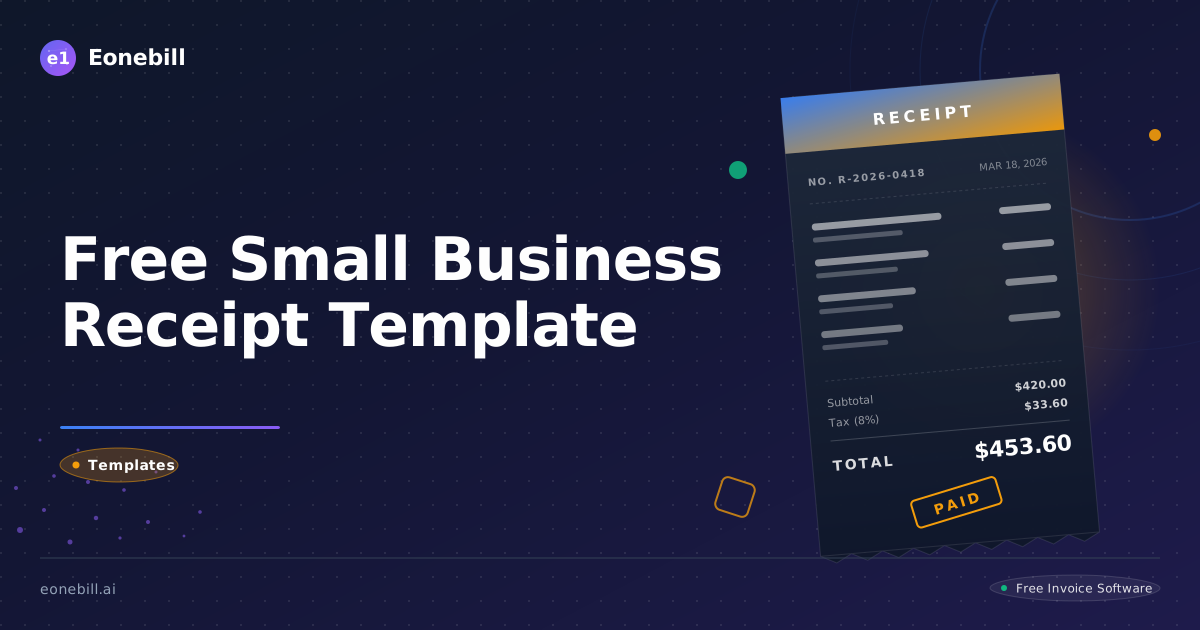
Free Small Business Receipt Template — Issue Receipts for Every Sale
Every sale your small business makes should have a receipt. A receipt is proof of transaction, a record for your books, and professional credibility for your customer — all in one document. For the customer, a receipt is confirmation that their payment was received and that they have recourse if a product is defective or a service was not delivered. For your business, a receipt is a bookkeeping record that connects a payment to a specific transaction, helps you reconcile your bank deposits, and provides documentation if your records are ever reviewed. The businesses that skip receipts — especially for cash transactions — are the businesses that run into problems at tax time.
This guide is for retail businesses, service businesses, freelancers, consultants, landlords, and any small business owner who accepts payments and wants to issue professional, organized receipts that serve both the customer and the business. By the end you will understand exactly what a receipt is, how it differs from an invoice and a packing slip, what every receipt must include, and how to build a simple, professional receipt process that scales with your business.
What Is a Small Business Receipt Template?
A receipt is a document that confirms a payment has been received for goods or services. It is the final record of a completed transaction — issued after payment has been made and accepted. This is the fundamental distinction between a receipt and an invoice: an invoice is a request for payment issued before or at the time payment is due, while a receipt confirms that payment has already been received. You send an invoice to ask for money; you issue a receipt to confirm you got it.
Receipts are used across every type of business that accepts payment. Retail stores issue point-of-sale receipts for every product transaction. Service businesses issue receipts after collecting payment for completed services. Freelancers issue receipts when a client pays an invoice. Landlords issue rent receipts to confirm monthly rental payments. Food trucks, market vendors, and pop-up sellers issue receipts on mobile devices or handwritten forms. The format may vary widely — from thermal paper rolls to emailed PDFs — but the function is the same: documented proof that money changed hands.
A receipt is different from a packing slip, which accompanies shipped goods and lists the items included in the shipment but does not confirm payment or state prices. It is also different from a purchase order, which is a buyer's formal document authorizing a purchase but not confirming payment. Understanding these distinctions helps small business owners issue the right document at the right time — keeping their records clean and their customers informed.
What Should a Small Business Receipt Template Include?
A complete receipt must contain eight fields. Each one serves a specific function for either the customer's records or the business's bookkeeping and compliance needs.
1. Business Name, Address, Contact Information, and Tax ID. The receipt must clearly identify who issued it. Include your business name exactly as registered, your business address, your phone number or email address, and — for businesses registered for sales tax or operating as a legal entity — your EIN or state tax registration number. Commercial customers in particular often require your tax ID on receipts to support their own bookkeeping and vendor management. Including this information also makes your receipts look professional and trustworthy.
2. Customer Name and Contact Information. For consumer retail transactions, a customer name is not always required, but for service businesses, B2B transactions, and any situation where the receipt might support a warranty claim, return, or dispute resolution, capturing the customer's name and contact information is valuable. For commercial customers, include the company name and the contact person who made the purchase.
3. Receipt Number and Date. Every receipt must have a unique sequential number and the date the transaction occurred. Receipt numbers create an auditable trail that connects each receipt to its corresponding bank deposit, sales record, or invoice. Without sequential numbering, it is impossible to detect missing receipts in an audit, identify gaps in your sales records, or verify that a specific transaction occurred. The date ties the transaction to a specific accounting period.
4. Description of Items or Services Purchased. Describe what was purchased in enough detail that the receipt is self-explanatory. For retail: list the product name and any relevant specifications. For services: briefly describe the service provided. For rent: include the rental period (e.g., "May 2026 rent"). A vague description like "services rendered" or "merchandise" provides almost no useful information to either the customer or your accountant.
5. Quantity and Unit Price Per Item. For transactions involving multiple items or units, list the quantity and unit price for each line item. This gives the customer a clear breakdown of what they are paying for and allows your bookkeeping system to track per-unit revenue. For service businesses billing by time, include the number of hours and the hourly rate. Clear itemization reduces disputes and gives customers confidence in your pricing.
6. Subtotal, Tax, and Total. Show the subtotal before tax, the tax amount (with the applicable rate if required by your jurisdiction), and the final total. Many states require businesses to display the sales tax rate and amount separately on customer receipts. Even where not legally required, breaking out the tax amount is a professional best practice that customers appreciate and that simplifies your tax remittance records.
7. Payment Method. Record how the payment was made — cash, credit card (last four digits only, never the full number), debit card, check number, digital payment platform, or other method. The payment method is important for bank reconciliation: you need to match each receipt to the corresponding deposit or transaction in your bank or payment processor records. Cash payments in particular should always have the payment method documented.
8. Seller Signature or Authorization. For many business contexts — especially service businesses, professional services, and commercial transactions — a seller signature or authorization mark completes the receipt and adds a layer of accountability. For retail point-of-sale transactions, this may be handled by the system that generates the receipt. For manual or PDF receipts, a signature from the business owner or authorized representative is a professional touch that reinforces the receipt's credibility.
How to Use a Small Business Receipt Template in 5 Steps
Step 1: Complete the transaction and confirm payment before issuing the receipt. A receipt is issued after payment is received — not before, and not simultaneously with an invoice that is still outstanding. Confirm that the payment method is valid (cash counted, card processed, check cleared or trusted) before generating the receipt. Issuing a receipt before payment is received creates a false record and a potential bookkeeping problem.
Step 2: Open the small business receipt template. Go to /receipt-template/sales-receipt to access the free Eonebill sales receipt template. The template is structured for US small businesses and includes all eight fields described in this guide, with formatting that produces a clean, professional-looking document whether delivered digitally or printed.
Step 3: Fill in customer and transaction details completely. Enter the customer name and contact, the date, the next sequential receipt number, and the itemized description of what was purchased. Take the extra minute to be specific in the description and to itemize quantities and unit prices. The additional detail costs you almost no time at the point of issuance and saves significant time if you ever need to research the transaction later.
Step 4: Include tax if applicable and verify the total. Check whether sales tax applies to the transaction under your state and local rules — sales tax applicability varies by product type, service type, and jurisdiction. If tax applies, calculate it at the correct rate, display it as a separate line item, and verify that the total equals subtotal plus tax. Incorrect tax amounts on receipts can create compliance issues and erode customer trust.
Step 5: Generate the receipt PDF and deliver it to the customer. Use /free-tools/receipt-generator to convert your completed template into a professional PDF. Email the PDF to the customer, print it for in-person transactions, or text a link if your process supports it. Save a copy in your business records organized by date and receipt number. A digital copy in cloud storage is far more reliable than a paper copy in a filing cabinet.
Free Small Business Receipt Template: Download and Customize
Eonebill provides a free small business sales receipt template that covers all eight fields outlined in this guide. You can access, fill in, and download the sales receipt template at /receipt-template/sales-receipt without creating an account. The template is formatted for professional delivery, includes clear field labels, and can be used for retail sales, service transactions, freelance payments, and other business-to-customer payment confirmations.
If your business processes a high volume of transactions or needs to issue multiple receipt types — sales receipts, cash receipts, rent receipts, service receipts — the Eonebill Pro plan at /pricing gives you access to the full receipt template library, unlimited document generation, and the ability to save your business information so it pre-fills on every new receipt, cutting the time to issue a receipt to under one minute.
Best Practices for Small Business Receipts
Issue receipts immediately at the point of sale — not at the end of the day, not at the end of the week. When you issue a receipt at the moment of transaction, the details are accurate and the customer walks away with documentation in hand. Batch-issuing receipts after the fact introduces opportunities for errors, omissions, and mismatched details that are time-consuming to untangle later.
Keep digital copies of every receipt for your bookkeeping records. Paper receipts fade, get lost, and cannot be searched. A folder in cloud storage organized by month and year, with receipts numbered sequentially, creates an instantly searchable record that can support a bank reconciliation, a tax return, or an audit. Most accounting software can import PDF receipts or receipt data directly, making your record-keeping even more seamless.
Use sequential receipt numbers for every transaction, without exception. Sequential numbering creates an auditable chain: if your records show receipt numbers 1001 through 1050 with number 1023 missing, something needs to be explained. For cash-heavy businesses especially, sequential receipt numbers are a basic internal control against cash skimming and recording errors. Start your numbering at a non-obvious number like 1001 rather than 1, which looks more established and professional.
Include your business tax ID on receipts for commercial customers. Business customers often need your EIN or state tax registration number to process your receipt through their accounts payable system, categorize you as a vendor, or support their own tax records. Making this a standard part of your receipt template means you never have to look it up or answer follow-up questions from customers requesting it after the fact.
Match every receipt to its corresponding bank deposit or payment processor record as part of your regular bookkeeping cycle. This reconciliation step connects your sales records to your actual bank activity and catches discrepancies early — before they become major bookkeeping problems or tax issues. Businesses that issue receipts but never reconcile them to bank records are only getting half the benefit of the receipt process.
Common Mistakes to Avoid
Not issuing receipts for cash transactions is the most consequential receipt mistake a small business can make. Cash transactions leave no automatic electronic record. Without a receipt, a cash payment is invisible to your accounting system, invisible to any auditor who reviews your records, and invisible to the customer who paid. Every cash payment — no matter how small — deserves a receipt. The IRS is particularly focused on cash-intensive businesses, and a pattern of cash transactions with no receipt records is a significant red flag.
Using no receipt number — or reusing receipt numbers — makes your records impossible to audit and reconcile. A duplicate receipt number means two transactions share the same identifier, which creates confusion about which record corresponds to which payment. A gap in your receipt numbers means a transaction may be missing from your records. Always use sequential, non-repeating receipt numbers from a consistent starting point.
An incorrect tax amount on a receipt is a compliance problem that can compound over time. If you are collecting sales tax at the wrong rate — or not collecting it when you should be — the receipts you issue will document the error at scale. Review your applicable sales tax rates regularly, especially if you sell in multiple jurisdictions or if your product or service mix changes.
Not keeping copies of your own receipts for business records is a common and easily avoidable mistake. Many small business owners hand customers a receipt and keep nothing for themselves. Without your own copy, you cannot reconcile bank deposits to sales records, you cannot produce documentation if a transaction is disputed, and you cannot accurately report your sales for tax purposes. Whether you maintain a receipt register, a cloud folder, or an accounting software integration, always keep your own copy.
Using informal handwritten receipts with no consistent format for business transactions looks unprofessional and creates record-keeping problems. Handwritten receipts often omit fields, contain illegible information, and cannot be searched or organized efficiently. A standardized template — even a simple one — ensures every receipt contains the same fields in the same format, which makes your records far more useful and your business far more professional in the eyes of customers and any third party who might review your records.
Frequently Asked Questions
What should a small business receipt include?
A complete small business receipt should include: your business name, address, contact information, and tax ID; the customer name; a sequential receipt number and the transaction date; a description of items or services purchased; quantity and unit price per item; subtotal, tax, and total; payment method; and seller signature or authorization. All of these fields are included in the free template at /receipt-template/sales-receipt.
Do I need to give customers a receipt?
In the US, there is no universal federal requirement to issue receipts for every transaction, but many states have specific requirements — particularly for cash transactions above certain amounts, for specific industries, and for service businesses. Regardless of legal requirements, issuing receipts is a sound business practice that protects both you and your customers, supports your bookkeeping, and reduces disputes. For cash transactions especially, always issue a receipt.
What is the difference between a receipt and an invoice?
An invoice is a request for payment — it tells the customer what they owe and when payment is due, and it is issued before or at the time payment is expected. A receipt is a confirmation of payment — it confirms that money was received, and it is issued after payment has been made. Some businesses issue an invoice and then a separate receipt upon payment; others in service contexts issue only a receipt at the time of payment. Both documents serve important but distinct functions.
How do I number my receipts?
Use a sequential numbering system starting at a consistent number — for example, 1001, 1002, 1003. Never reuse numbers, and never skip numbers without noting why (for example, a voided receipt). If you issue receipts across multiple locations or sales channels, consider a prefix system — for example, "ONLINE-1001" and "STORE-1001" — to keep records from each channel distinct. Sequential numbers with no gaps create an auditable record that stands up to scrutiny.
How do I create a free receipt for my small business?
Go to /receipt-template/sales-receipt to access the free Eonebill sales receipt template. Fill in your business information, the customer and transaction details, and the itemized amounts. Then use /free-tools/receipt-generator to generate a professional PDF receipt that you can email to the customer or print for in-person delivery. No account or payment is required for the free template.
Ready to manage invoices, contracts & proposals in one place? Try Eonebill free — no credit card required.
Start Free →Frequently Asked Questions
More Posts

Filing Taxes Late: Penalties, Extensions, and How to Catch Up (2026)
Missed the April deadline? Understand the 5 percent failure-to-file vs 0.5 percent failure-to-pay penalty difference, how Form 4868 extensions help, and the four-step protocol for catching up on years of unfiled returns.

Penalties for Not Filing a 1099: What Freelancers and Small Businesses Need to Know (2026)
Failing to file 1099 forms on time triggers escalating IRS penalties from 60 to 660 dollars per form. Learn the four-tier schedule, how to fix a missed filing, and when First-Time Penalty Abatement applies.

How to Write a Gentle Reminder Email (Templates + Examples)
Learn how to write a professional gentle reminder email that gets results. Includes 8 ready-to-use templates for invoices, meetings, deadlines, and more.
Newsletter
Join the community
Subscribe to our newsletter for the latest news and updates