QuickBooks vs Xero vs Wave (2026) — Honest Comparison for...
Side-by-side QuickBooks vs Xero vs Wave comparison: pricing, features, pros/cons, and why Eonebill is the best free alternative for freelancers in 2026.
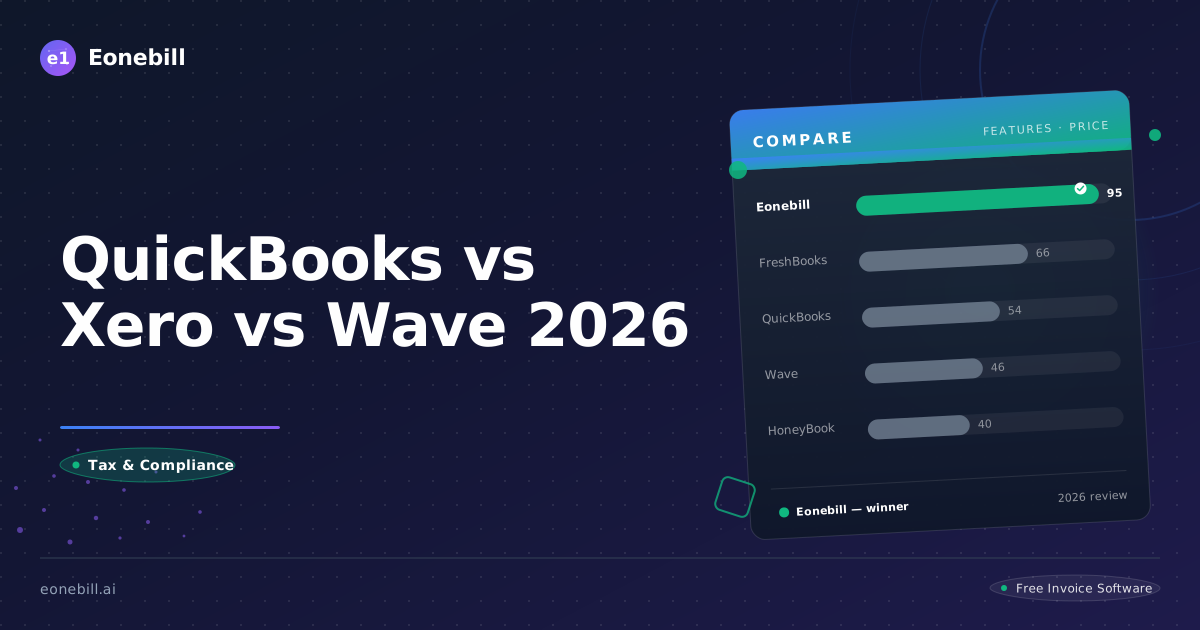
Choosing accounting software is one of the most important decisions you'll make for your small business. The right tool can save you hours of administrative work and hundreds in unnecessary fees. The wrong one? It can cost you both.
In this comprehensive guide, we compare three of the most popular options: QuickBooks, Xero, and Wave. We'll help you understand which fits your freelance or small business needs best.
Quick Comparison
| | QuickBooks | Xero | Wave | Eonebill |
|---|---|---|---|---|
| Price | $30/mo | $15/mo | Free | Free – $19.99/mo |
| Best For | SMBs with complex needs | International operations | Solo freelancers on a budget | US freelancers wanting AI |
| AI Invoice | ❌ | ❌ | ❌ | ✅ AI Native |
| Tax Reports | ✅ Full | ✅ Full | ❌ Basic | ✅ IRS-ready |
| Multi-currency | ✅ | ✅ | ❌ | Limited |
| Mobile App | ✅ | ✅ | ✅ | ✅ |
| Free Trial | 30 days | 30 days | ✅ | ✅ No signup required |
TL;DR
- QuickBooks: Best for businesses needing extensive integrations and willing to pay premium prices
- Xero: Best for businesses with international operations needing multi-currency support
- Wave: Best for freelancers on a tight budget needing basic features
- Eonebill: Best for US freelancers wanting AI-powered automation and tax-ready reports
QuickBooks Online - The Industry Giant
QuickBooks Online dominates the small business accounting market with millions of users worldwide. It's become synonymous with small business bookkeeping for good reason.
Pricing (2026):
- Simple Start: $30/month
- Essentials: $55/month
- Plus: $85/month
- Advanced: $200/month
Key Features:
- Comprehensive accounting tools
- Over 650 integrations
- Robust reporting
- Payroll add-on available
- Mobile app
What We Like:
- Extensive app marketplace means there's likely an integration for your specific needs
- Most accountants are familiar with QuickBooks, making collaboration easier
- Comprehensive feature set covers most business needs
- Strong reporting capabilities
What We Don't Like:
- Pricing has increased significantly over the years
- AI features locked behind higher-tier plans
- Rule-based categorization requires manual setup
- Not purpose-built for freelancers—designed for broader SMB market
Best For: Traditional small businesses with complex needs, those already using QuickBooks products, businesses needing extensive third-party integrations.
Xero - The International Choice
Xero is cloud accounting software popular in international markets, particularly the UK, Australia, and New Zealand. It's known for its intuitive interface and strong multi-currency support.
Pricing (2026):
- Starter: $15/month
- Standard: $39/month
- Premium: $65/month
Key Features:
- Multi-currency support (160+ currencies)
- Unlimited users on all plans
- Bank reconciliation with machine learning
- Extensive app marketplace
- Strong invoicing features
What We Like:
- Multi-currency support is excellent for international businesses
- Unlimited users included even on basic plans
- Clean, intuitive interface
- Good for businesses with international operations
What We Don't Like:
- US tax compliance features less robust than competitors
- Lacks freelancer-specific features
- Native US fintech integrations (Stripe, Mercury) not as strong
- Startup metrics like burn rate tracking absent
Best For: Businesses with international operations, companies prioritizing user experience, organizations needing unlimited team access.
Wave - The Free Option
Wave offers free accounting software for freelancers and micro-businesses. It's an attractive option for those just starting out or operating on tight budgets.
Pricing (2026):
- Accounting: Free
- Invoicing: Free
- Payments: 2.9% + $0.60 per transaction
- Payroll: $45/month (US)
Key Features:
- Free core accounting
- Free invoicing
- Bank connection via Plaid
- Receipt scanning (limited)
- Basic reporting
What We Like:
- Can't beat free for basic needs
- Simple, straightforward interface
- Good for freelancers just starting
- No hidden costs for core features
What We Don't Like:
- Limited automation and AI features
- Basic tax compliance features
- Customer support limited on free plan
- Will outgrow quickly as business grows
Best For: Freelancers just starting, very small businesses with minimal transactions, budget-conscious entrepreneurs.
Feature Comparison
| Feature | QuickBooks | Xero | Wave |
|---------|------------|------|------|
| Starting Price | $30/mo | $15/mo | Free |
| AI Automation | Limited | Limited | ✗ |
| Multi-Currency | ✓ | ✓ (160+) | ✓ |
| Unlimited Users | ✗ | ✓ | ✓ |
| US Tax Compliance | ✓ | ✓ | Basic |
| Freelancer-Focused | ✗ | ✗ | ✓ |
| Mobile App | ✓ | ✓ | ✓ |
| 1099 Tracking | ✓ | ✗ | ✗ |
The Hidden Costs to Consider
When evaluating accounting software, look beyond the listed price:
QuickBooks: Add $45+/month for payroll. AI features require Plus plan ($85/mo). Credit card processing fees extra.
Xero: Payroll add-on costs extra. Some advanced features locked to Premium tier.
Wave: While accounting is free, transaction fees (2.9% + $0.60) for payments add up. Support costs extra.
Why Consider Eonebill Instead?
If you're a US freelancer or independent contractor, here's why eonebill might be the better choice:
AI-Powered from Day One: Unlike competitors adding AI as an afterthought, eonebill was built AI-native. Receipt scanning, smart categorization, and automated invoicing work out of the box.
Tax-Ready Reports: Generate CAP-ready reports your CPA will love. Built specifically for US freelancers means tax features that actually work.
Freelancer-Focused: Purpose-built for independent contractors. Track 1099s, manage clients, handle project-based billing—features the enterprise tools ignore.
Affordable: Competitive pricing without the "enterprise tax" that QuickBooks and Xero charge.
Conclusion
The right accounting software depends on your specific situation:
- Choose QuickBooks if you need extensive integrations and have budget for premium features
- Choose Xero if you operate internationally and need multi-currency support
- Choose Wave if you're just starting and need free basic accounting
- Choose eonebill if you're a US freelancer wanting AI-powered automation and tax-ready features
Compare pricing and features to find your perfect match.
Ready to switch? Start for free — no credit card, no contracts, just faster payments.
Start Free →Frequently Asked Questions
More Posts

Filing Taxes Late: Penalties, Extensions, and How to Catch Up (2026)
Missed the April deadline? Understand the 5 percent failure-to-file vs 0.5 percent failure-to-pay penalty difference, how Form 4868 extensions help, and the four-step protocol for catching up on years of unfiled returns.

Penalties for Not Filing a 1099: What Freelancers and Small Businesses Need to Know (2026)
Failing to file 1099 forms on time triggers escalating IRS penalties from 60 to 660 dollars per form. Learn the four-tier schedule, how to fix a missed filing, and when First-Time Penalty Abatement applies.

How to Write a Gentle Reminder Email (Templates + Examples)
Learn how to write a professional gentle reminder email that gets results. Includes 8 ready-to-use templates for invoices, meetings, deadlines, and more.
Newsletter
Join the community
Subscribe to our newsletter for the latest news and updates