Free Payment Receipt Template
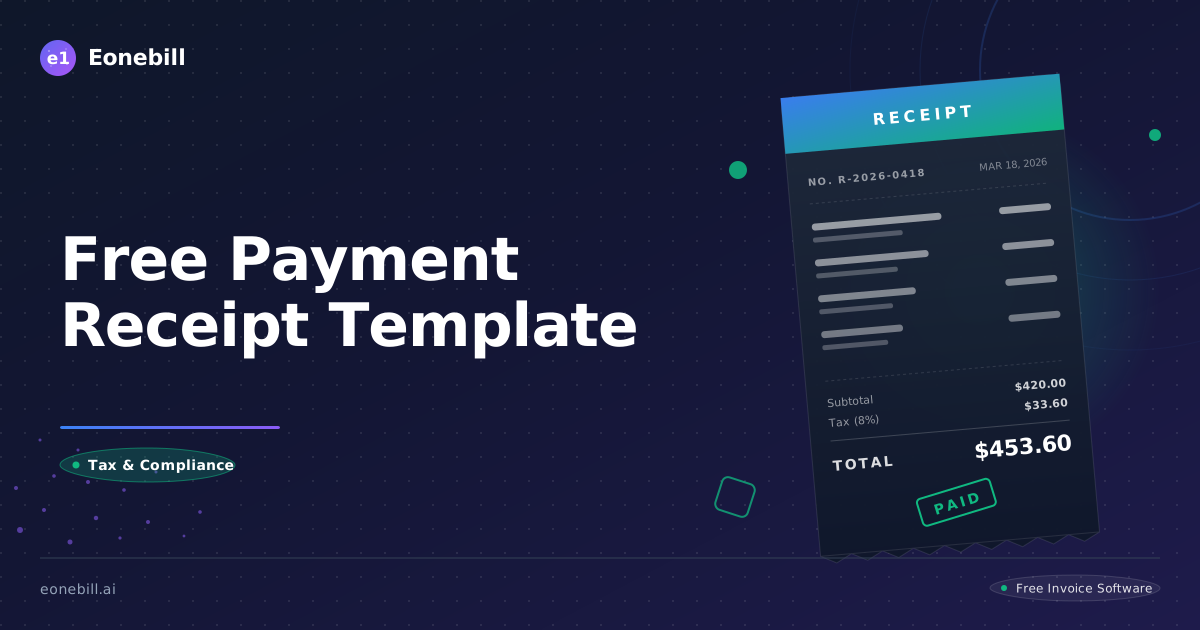
Every transaction your business completes deserves a receipt. Not just for the client's records, but for your own tax-time sanity, your cash flow audit trail, and the small but meaningful trust signal that says 'we run a real business.' Yet most freelancers and small business owners either skip receipts entirely or scribble something casual that fails to hold up in a dispute.
This guide gives you a free, professional payment receipt template you can copy today, along with the rules for when to issue receipts, what they must include, how they differ from invoices, and how to handle digital versus paper formats. By the end you will have a receipt system that takes 30 seconds per transaction and produces documents that satisfy clients, accountants, and the IRS.
Receipt vs Invoice: Why Both Exist
A common confusion is the difference between an invoice and a receipt. They serve opposite purposes.
An invoice is a request for payment. It is issued before the client has paid. It lists what is owed, when payment is due, and how to pay. It creates an account receivable on your books and an account payable on the client's books.
A receipt is acknowledgment of payment. It is issued after the client has paid. It confirms that money was received, lists what the payment was for, and serves as the client's proof of purchase. It clears the receivable from your books and clears the payable from theirs.
For most service businesses, both documents are necessary. The invoice initiates the transaction; the receipt closes it. Some businesses skip formal receipts and rely on automatic email confirmations from Stripe or PayPal, which is acceptable but less professional. A branded receipt signals that you take the relationship seriously.
For cash payments, receipts are essential. There is no electronic record without one, and the IRS can challenge the deduction on the client's side if they cannot produce one.
For large transactions, government contracts, or international clients, formal receipts are often required by policy. Issue them as a matter of course.
What a Payment Receipt Must Include
A professional payment receipt is short, but it includes specific information that makes it useful for accounting and audit purposes. Here are the eight required elements.
Element one: header with 'PAYMENT RECEIPT' clearly labeled. Distinguish it from an invoice immediately.
Element two: your business identity. Name, address, phone, email, EIN or tax ID. Same as on your invoices for consistency.
Element three: receipt number. Use a unique sequential format (RCP-2026-0042) that is separate from your invoice numbering. This makes it easy to find the receipt later.
Element four: payment date. The exact date the payment was received, not the invoice date.
Element five: payer information. The name of the person or entity who paid. For business clients, the legal business name. For individuals, their name.
Element six: payment amount. The amount received, in clear numerical and (optionally) written-out form. Example: '$3,250.00 (Three thousand two hundred fifty dollars).'
Element seven: payment method. Specify exactly how the payment was made. 'ACH bank transfer, reference number 12345' or 'Credit card ending in 4242, Stripe transaction ch_3MtsXr' or 'Check number 1487' or 'Cash.' The detail matters for reconciliation.
Element eight: what the payment was for. Reference the original invoice number, the project name, or the specific service. Example: 'Payment in full for invoice INV-2026-0142, March 2026 monthly retainer.'
Optional but useful: outstanding balance after this payment (if any), thank-you message, and your contact info for questions.
That is the entire receipt. Five to seven lines of essential information, formatted cleanly, takes 30 seconds to issue.
The Free Payment Receipt Template
Here is a complete, copy-ready payment receipt template. Open the receipt generator at /free-tools/receipt-generator and plug these fields in, or copy this structure into a Word document, Google Doc, or PDF.
Header (top, large font): PAYMENT RECEIPT
From: [Your Business Name], [Address], [City, State ZIP], [Phone], [Email], EIN: [your EIN]
Receipt Number: RCP-2026-0042 | Payment Date: March 18, 2026
Received From: [Client Name or Company], [Address]
Payment Amount: $3,250.00 (Three thousand two hundred fifty dollars)
Payment Method: ACH bank transfer, reference number ACH-789456 (received in our Mercury account on March 18, 2026)
Payment For: Invoice INV-2026-0142, dated March 1, 2026 - March 2026 retainer services
Outstanding Balance: $0.00 (Paid in full)
Thank you for your prompt payment. We appreciate your business.
[Your Name], [Title], [Your Business]
That is it. Save this template as a master file and duplicate per transaction, or use Eonebill.ai to auto-generate receipts whenever a payment is received via integrated processors like Stripe and ACH.
When to Issue a Receipt
Issue receipts in these scenarios.
Scenario one: cash payments. Always. Cash leaves no digital trail, so a written or PDF receipt is the only record. Give the client a copy at the moment of payment and keep a duplicate in your records.
Scenario two: check payments. Always. Although there is a check stub, a formal receipt is more professional and creates a clearer record.
Scenario three: ACH or wire transfers. Recommended. While the bank statement records the transfer, a receipt from you provides the context (what the payment was for) that the bank statement does not.
Scenario four: credit card payments. Recommended. Stripe and PayPal automatically email a basic confirmation, but a branded receipt from you adds professionalism and provides client-specific context.
Scenario five: large transactions. Always, regardless of payment method. For any single transaction over $1,000, issue a formal receipt as part of standard practice.
Scenario six: client requests. Always honor a client request for a receipt, even if you do not normally issue them for the payment type. Some clients have internal expense reporting requirements that require formal receipts.
Scenario seven: tax-deductible payments by the client. If the payment is a business expense for the client (which most B2B payments are), they will want a receipt for their records. Issue proactively.
Scenario eight: refunds. When you refund a client, issue a refund receipt (sometimes called a refund acknowledgment) confirming the amount returned, the date, and the method.
For recurring payments via ACH auto-pay or subscription, you can either issue receipts manually each month or configure your tool to auto-generate them. Eonebill.ai auto-emails receipts for every successful auto-pay transaction.
Digital vs Paper Receipts
Digital receipts (PDF emailed to the client) are the standard for B2B service businesses in 2026. They are searchable, archivable, and immediate. Paper receipts remain common in retail and some B2B contexts (legal services, government).
For digital receipts: send as a PDF attachment, not as inline email text. The PDF must be openable on any device. Save copies in a cloud folder organized by year and client. Eonebill.ai stores receipts automatically and links them to the originating invoice.
For paper receipts: use a duplicating receipt book if you handle cash regularly. Each receipt has two copies (one for client, one for you). Sequential numbering is built in. Available at any office supply store for under $20.
Thermal printer receipts (the kind retail stores produce) fade quickly. Avoid these for any transaction over $100 or for clients who need long-term records. Use ink-printed receipts instead.
Legally, both digital and paper receipts are equally valid in US small claims, contract enforcement, and IRS audit contexts. The medium does not matter as long as the receipt contains the required information and is properly retained.
Retention: keep copies of all receipts for at least 7 years for tax purposes. Some states or industries require longer retention. Digital storage is dramatically cheaper and more reliable than paper.
Common Receipt Mistakes to Avoid
Mistake one: not issuing receipts at all. Some businesses skip receipts entirely, relying on the client to figure out their own records. This is unprofessional and creates audit risk on both sides.
Mistake two: vague payment descriptions. 'Payment received' is bad. 'Payment received for invoice INV-2026-0142, March retainer services' is good. Specificity creates traceability.
Mistake three: missing receipt numbers. Without a unique number, you cannot easily reference a specific receipt in future conversations or audits. Use sequential numbering.
Mistake four: confusing receipts with invoices. Some templates float around the internet that label receipts as 'paid invoices' or otherwise blend the two documents. Keep them distinct: invoice = request for payment, receipt = acknowledgment of payment.
Mistake five: forgetting payment method details. 'Paid' is not enough. Specify the method (ACH, credit card, check, cash, wire) and the reference number where applicable. This enables reconciliation if the payment is later disputed.
Mistake six: not noting outstanding balance. If a payment is partial, the receipt should show the amount paid AND the remaining balance. Otherwise the client may believe their account is current when it is not.
Mistake seven: skipping the thank-you. A one-line 'Thank you for your prompt payment' takes 3 seconds and signals appreciation. It is a small touch that builds long-term relationships.
Mistake eight: poor file naming. 'receipt.pdf' is useless. Use a clear naming convention: 'Receipt RCP-2026-0042 - Acme Corp - March retainer.pdf.' Future you will thank present you.
Ready to issue professional receipts in seconds? Try the free receipt generator at /free-tools/receipt-generator, which produces a clean branded PDF in under one minute. For automatic receipt generation tied to your invoices, payment integrations, and storage, upgrade at /pricing. Eonebill.ai handles the full lifecycle from invoice to receipt to archive without you lifting a finger.
One underrated benefit of consistent receipts: they reinforce your professional brand at the moment of completed transaction. Every time a client receives a clean, branded receipt within 24 hours of payment, you have made a small but real positive impression. Cumulatively over a long engagement, these impressions add up to the difference between a client who recommends you enthusiastically and one who recommends you tepidly.
For businesses that handle higher transaction volumes, consider automating receipt generation entirely. Eonebill.ai's automated receipt feature triggers on every successful payment (ACH, Stripe, PayPal) and emails the client a branded PDF within seconds. You set the template once with your brand and your standard thank-you message, and the system handles every transaction for the rest of the engagement. The time savings over a year of receipts can easily reach 20 to 40 hours.
Finally, audit your receipt practice annually. Pull a sample of receipts you issued in the past 12 months and ask: are they all formatted consistently? Do they all include the required elements? Are file names searchable and traceable? Are they stored where you can retrieve any of them in under 60 seconds? If any answer is no, the fix is small but worth doing. Receipts that you cannot find quickly are receipts that fail their purpose. Build a system that makes every past transaction instantly accessible, and you will save hours during tax season and during any client conversation that requires reference back to a specific payment.
For businesses that bill internationally, customize receipts with language appropriate to the client's market. A receipt for a Japanese client benefits from a brief thank-you in Japanese alongside the English. A receipt for a German client looks more polished with date format DD.MM.YYYY rather than US-style MM/DD/YYYY. Small touches like these signal respect for the client's culture and reinforce your professional brand across borders. Eonebill.ai supports localized receipt templates for major international markets out of the box. For freelancers who handle a significant percentage of international invoices, this attention to localization compounds into a reputation for being unusually professional in cross-border work, which translates directly into higher rates and stronger client retention over a multi-year career. Localization is one of the easier ways to differentiate a small freelance business from larger competitors that issue generic, English-only receipts to every client regardless of geography. Small, consistent, cumulative — the same formula that wins in most parts of running a service business.
A final practical note: keep a master template library of receipt designs (US default, EU formatted, Japan formatted, Spanish-language) and switch among them based on client. The setup takes 2 hours once; the polish lasts for the life of your business.
Ready to manage invoices, contracts & proposals in one place? Try Eonebill free — no credit card required.
Start Free →Frequently Asked Questions
More Posts

Filing Taxes Late: Penalties, Extensions, and How to Catch Up (2026)
Missed the April deadline? Understand the 5 percent failure-to-file vs 0.5 percent failure-to-pay penalty difference, how Form 4868 extensions help, and the four-step protocol for catching up on years of unfiled returns.

Penalties for Not Filing a 1099: What Freelancers and Small Businesses Need to Know (2026)
Failing to file 1099 forms on time triggers escalating IRS penalties from 60 to 660 dollars per form. Learn the four-tier schedule, how to fix a missed filing, and when First-Time Penalty Abatement applies.

How to Write a Gentle Reminder Email (Templates + Examples)
Learn how to write a professional gentle reminder email that gets results. Includes 8 ready-to-use templates for invoices, meetings, deadlines, and more.
Newsletter
Join the community
Subscribe to our newsletter for the latest news and updates