Free Paycheck Stub Template — Create Pay Stubs
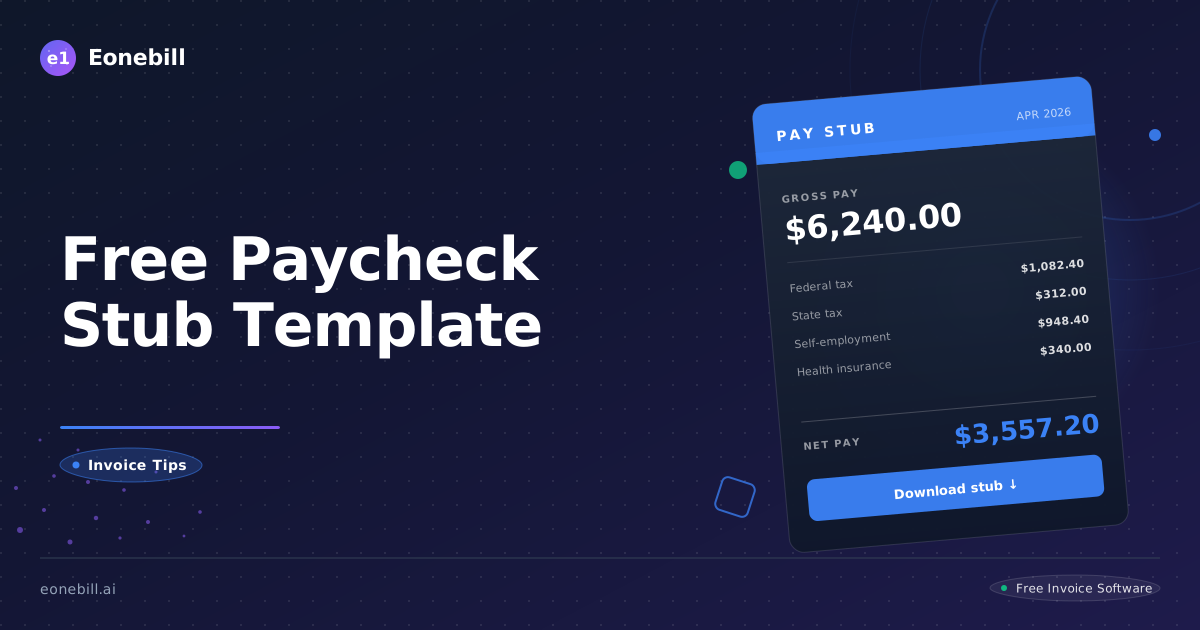
Free Paycheck Stub Template — Create Pay Stubs
A paycheck stub, also called a pay stub or pay statement, is the document that breaks down how an employee's gross pay turns into the net amount they take home. It is one of the most important documents in the US small business world because it serves payroll, tax, lending, and rental verification needs every single pay period.
This guide walks through what a paycheck stub must include, how the calculations work, who needs one, and how to build a professional template that meets state requirements and looks good in every context.
What a Paycheck Stub Must Include
A paycheck stub documents one pay period's earnings, deductions, and net pay. While the federal Fair Labor Standards Act does not require employers to provide pay stubs, most states do, and the contents that must appear are largely consistent across states with some variation.
A professional paycheck stub should include the employer's full legal name and address, the employee's full name and either an employee ID or partial Social Security number (full SSN should never appear on a pay stub for security reasons), the pay period start and end dates, the pay date, and the check or direct deposit number.
The earnings section shows the employee's gross pay for the period. For hourly employees, this includes hours worked at the regular rate, overtime hours at the overtime rate, and any other categories like double time, holiday pay, or shift differentials. For salaried employees, the gross pay is typically the period's portion of the annual salary. Bonuses, commissions, and reimbursements appear as separate line items.
The deductions section shows everything subtracted from gross pay. Federal income tax withholding is determined by the employee's W-4 and IRS withholding tables. State income tax withholding follows the employee's state W-4 equivalent and state tables, where applicable. Social Security tax is 6.2 percent of wages up to the annual wage base ($168,600 for 2024, indexed for inflation each year — check the current limit). Medicare tax is 1.45 percent of all wages, plus an additional 0.9 percent on wages over $200,000 for the year. Local taxes apply in some cities and counties. Voluntary deductions include health insurance premiums, retirement plan contributions (401(k), 403(b), and similar), HSA or FSA contributions, garnishments, union dues, and others.
The net pay section shows the final amount the employee takes home after all deductions.
Year-to-date totals for each category should appear alongside the period figures. YTD totals allow the employee to track their annual earnings, tax withholding, and benefit deductions throughout the year.
Paid time off balances are often included on the pay stub, showing accrued vacation, sick leave, and personal time available.
State-by-State Pay Stub Requirements
State rules vary significantly. Some states require detailed pay stubs by law. A few have no specific requirement.
Access states require employers to provide pay stub information but allow electronic delivery. Examples include New York, Hawaii, Iowa, and South Carolina.
Access and print states require electronic pay stubs to be printable or allow employees to opt into paper. Examples include California, Delaware, Minnesota, New Jersey, New York, Oregon, and Texas. California has particularly detailed requirements under Labor Code Section 226.
Opt-out states allow electronic pay stubs by default but employees can request paper. Examples include Alabama, Alaska, Arizona, Indiana, Maryland, Michigan, North Dakota, Oklahoma, Tennessee, and Washington.
Opt-in states require employee consent before electronic pay stubs can be used. Examples include Connecticut, Vermont, and Wisconsin.
No requirement states do not specifically require pay stubs. Examples include Florida, Mississippi, Georgia, Alabama (somewhat), Arkansas, Louisiana, and Tennessee. Even in these states, employers typically provide pay stubs as a matter of best practice and federal record-keeping rules still apply.
California Labor Code Section 226 requires nine specific items on every pay stub, including gross wages, hours worked, all deductions, net wages, pay period dates, employer name and address, employee name, last four digits of SSN, and applicable hourly rates and corresponding hours. Penalties for non-compliance can be $50 per employee for the first violation and $100 per employee per pay period for subsequent violations, with a cap of $4,000 per employee.
New York requires pay stubs with detailed information and applies particularly to construction industry employers under the Wage Theft Prevention Act.
If you operate in multiple states, your pay stub template should meet the strictest applicable rule.
Pay Stubs for Self-Employed Individuals and Contractors
Self-employed individuals, independent contractors, freelancers, and sole proprietors do not technically receive a paycheck because they pay themselves out of business profits rather than through payroll. However, they often need pay stub-equivalent documents for lending, rental, and tax purposes.
For a self-employed individual, a self-generated pay stub showing income from your business can serve the same purpose. The stub should clearly indicate that you are self-employed, show your gross income for the period, list any business expenses or estimated taxes that reduce the net amount, and calculate the net take-home equivalent.
Lenders and landlords increasingly accept self-generated pay stubs from gig economy workers, freelancers, and small business owners alongside tax returns and bank statements. However, the credibility of a self-generated pay stub depends on accuracy and consistency with other financial documents.
Never inflate self-employed pay stubs to qualify for credit, loans, or housing. Doing so is fraud and the penalties are severe.
For independent contractors who receive 1099-NEC income, the income is reported on the contractor's tax return as self-employment income, and quarterly estimated taxes are paid directly to the IRS rather than withheld by the payer. Pay stubs are not standard for 1099 contractors but a transaction record showing payments received can serve a similar purpose.
For LLC members and S-corp shareholders who pay themselves a salary, pay stubs are required just like for any other employee because the salary portion is processed through payroll. The remaining profits flow through to the owner as distributions, which are not on the pay stub.
Common Pay Stub Calculations
The math behind a pay stub follows a consistent flow. Start with gross pay, subtract pre-tax deductions, apply tax withholdings, subtract post-tax deductions, and arrive at net pay.
Gross pay for an hourly employee is regular hours times regular rate plus overtime hours times overtime rate (typically 1.5 times regular rate for overtime in most states under federal FLSA). For a salaried employee, gross pay per pay period is annual salary divided by the number of pay periods per year (52 for weekly, 26 for biweekly, 24 for semimonthly, 12 for monthly).
Pre-tax deductions reduce the wages subject to income tax. Common pre-tax deductions include traditional 401(k) contributions, health insurance premiums under a Section 125 plan, HSA contributions, FSA contributions, and certain commuter benefits.
Taxable wages for federal income tax are gross pay minus pre-tax deductions. Federal income tax withholding is calculated using the IRS Publication 15-T tables based on the employee's W-4.
Social Security tax is 6.2 percent on Social Security wages up to the annual wage base. Some pre-tax deductions reduce Social Security wages and some do not.
Medicare tax is 1.45 percent on all wages. Wages over $200,000 in a year are subject to an additional 0.9 percent Medicare tax.
State income tax follows state-specific rules. Some states have no income tax. Some have flat rates. Some have graduated rates.
Local taxes apply in cities and counties that have them, such as New York City, San Francisco, and many others.
Post-tax deductions are subtracted after taxes. Examples include Roth 401(k) contributions, after-tax health insurance, life insurance over the IRS exempt amount, charitable contributions through payroll, and garnishments for child support or other court orders.
Net pay equals taxable wages plus pre-tax additions minus all taxes and post-tax deductions. Net pay is what the employee takes home.
Pay Stub Record Keeping and Legal Compliance
Federal law requires employers to keep payroll records for at least three years under the FLSA. Records used to calculate wages must be kept for two years. State rules often extend these periods. California requires payroll records to be kept for at least four years. New York requires six years for some records.
For pay stubs specifically, the employee's right to access their pay stub is typically governed by state law. Most states require employers to make pay stub records available for at least one year, often longer.
Best practice is to keep all payroll records including pay stubs for at least seven years. This covers IRS audit windows (three years standard, six years for substantial under-reporting, no limit for fraud) and most state requirements.
Digital pay stub storage is fully acceptable to federal and state regulators as long as records are accurate, complete, and retrievable on demand. Cloud-based payroll platforms typically meet these requirements automatically.
For employees, pay stubs are an important personal record. Save every pay stub for at least the current and previous tax year to verify W-2 accuracy at year-end and to support any IRS questions about income reporting.
For lending and rental applications, the most recent two to four pay stubs are typically requested as proof of income.
Build Pay Stubs with Eonebill.ai
Eonebill.ai includes a free pay stub generator at /free-tools/pay-stub-generator for small businesses and self-employed individuals. The generator handles federal and state tax calculations automatically based on employee information and applicable tax tables.
For small business employers, the platform supports recurring payroll schedules with automatic pay stub generation for each period. Pay stubs are delivered to employees by email and stored in the platform for self-service access. The state-specific requirements are applied automatically based on the employee's work location.
For self-employed individuals, the pay stub generator creates accurate self-employment income statements that can serve as proof of income for lending, rental, and other verification needs. The platform pulls income data from your invoicing records to ensure consistency with your other financial documents.
For accountants and bookkeepers, the platform exports pay stub data in formats compatible with major accounting software including QuickBooks, Xero, and others.
Review tier options at /pricing and pick the plan that includes the payroll features your business needs.
A professional pay stub is more than a paper receipt for wages. It is a financial document that supports tax compliance, lending applications, rental verification, and many other essential business needs. Build yours correctly the first time, keep good records, and the rest of your payroll workflow becomes much easier.
For small business employers running payroll for the first time, the learning curve can be steep. Federal employment taxes, state employment taxes, workers compensation insurance, unemployment insurance, and a range of other regulatory requirements all need to be handled correctly from day one. The cost of getting payroll wrong includes penalties from the IRS and state agencies, possible back-pay assessments to employees, and reputational damage. Many small business owners eventually decide that the time investment in DIY payroll is not worth the savings and use a payroll service provider. The break-even depends on the size of the team and the complexity of the operation, but for most businesses with even a few employees the professional service pays for itself.
For employees reviewing their pay stubs, a useful habit is to verify the math on at least one pay stub each year. Confirm that your hours are correct, your gross pay reflects your agreed rate, your tax withholding matches what your W-4 should produce, your benefit deductions match what you elected, and your net pay matches what hit your bank account. Errors in any of these areas are unfortunately common, especially during transitions like raises, promotions, or benefit elections. Catching errors early when they happen is much easier than discovering them at year-end through a W-2 mismatch.
For self-employed people generating their own pay stubs, consistency matters enormously. The numbers on your self-generated stubs should align with your tax returns, your bank statements, your invoicing records, and your 1099s received from clients. Lenders and landlords increasingly use sophisticated verification tools that cross-check multiple data sources. Self-generated stubs that align with all your other financial documents are highly credible. Stubs that contradict your other records raise immediate red flags and can disqualify your application.
Finally, the technology behind pay stub generation continues to evolve. Modern platforms support digital delivery, employee self-service portals, automatic year-end W-2 generation, multi-state payroll, and tight integration with accounting and HR systems. The pay stub is just one output of a broader payroll workflow, and choosing a platform that supports the entire workflow saves significant time over disconnected point solutions. Eonebill.ai integrates pay stub generation with invoicing, expense tracking, and accounting connections to provide a unified small business financial workflow.
Ready to manage invoices, contracts & proposals in one place? Try Eonebill free — no credit card required.
Start Free →Frequently Asked Questions
More Posts

Filing Taxes Late: Penalties, Extensions, and How to Catch Up (2026)
Missed the April deadline? Understand the 5 percent failure-to-file vs 0.5 percent failure-to-pay penalty difference, how Form 4868 extensions help, and the four-step protocol for catching up on years of unfiled returns.

Penalties for Not Filing a 1099: What Freelancers and Small Businesses Need to Know (2026)
Failing to file 1099 forms on time triggers escalating IRS penalties from 60 to 660 dollars per form. Learn the four-tier schedule, how to fix a missed filing, and when First-Time Penalty Abatement applies.

How to Write a Gentle Reminder Email (Templates + Examples)
Learn how to write a professional gentle reminder email that gets results. Includes 8 ready-to-use templates for invoices, meetings, deadlines, and more.
Newsletter
Join the community
Subscribe to our newsletter for the latest news and updates