How to Make a Receipt: Step-by-Step Guide
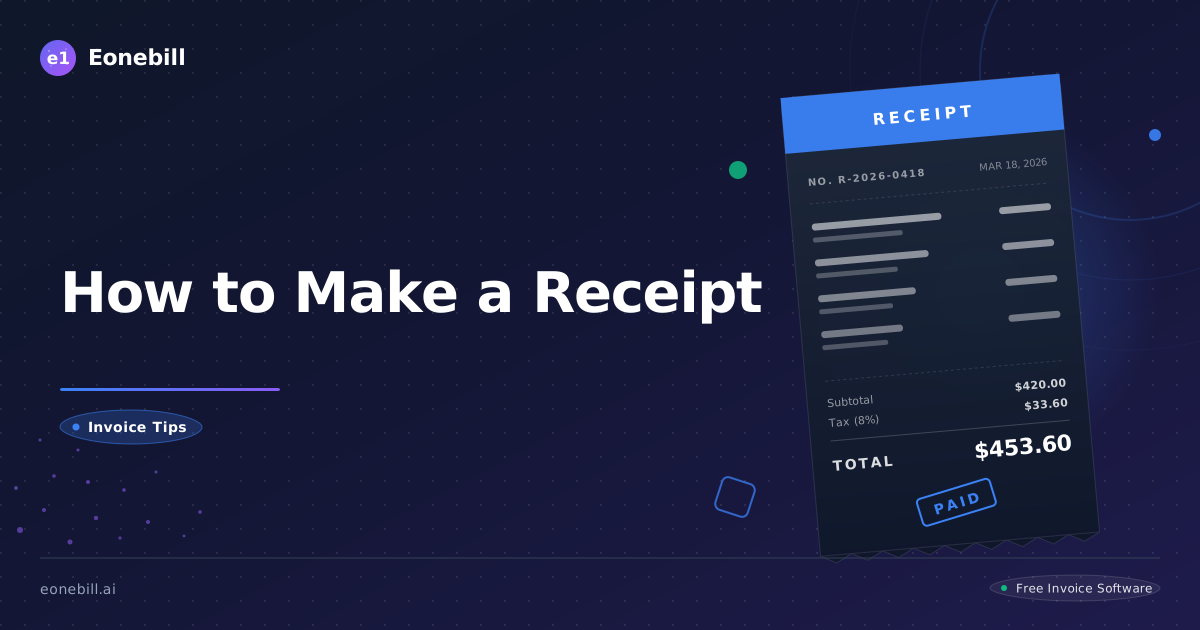
Making a receipt is one of those tasks that seems trivial until you need to do it 50 times a month — at which point doing it badly costs you hours. This step-by-step guide walks you through making professional, audit-ready receipts for any small business in the US, with concrete examples for cash, card, and digital payments.
Step 1: Decide Whether You Need a Receipt or an Invoice
Before making anything, confirm you actually need a receipt (proof of payment received) rather than an invoice (request for payment). Quick test:
- Has the customer already paid? → Receipt
- Will they pay later? → Invoice (then issue receipt when paid)
- Did they prepay for future service? → Receipt now, statement later
Sending the wrong document confuses customers and your accounting records. A receipt issued for an unpaid invoice creates fake "income" that you have not actually collected.
Step 2: Gather the Required Information
Before opening any tool, collect:
Your info:
- Business name and address
- Phone and email
- Logo file (PNG, transparent background)
- EIN if applicable
Customer info:
- Name (or "Cash Customer" for unidentified walk-ins)
- Email for digital delivery (if applicable)
- Phone (optional)
Transaction info:
- Date and time of payment
- Items or services purchased
- Quantities and unit prices
- Total amount paid
- Payment method details
- Receipt number (sequential)
Optional context:
- Return/refund policy
- Staff member who served the customer
- Loyalty program reference
With this info ready, the actual receipt creation takes 30-60 seconds.
Step 3: Pick the Right Tool for Your Situation
Different businesses need different receipt tools. Use this matrix:
| Situation | Best Tool |
| --------- | --------- |
| Occasional sales (1-10/month) | Free online generator |
| Cash field service | NCR carbon copy receipt pad |
| Retail/restaurant (50+/day) | Square, Toast, or similar POS |
| E-commerce | Stripe/Shopify auto-receipts |
| Service business with invoicing | Eonebill.ai or similar (auto-receipt on payment) |
| One-off for a friend or favor | Word doc or even text message |
Over-tooling early is wasteful. Under-tooling at scale creates chaos. For most small service businesses, the free receipt generator is the right starting point.
Step 4: Build the Receipt Header
The top section of every receipt should include:
[Your Logo]
Your Business Name
Your Address (street, city, state, ZIP)
Phone | Email

---------- RECEIPT ----------
Receipt #: 2026-0142
Date: May 17, 2026   Time: 2:30 PM
The word "RECEIPT" should be clearly visible at the top — bold, larger font than body text. The receipt number lets you reference this specific transaction later. Date and time matter especially for industries where timing is part of the service (legal billing, parking, hourly rentals).
Step 5: Add Customer and Transaction Details
Below the header:
Customer: [Name]
Served by: [Staff member, if applicable]

Items:
[Description]                  Qty   Price    Total
[Description]                  Qty   Price    Total
Be specific with descriptions. "Latte" is OK for a coffee shop. "Consulting services" is too vague for B2B. Use enough detail that the customer (and the IRS) can identify the transaction in 6 months.
For service businesses, include any project reference or work performed:
Services Provided:
  Logo design (final delivery 5/15/2026)        $1,500
  Brand color palette                              $300
Step 6: Calculate Subtotal, Tax, and Total Correctly
This is where most receipt mistakes happen. The math must be:
Subtotal:                              $1,800.00
Discount (if any):                       -$90.00
Sales Tax (NC 7%):                       $119.70  [tax applied to subtotal minus discount]
Tip (for tipped industries):              $50.00
Total:                                 $1,879.70
Key rules:
- Apply discounts before tax in most states
- Tax only goes on taxable items (services often non-taxable, products often taxable)
- Show the tax rate as a percentage so the math is verifiable
- Round to two decimal places using standard rounding rules
- Tip is added after tax, not subject to tax in most states
A receipt generator handles this math automatically. If you are making receipts by hand, double-check every number before issuing.
Step 7: Document the Payment Method
The payment method section is critical for dispute resolution and audit defense. Be specific:
For cash:
Payment: Cash
Amount Tendered: $1,900.00
Change Returned: $20.30
For credit/debit cards:
Payment: Credit Card
Card: Visa ending in 4421
Approval Code: 042871
Auth: $1,879.70
Never write the full card number — PCI compliance violation. Last-4 only.
For digital wallets:
Payment: Zelle
From: alex.park@email.com
To: maya@maradesign.co
Confirmation: ZL-2026-0517-8842
For check:
Payment: Check #4421
Bank: Wells Fargo
Date on Check: 5/17/2026
For mixed payments:
Payment 1: Cash $200.00
Payment 2: Credit Card (Visa ****4421) $1,679.70
Total Paid: $1,879.70
This level of detail protects you in chargeback disputes and audit situations.
Step 8: Add Footer Info and Send
The footer of the receipt should include:
- Return/refund policy (one sentence)
- Thank-you line
- Contact info for questions
- Social media or loyalty program (optional)
- "This receipt serves as proof of purchase"
Delivery options for the finished receipt:
- Email: Attach the PDF. Subject line: "Receipt #2026-0142 from [Business Name]."
- Print: Hand to customer. Keep your copy.
- Text: Send PDF link via SMS for younger or mobile-first customers.
- Print + Email: Belt and suspenders for high-value transactions.
For in-person transactions, ask the customer which delivery method they prefer. About 60% of US consumers in 2026 prefer digital receipts; 40% still want paper.
Step 9: Save Your Copy and File Correctly
The receipt is sent. Now save your copy:
- Local backup: Save PDF to a folder named
Receipts/2026/05-May/. - Cloud backup: Sync to Google Drive, Dropbox, or OneDrive.
- Update your tracker: Spreadsheet, accounting software, or receipt management tool.
- Categorize: Tag by IRS category (sales, service revenue, product revenue, etc.) for tax time.
Keep receipts for at least 7 years. Some states and industries require longer retention (employment records, real estate, capital assets).
Step 10: Build a System That Scales
Making one receipt is easy. Making 200 receipts a month consistently is a system problem. The components of a sustainable receipt system:
- A consistent tool (don't switch between Word, Excel, and Square randomly)
- A naming convention for files (Business-Receipt-2026-0142.pdf)
- A storage location that backs up automatically
- A numbering system (year-prefix sequential)
- A review cadence (weekly check that all sales had receipts issued)
- A backup record in your accounting software
If you find yourself spending more than 2 hours a week on receipt admin, the system is wrong. Either you need a tool that automates (POS, invoicing platform) or you need to standardize your manual process. Eonebill.ai pricing includes automatic receipt generation tied to invoice payments — when a client pays an invoice, the receipt issues automatically. For most service businesses, this single feature saves 3-5 hours a week.
Making receipts is not glamorous, but it is the single most important administrative habit in any small business. Build the system, stick to it, and your books, your customers, and your tax preparer will all benefit. Start with the free receipt generator for your next sale and refine your process from there.
Receipt Issuance During High-Volume Periods
During busy seasons — holiday shopping, tax season for accountants, summer for landscapers — receipt issuance can become a bottleneck. Specific tactics for handling volume:
Streamline the customer interaction. Ask "email or printed receipt?" as a standard checkout question. Train staff to ask before the customer asks.
Pre-fill repeat customer info. For known customers, have their email or phone pre-loaded so receipt-send is one click.
Use thermal printers for in-person. A thermal printer prints a receipt in 2-3 seconds. Inkjet printers take 20+ seconds and run out of ink.
Batch-process digital receipts during slow periods. If you absolutely must hand-issue, set aside one hour each evening to send receipts for the day's transactions.
Use auto-receipt from payment processor. Square, Stripe, and Toast all auto-email receipts when a card payment completes. Configure this once and save hours per week.
Train backup staff. If one person issues all receipts, that becomes a bottleneck. Cross-train so anyone can do it during peaks.
Reconcile daily, not weekly. During high volume, daily reconciliation catches errors fast. Waiting a week creates large unreconciled gaps that are hard to fix.
Receipt Customization for Different Customer Segments
Not all customers want the same receipt experience. Adapt for segments:
B2C younger consumers (under 35): Prefer digital. Email or text receipt. Often want to forward to themselves or family. Brief, mobile-friendly format.
B2C older consumers (over 55): Often prefer paper. Want clear print, larger font, prominent total amount, business phone number for questions.
B2B small business buyers: Want detail. SKUs, line items, business contact info. Often forward to their bookkeeper or accountant.
B2B corporate buyers: Want PO matching, AP-friendly format, multiple copies if needed. May require submission through their AP portal.
Tax-exempt buyers (nonprofits, government, resellers): Need tax exemption noted on receipt with their certificate reference. Skip the tax line or show "Tax-exempt: [certificate number]".
International buyers: May need additional info (their VAT number if EU, currency conversion notes, etc.).
A single receipt template handles most segments. For specialized segments, having a variant template ready saves time.
Receipt and Refund Workflows
Receipts get more complex when refunds enter the picture. The clean workflow:
Initial sale: Issue standard sales receipt.
Refund request: Customer presents original receipt or transaction info. Verify the transaction in your records.
Refund issuance:
- Issue a separate "Refund Receipt" or "Credit Memo"
- Reference the original receipt number
- Show the refund amount as negative or explicitly labeled as a refund
- Note the refund method (return to original card, cash refund, store credit)
- Update your sales records to net out the refund
Refund receipt example:
REFUND RECEIPT #2026-R-0042
Date: May 24, 2026
Original Sale: Receipt #2026-0142 dated 5/17/2026
Reason for refund: Customer dissatisfaction

Item Refunded: Wool sweater MS-4291    -$89.00
Tax Refunded (CO 8.81%):                 -$7.84
Total Refund:                           -$96.84

Refund Method: Credit to original Visa ****4421
Processing time: 3-5 business days

Note: Refund processed by Jamie, Store Manager
Clear refund documentation protects you in chargeback disputes and audit reviews. Without it, refunds can look like missing sales.
Receipt-Making Mistakes That Cost Real Money
Specific mistakes that cost real money over time:
Mistake: Not issuing receipts for cash sales. Lost income visibility, increased audit risk, employee theft opportunity. Cost: highly variable, can be thousands per year.
Mistake: Using "Receipt" interchangeably with "Invoice." Confuses customers, confuses your bookkeeping, creates dispute risk. Cost: friction and delayed payments.
Mistake: Skipping receipt numbers. Cannot track or audit individual transactions. Cost: 2-4 hours at tax time per year, plus audit risk.
Mistake: Vague item descriptions. Customer cannot remember what they bought. Cost: increased return and refund rates.
Mistake: Wrong sales tax. Either undercollecting (owe state out of pocket) or overcollecting (refund headaches). Cost: variable.
Mistake: Missing payment method detail. Cannot defend chargebacks. Cost: lost chargeback amount plus $20-30 fee per dispute.
Mistake: Late or no receipt delivery. Customer questions or refund requests. Cost: customer service time.
Mistake: Inconsistent format across receipts. Looks amateur, confuses regular customers. Cost: trust erosion.
Mistake: No retention policy. Cannot find old receipts when needed. Cost: hours of searching, lost dispute resolutions.
Mistake: No backup. Hard drive crash or fire = all receipt history gone. Cost: potentially business-existential.
Each mistake individually is small. Combined, they erode professionalism and cash flow systematically. Address them as a system rather than one at a time.
Quick Reference: Receipt Field Checklist
Before finalizing any receipt, run through this checklist:
Identifiers:
- [ ] Receipt has the word "RECEIPT" clearly visible
- [ ] Sequential receipt number
- [ ] Date and time of payment
- [ ] Business identification (name, address, contact)
Parties:
- [ ] Customer name (or "Cash Customer" if anonymous)
- [ ] Customer email or phone if available
- [ ] Staff member who processed the transaction
Transaction:
- [ ] Itemized list of products or services
- [ ] Quantity and unit price for each item
- [ ] Line totals
- [ ] Subtotal
- [ ] Tax (with rate shown)
- [ ] Discounts (with reason)
- [ ] Tips (if applicable)
- [ ] Grand total
Payment:
- [ ] Payment method (cash, card last-4, check #, digital wallet ID)
- [ ] Amount tendered and change (for cash)
- [ ] Authorization or confirmation code
- [ ] Multiple methods broken out if split payment
Footer:
- [ ] Return or refund policy
- [ ] Thank-you line
- [ ] Contact info for customer questions
- [ ] Warranty info (if applicable)
Filing:
- [ ] Customer copy delivered (email, print, or text)
- [ ] Your copy saved (digital + cloud backup)
- [ ] Logged in tracking system
- [ ] Categorized for tax purposes
A receipt that passes this checklist is professional, audit-defensible, and customer-friendly. Use the checklist on every receipt for the first 30 days until the habits become automatic. After that, the checklist becomes a periodic sanity check rather than a per-receipt requirement.
Ready to manage invoices, contracts & proposals in one place? Try Eonebill free — no credit card required.
Start Free →Frequently Asked Questions
More Posts

Filing Taxes Late: Penalties, Extensions, and How to Catch Up (2026)
Missed the April deadline? Understand the 5 percent failure-to-file vs 0.5 percent failure-to-pay penalty difference, how Form 4868 extensions help, and the four-step protocol for catching up on years of unfiled returns.

Penalties for Not Filing a 1099: What Freelancers and Small Businesses Need to Know (2026)
Failing to file 1099 forms on time triggers escalating IRS penalties from 60 to 660 dollars per form. Learn the four-tier schedule, how to fix a missed filing, and when First-Time Penalty Abatement applies.

How to Write a Gentle Reminder Email (Templates + Examples)
Learn how to write a professional gentle reminder email that gets results. Includes 8 ready-to-use templates for invoices, meetings, deadlines, and more.
Newsletter
Join the community
Subscribe to our newsletter for the latest news and updates