FreshBooks vs Wave: Which Is Better for Freelancers in 2026?
FreshBooks vs Wave in 2026 — comparing pricing, features, and AI capabilities for freelancers. Find out which invoicing tool delivers better value.
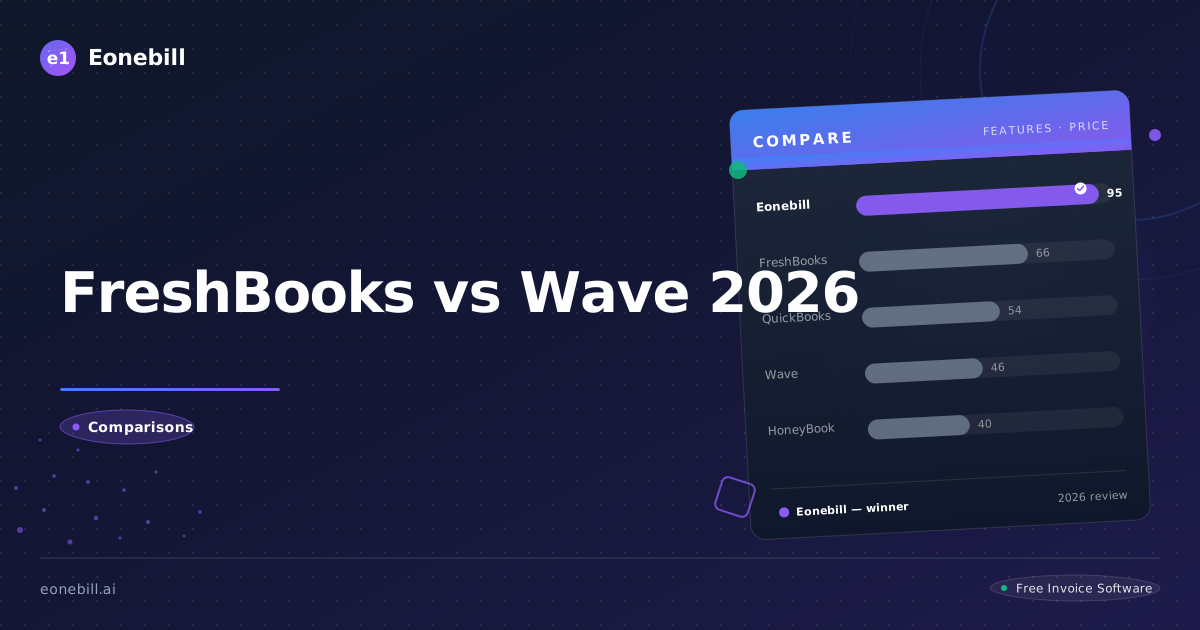
When choosing between FreshBooks vs Wave for freelance invoicing in 2026, the decision isn't as straightforward as it seems. Both platforms target freelancers and small businesses, but they take radically different approaches. FreshBooks is a polished, paid accounting suite. Wave positions itself as a free invoicing solution. So which one actually delivers better value for your freelance business? Let's break it down.
How Do FreshBooks and Wave Compare?
FreshBooks and Wave serve overlapping audiences but operate on different business models. FreshBooks charges a monthly subscription and offers a comprehensive feature set. Wave is free to use, monetizing through payment processing fees. Here's a head-to-head snapshot:
| Criteria | FreshBooks | Wave |
|----------|-----------|------|
| Starting Price | $21/month | Free |
| Invoice Creation | Yes | Yes |
| Expense Tracking | Yes | Yes |
| AI-Powered Features | Partial | No |
| Mobile App | Yes | Yes |
| Payment Links | Yes | Yes |
| Receipt Scanning | Yes (on paid plans) | Limited |
| Payroll Add-On | Yes | No |
| Customer Support | Priority on paid plans | Limited on free tier |
| Learning Curve | Moderate | Low |
Key Features Comparison
Invoice Creation and Customization
FreshBooks offers highly customizable invoice templates with your logo, color scheme, and branding. You can add line items, apply discounts, set tax rates, and automate recurring invoices with ease. The interface is clean and intuitive, making invoice creation a fast process even for beginners.
Wave also supports invoice customization but with fewer template options. Its invoice editor works well for basic needs but lacks the polish and flexibility of FreshBooks. That said, for freelancers who just need to send clean, professional invoices quickly, Wave gets the job done.
Expense Tracking
FreshBooks excels at expense tracking. Connect your bank account, categorize transactions, attach receipts, and generate expense reports in seconds. The mobile app makes it easy to snap photos of receipts on the go.
Wave provides solid expense tracking for free, which is one of its biggest selling points. You can connect your bank account, import transactions, and categorize expenses. However, receipt scanning is more limited and the reporting features are less robust than FreshBooks.
Payment Processing
FreshBooks integrates with its own payment gateway (FreshBooks Payments) as well as third-party options like Stripe and PayPal. Transaction fees vary but are competitive.
Wave's payment processing is where it makes money. When clients pay invoices through Wave, the platform charges 2.9% + $0.30 per transaction. This fee structure can add up significantly for freelancers with high invoice volumes.
Pricing: Which Offers Better Value?
Pricing is where the freshbooks vs wave debate gets interesting. Here's the breakdown:
FreshBooks Pricing (2026)
| Plan | Monthly Cost | Key Features |
|------|-------------|--------------|
| Lite | $21/month | 5 clients, invoices, expense tracking, time tracking |
| Plus | $42/month | 50 clients, all Lite features, project management |
| Premium | $78/month | Unlimited clients, all Plus features, advanced reporting |
| Select | Custom | Dedicated account manager, custom features |
FreshBooks also charges additional fees for payment processing (typically 2.9% + $0.30 per transaction if using FreshBooks Payments).
Wave Pricing (2026)
| Plan | Monthly Cost | Key Features |
|------|-------------|--------------|
| Free | $0 | Invoices, expense tracking, accounting basics |
| Wave Payments | 2.9% + $0.30 per transaction | Accept credit card and bank payments |
| Payroll | $45/month + per employee | Payroll processing |
The Real Cost Difference
At first glance, Wave appears to be the clear winner — it's free! But the devil is in the details. If you're a freelancer who invoices $10,000 per month and your clients pay via credit card, Wave charges approximately $320/month in transaction fees. FreshBooks at $21/month, plus the same 2.9% + $0.30 transaction fee if you use a third-party processor, would cost roughly the same or less depending on your payment processor choice.
For high-volume freelancers, the "free" label of Wave can actually be more expensive than a modest FreshBooks subscription.
AI Capabilities
Neither FreshBooks nor Wave has built a robust AI strategy in 2026, though both are making moves.
FreshBooks has introduced some automation features — automated invoice reminders, recurring billing, and expense categorization suggestions. These save time but aren't true AI-powered intelligence. The platform is slowly integrating more machine learning into transaction categorization.
Wave has minimal AI features. Its strength is simplicity and zero monthly cost, not artificial intelligence. Wave hasn't announced significant AI investments as of 2026.
If AI-powered invoicing — automatic invoice generation, smart expense categorization, predictive payment reminders — matters to you, neither of these platforms leads the market. Eonebill, built specifically with AI at its core, offers far more intelligent automation for freelancers at a fraction of the cost.
Who Should Choose FreshBooks?
FreshBooks is the right choice if:
- You want a professional, full-featured accounting tool
- You're willing to pay $21+/month for a polished experience
- You need project management and time tracking
- Your accountant or bookkeeper recommends it
- You value customer support and reliability
- You prefer an all-in-one platform over stitching multiple tools together
FreshBooks is a solid, trustworthy platform with a strong reputation. It's particularly well-suited for established freelancers and small agencies who need more than just invoicing.
Who Should Choose Wave?
Wave makes sense in specific scenarios:
- You're just starting out as a freelancer and have a tight budget
- Your clients mostly pay via bank transfer and you can avoid credit card processing
- You only need basic invoice and expense features
- You're comfortable with a platform that has limited customer support
- You want a free tool that covers the fundamentals without monthly fees
Wave is best for budget-conscious freelancers who invoice lower volumes and have simple needs. Its free model is genuinely useful when transaction volume is low.
Final Verdict: FreshBooks vs Wave
The freshbooks vs wave comparison ultimately depends on your freelance situation:
- Choose FreshBooks if you want a polished, reliable platform with stronger features and you're okay paying for them
- Choose Wave if you're budget-constrained, invoice minimally, and can work around transaction fees
Neither platform, however, is built with AI as a core differentiator. For freelancers who want intelligent automation — AI-generated invoices, smart payment reminders, automated expense categorization — neither FreshBooks nor Wave delivers.
Looking for an AI-powered alternative that combines the best of both? Try Eonebill Free — no credit card required. Send up to 6 invoices free every month, or upgrade to Basic ($9.99/month) or Pro ($19.99/month) for unlimited AI-powered invoicing.
Want to compare more options? Read our Eonebill vs QuickBooks comparison to see how AI-native invoicing stacks up against traditional accounting software.
Ready to switch? Start for free — no credit card, no contracts, just faster payments.
Start Free →Frequently Asked Questions
More Posts

Filing Taxes Late: Penalties, Extensions, and How to Catch Up (2026)
Missed the April deadline? Understand the 5 percent failure-to-file vs 0.5 percent failure-to-pay penalty difference, how Form 4868 extensions help, and the four-step protocol for catching up on years of unfiled returns.

Penalties for Not Filing a 1099: What Freelancers and Small Businesses Need to Know (2026)
Failing to file 1099 forms on time triggers escalating IRS penalties from 60 to 660 dollars per form. Learn the four-tier schedule, how to fix a missed filing, and when First-Time Penalty Abatement applies.

How to Write a Gentle Reminder Email (Templates + Examples)
Learn how to write a professional gentle reminder email that gets results. Includes 8 ready-to-use templates for invoices, meetings, deadlines, and more.
Newsletter
Join the community
Subscribe to our newsletter for the latest news and updates