Free QuickBooks Alternative for Freelancers
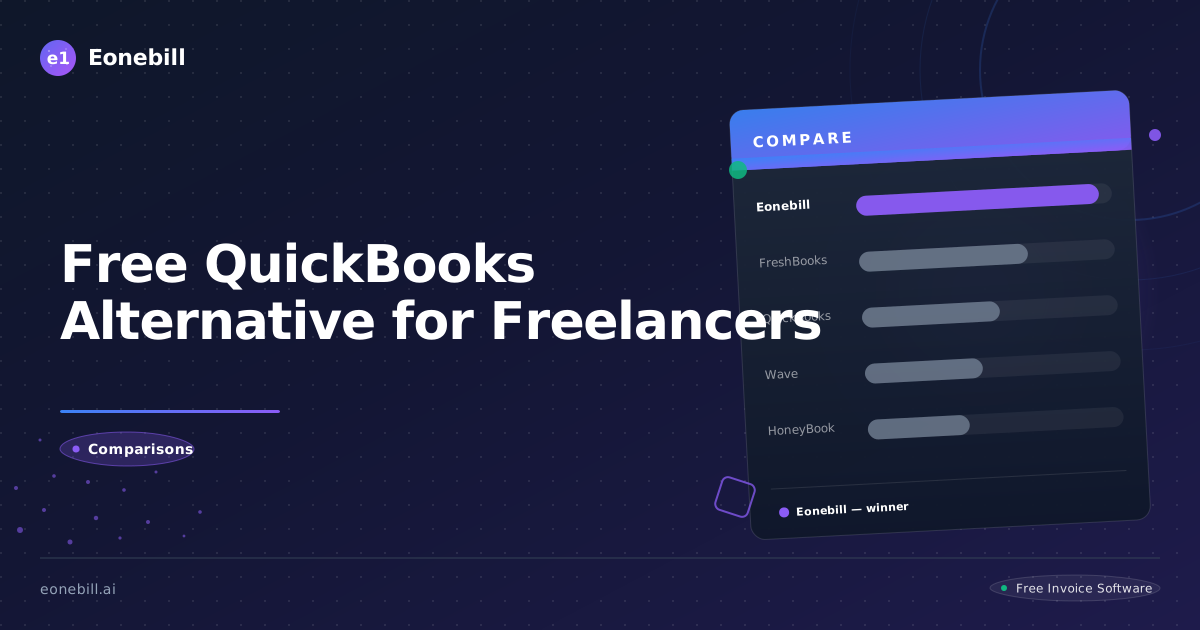
Free QuickBooks Alternative for Freelancers
QuickBooks is the most widely used accounting software in the US, especially among accountants. If you've ever talked to a CPA, you've heard them mention it. The platform is comprehensive, well-supported, and integrates with virtually every business tool on the market. But for solo freelancers, QuickBooks can also feel like a $30-$200/month sledgehammer hitting a thumbtack. You need to send invoices, track payments, and produce a clean Schedule C — not run a 50-employee enterprise.
This article reviews the best free QuickBooks alternatives for freelancers in 2026. We'll be objective about where QuickBooks earns its price (it does, for the right user) and where you can absolutely get by with free tools. Read on for an honest comparison.
What QuickBooks Does Well
QuickBooks Online is the industry standard for small-business accounting. It supports double-entry accounting, bank-feed integration, payroll, tax-line mapping, and inventory management. Accountants and bookkeepers are typically fluent in QuickBooks, which makes it easy to hand off to a professional at tax time. The integration ecosystem is enormous — virtually every business app on the market connects to QuickBooks.
For an established small business with 5+ employees, multiple revenue streams, and complex tax needs, QuickBooks earns its $30-$200/month subscription. The platform handles complexity that solo invoicing tools simply can't.
The trade-offs for freelancers specifically: cost (Simple Start is $35/month or so, Essentials $65, Plus $99, Advanced $235 — pricing fluctuates with promotions and renewals), feature bloat (most freelancers use 10% of what QuickBooks offers), a learning curve that's steeper than purpose-built invoicing tools, and an interface that can feel oriented toward accountants rather than service providers.
QuickBooks Self-Employed is a stripped-down version aimed at freelancers, but it's still paid (around $20/month) and many users find it underwhelming compared to either full QuickBooks Online or modern free alternatives.
Top Free Alternatives for Freelancers
Here are the free options that work for most freelancers.
Eonebill.ai is purpose-built for US freelancers and small business owners. The free tier covers solo-freelancer volumes well. The AI-first design lets you create invoices from short prompts, track payments, and export Schedule C-friendly summaries at year-end. The trade-off versus QuickBooks: no full general ledger, no payroll module. If you only need invoicing plus tax-time prep (which is most freelancers), Eonebill.ai handles it without monthly fees.
Wave is the long-standing free invoicing-plus-accounting option. Full double-entry accounting, receipt scanning, and bank feeds are all free. The trade-off: dated UI, limited AI, email-only support on the free tier.
Zoho Invoice is free for up to 1,000 invoices/year. Clean modern UI, solid mobile apps, integration with the Zoho ecosystem. Pure invoicing rather than full accounting.
GnuCash is free open-source desktop accounting software. Full double-entry, comparable feature depth to QuickBooks for solo use, but requires installation and maintenance on your computer rather than the cloud. Best for technically comfortable users.
Manager (managerio) is free desktop accounting software with comprehensive features (invoices, accounting, inventory, payroll). Cloud version is paid. Great option for those willing to self-host.
QuickBooks Self-Employed vs. Free Alternatives
If you're considering QuickBooks Self-Employed (QBSE) specifically, here's the honest comparison.
QBSE strengths: tight integration with TurboTax Self-Employed (the parent company is Intuit), automatic mileage tracking via the mobile app, simple expense categorization with Schedule C mapping, and a clean interface designed for sole proprietors.
QBSE trade-offs: about $20/month after promotional pricing ends, limited invoicing features compared to dedicated invoicing tools, no double-entry accounting (which actually doesn't matter for most freelancers), and you can't easily upgrade to full QuickBooks Online without re-entering data.
If you value TurboTax integration and automatic mileage tracking, QBSE is worth the $240/year. If you don't use TurboTax (many freelancers use other tax software or CPAs), the savings from free alternatives can pay for a CPA's annual review and still leave money on the table.
Eonebill.ai's free tier covers most freelancers' invoicing needs without the QBSE subscription. For mileage tracking specifically, dedicated free apps like MileIQ (free for first 40 trips/month) or Stride (entirely free) handle that better than QBSE in many cases. Combining a free invoicing tool, a free mileage tracker, and tax software at filing time often produces a better outcome than a single $240/year subscription.
Feature Comparison for Freelancers
Let's evaluate across the dimensions freelancers actually care about.
Invoice creation. QuickBooks: solid, lots of options. Eonebill.ai: fastest, AI-assisted. Wave: solid traditional. Zoho: clean and modern. GnuCash/Manager: functional but desktop-only.
Payment acceptance. QuickBooks: yes, via QuickBooks Payments (2.9% + $0.25). Eonebill.ai: yes, multiple processors. Wave: yes (similar processing rates). Zoho: yes. GnuCash/Manager: requires external payment processing.
Mileage tracking. QuickBooks: built-in with mobile app. Eonebill.ai: focus is invoicing — pair with MileIQ or Stride. Wave: no built-in mileage tracking. Zoho: yes via Zoho Expense. GnuCash/Manager: manual entry.
Expense tracking. QuickBooks: comprehensive with receipt capture. Eonebill.ai: basic expense tracking, focused on tax-time prep. Wave: yes with receipt scanning. Zoho: comprehensive via Zoho Expense. GnuCash/Manager: full accounting-style.
Tax prep. QuickBooks: tight TurboTax integration. Eonebill.ai: Schedule C-mapped exports. Wave: solid reports for tax. Zoho: solid reports. GnuCash/Manager: reports require manual mapping.
Learning curve. QuickBooks: 2-4 hours to set up, ongoing accountant questions. Eonebill.ai: under 30 minutes. Wave: 1-2 hours. Zoho: 1-2 hours. GnuCash/Manager: 4-8 hours for non-accountants.
Monthly cost. QuickBooks Online: $35-$235/month. QuickBooks Self-Employed: ~$20/month. Eonebill.ai: free tier available. Wave: free. Zoho Invoice: free. GnuCash/Manager: free.
When QuickBooks Is Worth It
QuickBooks earns its price for businesses with any of these characteristics.
You have employees and need payroll. QuickBooks Payroll is a mature, well-integrated module. Combining payroll, accounting, and invoicing in one platform is genuinely valuable.
You have inventory. Tracking COGS and inventory levels in QuickBooks is well-developed. Free alternatives typically don't handle inventory well.
Your accountant or bookkeeper insists on it. Switching costs may exceed the QuickBooks subscription. If your bookkeeper charges $100/hour and learning a new tool takes 5 hours, you've eaten a year of QuickBooks subscription cost before you start.
You file complex returns. Multi-member LLC with K-1s, S-corp with payroll, multiple state filings — QuickBooks's deeper accounting saves real time at tax prep.
You integrate with many other business tools. The QuickBooks app ecosystem is unmatched. If you depend on five different integrations all pointing at QuickBooks, switching breaks all of them.
When Free Alternatives Are the Right Answer
Free alternatives are the right answer when any of these apply.
You're a solo freelancer with no employees and no inventory. The vast majority of independent contractors fit here. Free invoicing plus a basic expense tracker covers your needs.
You file a Schedule C with no other business complications. Simple income-and-expense reporting is exactly what free tools excel at. No GL required.
You bill fewer than 100 invoices per month. Free tier caps are generous enough for most solo work.
You prefer modern, AI-assisted workflows. Eonebill.ai's AI invoice drafting saves real time. QuickBooks has added AI features but they're not as central to the workflow.
You're price-sensitive. Saving $240-$500/year on accounting software is meaningful for most freelancers in their first 3-5 years.
Setting Up a Free Stack. If you decide to go free, here's a stack that replaces QuickBooks for most freelancers.
Invoicing and payment tracking: Eonebill.ai (free tier) or Wave (free).
Mileage tracking: Stride (free) or MileIQ (free for first 40 trips/month).
Receipt and expense tracking: built into Wave (free) or Stride. For Eonebill.ai users, pair with a free expense app or use a simple spreadsheet.
Tax filing: TurboTax Self-Employed ($120 federal, plus state) or FreeTaxUSA (federal free, state $15) at tax time.
This stack costs $0-$200/year all-in, compared to $400-$1,200/year for QuickBooks-based tooling. The savings can fund a 1-hour CPA consultation each year ($150-$300) and still leave money for tools.
For a quick comparison, generate a test invoice using the free tool at /free-tools/invoice-generator and see how it feels versus QuickBooks. For paid plan options if you outgrow the free tier, see /pricing.
Bottom line: QuickBooks is the right answer for established small businesses with payroll, inventory, or complex tax situations. For solo freelancers with straightforward Schedule C income, free alternatives like Eonebill.ai and Wave handle 95% of what you actually need at $0 cost. Evaluate honestly and choose the tool that matches your business, not what the accountant down the street happens to use.
For freelancers who want to go further with optimization, here are five additional habits worth building. First, automate your invoicing as much as possible — recurring monthly retainers should send themselves, and follow-up reminders should be automatic. Second, separate your business and personal banking from day one. A dedicated business checking account simplifies bookkeeping, supports clean Schedule C reporting, and signals professionalism if you ever pursue financing. Third, track mileage from the start. Many freelancers leave thousands of dollars on the table by not tracking business miles, especially home-services and consulting freelancers who drive frequently. The 2026 IRS standard mileage rate applies to every business mile driven. Fourth, build a 25-30% tax savings habit immediately. The moment a client invoice clears, move that percentage into a separate high-yield savings account. By the time quarterly estimated payments are due, the money is already there. Fifth, schedule a 1-hour annual check-in with a CPA, even if you self-prep your taxes. A second set of eyes catches mistakes, identifies deductions you missed, and helps you plan structural decisions like S-corp election. The combined cost is $200-$400 once a year, and the ROI is typically several times that. Most freelancers who switch from QuickBooks to a free alternative discover that the savings let them fund all of these habits and still come out ahead financially. The tool is just the starting point; the habits are what build a sustainable freelance business over a decade.
One final consideration: tax software integration is often more important than accounting software integration. Most solo freelancers use their accounting tool primarily for record-keeping during the year and use separate tax software at filing time. The handoff between the two — exporting Schedule C-ready data from one and importing into the other — matters more than the depth of the accounting tool itself. Eonebill.ai produces clean Schedule C-mapped CSV exports that work with TurboTax, H&R Block Self-Employed, FreeTaxUSA, and most tax software. Wave produces similar exports. QuickBooks integrates more deeply with TurboTax specifically. If you use a CPA, they can work from any CSV. Don't overthink the integration angle.
Closing reminder: the most expensive accounting decision you can make is to delay starting because you're paralyzed choosing between tools. Pick something today, send your first invoice, and refine over time. The cost of an imperfect tool used consistently is far less than the cost of a perfect tool you never start. Many freelancers spend weeks comparing QuickBooks, Wave, Xero, FreshBooks, and Eonebill.ai when any of them would serve them well for the first year of business. The differentiation matters more at scale than at startup. Start free with Eonebill.ai or Wave, learn what you actually need, and upgrade or switch in 12 months once your real needs are clear. Action beats analysis when you're just getting started.
Looking back at a decade of small-business software trends, the one constant is that free tools keep getting better while paid tools keep getting more expensive. This trajectory rewards freelancers who stay nimble and reassess their tooling every couple of years. The right tool for year one of your business often is not the right tool for year five. Start free, scale to paid only when the math clearly justifies it, and never commit emotionally to any platform. Your business serves you; tools serve your business. Eonebill.ai exists for exactly this reason: a modern AI-first invoicing platform with a free tier for new freelancers and paid tiers that scale as you grow. Check /pricing for current options.
Ready to manage invoices, contracts & proposals in one place? Try Eonebill free — no credit card required.
Start Free →Frequently Asked Questions
More Posts

Filing Taxes Late: Penalties, Extensions, and How to Catch Up (2026)
Missed the April deadline? Understand the 5 percent failure-to-file vs 0.5 percent failure-to-pay penalty difference, how Form 4868 extensions help, and the four-step protocol for catching up on years of unfiled returns.

Penalties for Not Filing a 1099: What Freelancers and Small Businesses Need to Know (2026)
Failing to file 1099 forms on time triggers escalating IRS penalties from 60 to 660 dollars per form. Learn the four-tier schedule, how to fix a missed filing, and when First-Time Penalty Abatement applies.

How to Write a Gentle Reminder Email (Templates + Examples)
Learn how to write a professional gentle reminder email that gets results. Includes 8 ready-to-use templates for invoices, meetings, deadlines, and more.
Newsletter
Join the community
Subscribe to our newsletter for the latest news and updates