Free Contractor Estimate Template — Quote Jobs Before You Start
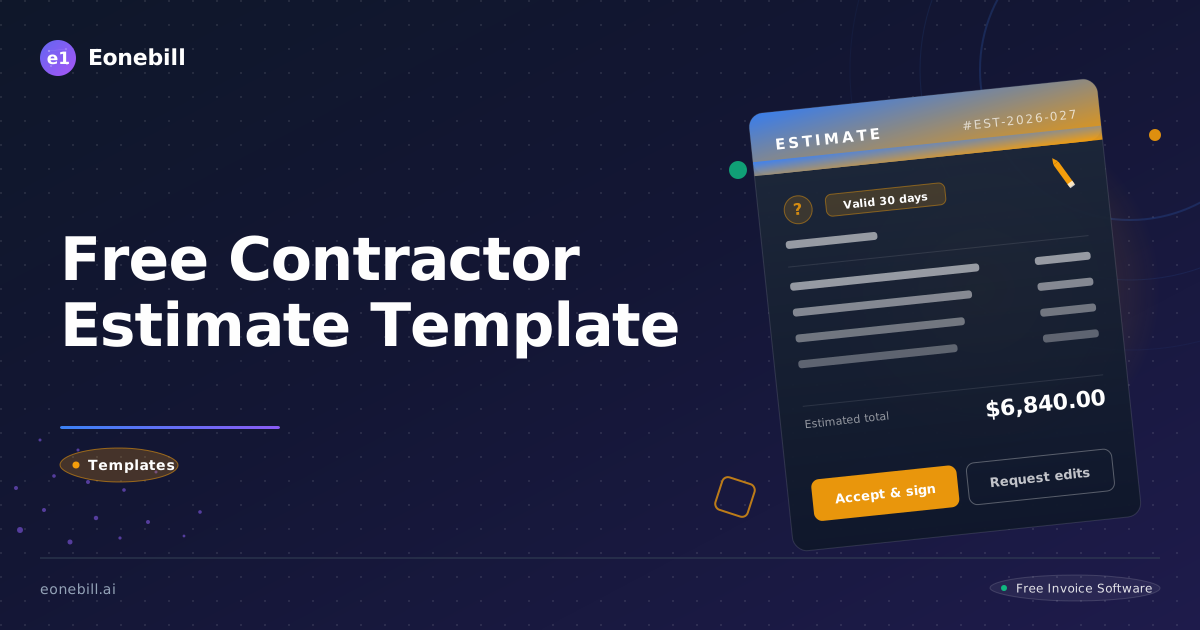
Free Contractor Estimate Template — Quote Jobs Before You Start
Every contractor who has lost money on a job can trace the problem back to one moment: the job started without a written estimate. Verbal agreements collapse under the weight of scope creep, material price spikes, and client memory lapses. A professional contractor estimate template gives you a documented baseline before a single nail is driven — protecting your revenue, your schedule, and your relationship with the client. It tells the client exactly what they are getting, what they are paying, and what falls outside the scope of the project.
The construction and trades industry runs on estimates. General contractors, specialty tradespeople, remodelers, landscapers, and home improvement professionals all rely on the pre-job estimate to secure work and set expectations. Without one, you are building on sand. With a clean, itemized, professional estimate in hand, you walk into every job with confidence — and you walk out with the margin you planned for. This guide covers everything you need to build a contractor estimate that wins jobs, prevents disputes, and protects your bottom line.
What Is a Contractor Estimate Template?
A contractor estimate is a written projection of the total cost to complete a defined scope of work. It breaks down the expected expense into its core components — labor, materials, overhead, and profit — and presents that information to the client before any work begins. It is not a binding fixed-price contract in most cases; it is a good-faith projection based on the information available at the time of assessment. Because it is an approximation, it differs from a formal quote, which locks in a fixed price. Understanding this distinction matters: a quote is approximate but typically more binding, while an estimate acknowledges the potential for cost variation within a reasonable range. You can read more about this distinction in the Eonebill glossary.
A contractor estimate template is a reusable document framework that captures all of the fields a professional estimate requires, so you do not have to rebuild the document from scratch for every bid. Templates ensure consistency across all your estimates, reduce the risk of forgetting a cost component, and create a polished, professional appearance that builds client trust. They are used by general contractors bidding large commercial or residential projects, specialty trades such as electricians and plumbers quoting individual systems, remodelers scoping kitchen and bathroom renovations, and landscaping companies pricing outdoor projects.
Unlike an invoice — which you send after work is completed to request payment — an estimate is sent before work begins to establish the projected cost. The estimate becomes the reference document that both parties refer to if questions arise mid-project. It anchors the conversation about what was included, what was excluded, and what constitutes a change order. Getting the estimate right is the foundation of every profitable job.
What Should a Contractor Estimate Template Include?
1. Contractor name, license number, and contact information. Your business name, trade license number, phone number, email address, and physical or mailing address must appear at the top of every estimate. License numbers establish your credibility and are required in most jurisdictions for work above a certain dollar threshold. Clients comparing multiple bids will notice the difference between a licensed, insured professional and an unlicensed competitor. This field also ensures the client knows exactly who to contact with questions or to accept the estimate.
2. Client name and project address. Clearly identify the client by full name (and company name if applicable) along with the complete address where the work will be performed. This seems obvious, but omitting or mistyping the project address creates real problems — especially when a client owns multiple properties or when work permits are pulled. Accuracy here prevents you from sending a roofing crew to the wrong house and prevents permit issues tied to the wrong address.
3. Estimate number, date, and expiry date. Every estimate should carry a unique sequential number for your records, the date it was issued, and an explicit expiry date — typically 30 days from issue. The estimate number allows you to reference it in follow-up communications, invoices, and contracts without ambiguity. The expiry date protects you from a client accepting a months-old estimate when material costs have risen substantially. Without an expiry date, you may be legally obligated to honor a price that no longer reflects current costs.
4. Scope of work description including exclusions. Write a clear, specific description of every task included in the estimate. Then — equally important — write out the exclusions: what you are not doing. Common exclusions include permit fees if handled by the owner, work behind walls that cannot be assessed until demolition, painting after drywall repair, or landscaping restoration after underground work. Explicitly stated exclusions are your primary defense against scope creep and the disputes that follow. Vague scopes of work are the single biggest source of contractor-client conflict.
5. Itemized labor costs by trade, hours, and rate. Break labor out by trade or task, show the number of hours estimated, and show your hourly rate. For example: Framing — 40 hours at $65/hr = $2,600. Electrical rough-in — 12 hours at $85/hr = $1,020. Itemized labor shows the client how you arrived at your number and demonstrates that your pricing is thoughtful and transparent. It also makes it easier to adjust the scope during negotiation — you can remove or reduce specific labor components without repricing the entire job from scratch.
6. Itemized material costs with quantities and unit prices. List every material line by line: quantity, unit, unit price, and extended total. For example: 2x4x8 lumber — 200 units at $4.50 = $900. OSB sheathing — 40 sheets at $22.00 = $880. Itemized materials protect you from the client assuming you padded the material bill, and they protect the client from overpaying for unspecified materials. They also make change orders straightforward — if the client upgrades a material, you simply update that line item.
7. Overhead and profit margin as a percentage or flat amount. Many contractors make the mistake of not explicitly factoring overhead and profit into their estimates. Overhead includes insurance premiums, vehicle costs, tool depreciation, administrative time, and any other cost of running your business that is not tied to a specific job. Profit is your return for taking on the risk and managing the project. These should appear as a line item — either as a percentage of the labor and material subtotal or as a flat dollar amount. Leaving them out means you are working for break-even at best.
8. Payment schedule: deposit, progress payments, and final payment. Define when you expect to be paid. A typical structure is 30% deposit before work begins, 40% at a defined milestone (such as rough-in complete or halfway through a remodel), and 30% upon completion and client sign-off. Clear payment terms reduce the risk of slow or nonpayment and give both parties a shared understanding of cash flow expectations throughout the project.
How to Create a Contractor Estimate in 5 Steps
Step 1: Visit the site and take measurements. Never estimate a job from a phone call or photos alone. Walk the site, measure the space, assess conditions, identify complications (asbestos, old wiring, difficult access), and document everything with notes and photos. Your estimate can only be as accurate as your site assessment. Missed site conditions are the number-one cause of cost overruns that cut into your margin.
Step 2: Start your estimate from the contractor template. Open the Eonebill contractor estimate template and fill in all header fields: your license number and contact information, the client's name and project address, a new estimate number (continue your sequential series), today's date, and an expiry date 30 days out. Fill in the scope of work description while your site visit notes are fresh, and write out your exclusions explicitly.
Step 3: Break out labor and materials separately. Resist the temptation to lump everything into a single line. Separate every labor task by trade and hours, and list every material with quantity and unit price. Itemized estimates win more bids because they communicate transparency. They also give you a paper trail when the client wants to negotiate or add scope.
Step 4: Calculate your totals using the free estimate generator. Once your labor and materials are itemized, use the Eonebill free estimate generator to calculate your subtotals, apply your overhead and profit percentage, and arrive at a final project total. The tool handles the math automatically, reducing the risk of arithmetic errors that can either cost you the job (too high) or cost you money (too low).
Step 5: Send the estimate with a 30-day expiry and follow up. Deliver the completed estimate to the client by email or through your client portal. Include a brief cover note explaining the expiry date and inviting questions. Then follow up within 48 hours with a phone call or message. Contractors who follow up promptly win a significantly higher percentage of their bids. The client interprets quick follow-up as a signal of how you will communicate throughout the job.
Free Contractor Estimate Template: Download and Customize
Eonebill provides a professionally designed, fully editable contractor estimate template built specifically for general contractors and specialty trades. The template includes all eight fields described above, a clean itemized layout, and automatic totals. You can access and customize it immediately at /estimate-template/contractor — no account required for the basic version.
If you want to save your estimates, send them directly to clients, track estimate status, and convert accepted estimates into invoices with a single click, upgrade to a paid plan at Eonebill Pricing. Paid plans also let you brand the template with your logo and business colors, create a client-facing portal, and set automated follow-up reminders so you never forget to chase a pending bid. Whether you use the free template or the full platform, starting your estimates at /estimate-template/contractor ensures you never miss a required field.
Best Practices for the Contracting Industry
Always include an expiry date. Material prices change, your schedule fills up, and a client who accepts a six-month-old estimate creates a financial problem for your business. A 30-day expiry is standard practice in the trades. It also creates a gentle urgency that helps move clients from consideration to decision.
Break down labor and materials on every estimate. Even if the client never scrutinizes the line items, itemized estimates signal professionalism. They also make change order conversations easier — when the client wants to upgrade from standard to premium materials, you can update a single line rather than repricing the whole job.
Explicitly state what is excluded. Write your exclusions in plain language. If you are not responsible for removing and disposing of existing fixtures, say so. If your price assumes no hidden rot or structural damage, say so. Exclusions are not a weakness in your estimate — they are a demonstration of your professionalism and your understanding of the project.
Use consistent estimate numbering. Maintain a sequential numbering system (e.g., EST-2026-001, EST-2026-002) so that every estimate can be referenced unambiguously in emails, contracts, and invoices. This small discipline saves significant administrative confusion over the course of a year, especially when you have multiple active bids and projects.
Follow up within 48 hours of sending. Studies consistently show that contractors who follow up promptly win more bids. A simple message — "Just checking in to make sure you received the estimate and to answer any questions" — demonstrates responsiveness and initiative. Clients hire contractors they trust, and trust is built in the small interactions before the job even starts.
Common Mistakes to Avoid
Giving a verbal estimate only. A verbal estimate is not an estimate — it is a conversation. Without a written document, there is no shared record of what was agreed. Scope disputes are almost impossible to resolve when the only evidence is conflicting recollections. Always put it in writing, every time, no exceptions.
Failing to list exclusions. The absence of exclusions is an open invitation to scope creep. Clients reasonably assume that if something is not explicitly excluded, it is included. If you do not spell out what falls outside your price, you will be asked to do it anyway — and refusing will damage the relationship. Protect yourself and the client by being explicit.
Underestimating material quantities. A common mistake, especially for less experienced estimators, is pricing materials based on the ideal quantity rather than accounting for waste, cuts, and overage. Standard practice is to add 10–15% to material quantities to account for waste, damage, and cuts. Underestimating materials means mid-project trips to the supplier and a job that costs more than estimated.
Not factoring in overhead and profit. If your estimate covers only labor and materials, you are ignoring the cost of running your business. Insurance, vehicle maintenance, tools, administrative time, and your own salary as a business owner are all real costs. If they are not in the estimate, they are coming out of your pocket. Always include an overhead and profit line.
Not including an expiry date. Without an expiry date, a client can accept your estimate six months later when your costs have changed significantly. An expiry date is not just a sales tactic — it is a financial protection mechanism. Make it a non-negotiable field on every estimate you send.
Frequently Asked Questions
What should a contractor estimate include?
A contractor estimate should include your business name, license number, and contact information; the client name and project address; a unique estimate number, issue date, and expiry date; a detailed scope of work with explicit exclusions; itemized labor costs broken down by trade, hours, and hourly rate; itemized material costs with quantities and unit prices; an overhead and profit line; and a proposed payment schedule showing deposit, progress payments, and final payment terms.
What is the difference between an estimate and a quote?
An estimate is a good-faith projection of the likely cost of a project based on available information. It acknowledges that final costs may vary within a reasonable range as conditions become clearer. A quote is typically more specific and more binding — it locks in a price for a defined scope of work. In practice, many contractors use the terms interchangeably, but the legal distinction matters: an estimate gives you more flexibility to adjust if site conditions differ from what was assessed. See the Eonebill glossary for a full breakdown of the difference.
How do I calculate labor costs for an estimate?
Start by breaking the project into distinct tasks. For each task, estimate the number of hours required based on your experience with similar jobs, and multiply by your billable hourly rate for that type of work. Your hourly rate should cover your worker wages or subcontractor cost, plus a markup that contributes to overhead. Be conservative in your hour estimates — most jobs take longer than expected, not shorter. Itemizing labor by task gives you a built-in audit trail if actual hours deviate from estimated hours.
Can a contractor change an estimate after work begins?
Yes, but only through a formal change order process. If conditions discovered during the work fall outside the original scope — for example, hidden rot behind a wall that was not visible during the estimate — you are entitled to adjust the cost via a written change order that the client signs before additional work proceeds. Verbal mid-job price changes are a common source of payment disputes. Always document changes in writing and get sign-off before proceeding.
How do I create a contractor estimate for free?
Visit /estimate-template/contractor to access Eonebill's free contractor estimate template. Fill in your project details, scope of work, and cost items, then use the free estimate generator to calculate your totals automatically. You can download and send the completed estimate at no cost. For additional features like client portals, estimate tracking, and invoice conversion, explore the paid plans at /pricing.
Ready to manage invoices, contracts & proposals in one place? Try Eonebill free — no credit card required.
Start Free →Frequently Asked Questions
More Posts

Filing Taxes Late: Penalties, Extensions, and How to Catch Up (2026)
Missed the April deadline? Understand the 5 percent failure-to-file vs 0.5 percent failure-to-pay penalty difference, how Form 4868 extensions help, and the four-step protocol for catching up on years of unfiled returns.

Penalties for Not Filing a 1099: What Freelancers and Small Businesses Need to Know (2026)
Failing to file 1099 forms on time triggers escalating IRS penalties from 60 to 660 dollars per form. Learn the four-tier schedule, how to fix a missed filing, and when First-Time Penalty Abatement applies.

How to Write a Gentle Reminder Email (Templates + Examples)
Learn how to write a professional gentle reminder email that gets results. Includes 8 ready-to-use templates for invoices, meetings, deadlines, and more.
Newsletter
Join the community
Subscribe to our newsletter for the latest news and updates