The Freelancer Starter Checklist: Everything You Need to...
From LLC to first invoice — the complete checklist for starting a freelance business the right way. Legal setup, rate setting, contracts, proposals, invoicing, taxes, and free tools.
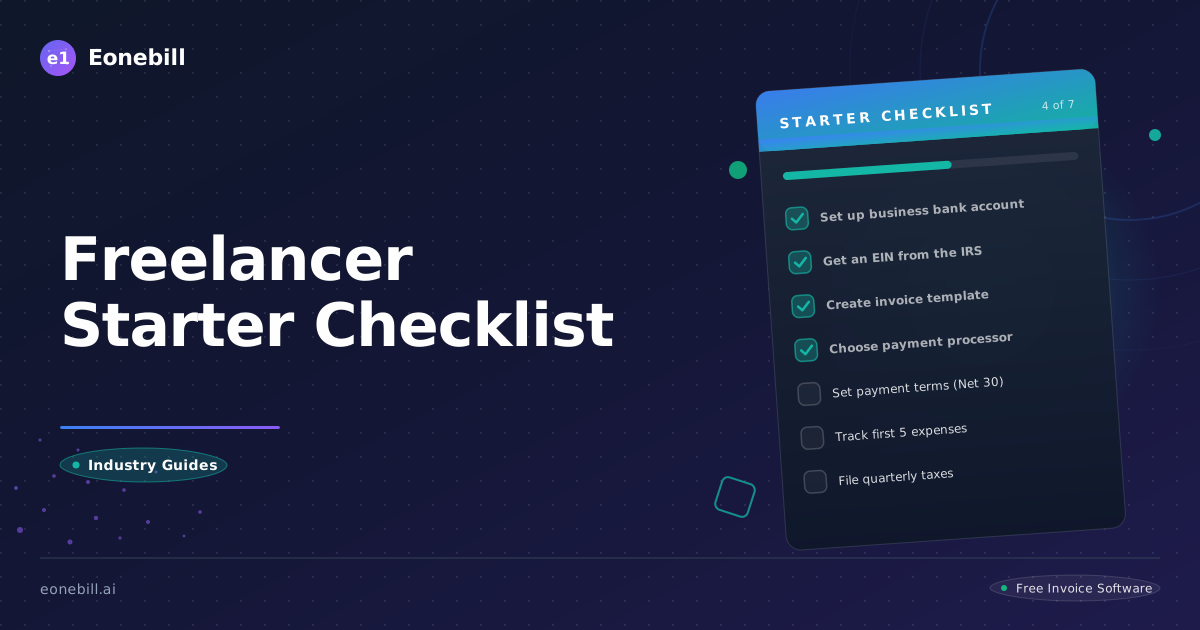
You're good at what you do. You've got clients ready to pay. But there's a whole administrative side — the legal structure, the contracts, the invoicing, the taxes — that nobody warns you about until you're three months in and drowning in receipts.
This checklist covers everything you actually need to launch a freelance business the right way. It's comprehensive, but it's built for people who want to move fast. Every step has a reason. Skip the ones that don't apply to your situation.
Step 1: Legal Setup
Choose Your Business Structure
Sole Proprietorship (default)
- No paperwork. You operate as yourself.
- All business income is personal income on your Schedule C.
- You're personally liable for all business debts and lawsuits.
- Fine for low-risk work and income under $40K/year.
LLC (Limited Liability Company)
- Creates a legal separation between you and your business.
- Protects your personal assets (home, savings) if something goes wrong.
- Default tax treatment is sole proprietorship (pass-through). Can elect S-Corp tax treatment for savings on self-employment tax above ~$50K/year.
- Filing cost: $50–$800 depending on state. Most states allow online filing in 1–2 days.
When to go with sole proprietorship: Starting out, low risk work, income under $40K net, want to test before investing in formal structure.
When to form an LLC immediately: Any client work where mistakes could cause financial harm to the client, contracts over $10K, work in legal/financial/health-adjacent fields, or you're earning enough that the tax savings offset the administrative cost.
Get Your EIN
An EIN (Employer Identification Number) is your business's Social Security Number. You need it if:
- You form an LLC
- You hire employees
- You want to open a business bank account
Get it free at IRS.gov/ein. Takes 10 minutes. No lawyer needed.
> Pro tip: Even as a sole proprietor, getting an EIN is smart. It separates your business identity from your personal SSN on tax forms and makes you look more legitimate to clients.
Step 2: Set Your Rate
Don't guess. Calculate.
Your freelance rate isn't what you think you deserve — it's what the market will pay, adjusted for your costs and goals.
The formula:
(Target Annual Income + Business Expenses + Self-Employment Tax) ÷ Available Billable Hours = Minimum RateExample:
- Target income: $100,000
- Business expenses: $12,000 (software, insurance, equipment, coworking)
- Self-employment tax: $15,300 (15.3% on 92.35% of net profit)
- Total needed: $127,300
- Billable hours available: 1,200 (assuming 50% utilization on 2,000 hour year)
- Minimum rate: $106/hour
Industry benchmarks for 2026:
- General freelance consulting: $75–$150/hour
- Skilled creative (design, video, writing): $100–$200/hour
- Technical (development, data, DevOps): $125–$275/hour
- Specialized consulting (legal, finance, marketing strategy): $200–$500/hour
If your minimum rate comes in lower than market rates, great — you have room to be competitive. If it's higher, you either need to raise rates or find efficiencies to reduce your cost of doing business.
Calculate your freelance rate →
Calculate your hourly rate with expenses →
Step 3: Create Your Contract Template
Your contract is your most important business document. It's not about distrust — it's about clarity.
What every freelance contract must include:
- Scope of work — specific deliverables, not "as discussed"
- Timeline — start date, milestone dates, final delivery date
- Payment terms — amount, schedule (50% upfront is common for new clients), late fee policy
- Revisions and change orders — how many included, what happens if scope changes
- Intellectual property transfer — when does the client own the work? (Default under copyright law is you retain ownership until final payment.)
- Termination clause — either party can end with X days notice; payment for work completed
- Limitation of liability — caps your liability at the contract value (protects you from $50K lawsuits over a $5K project)
Tools: You can write a solid contract template yourself using resources like Docracy or the Freelancers Union contract generator. Or use Eonebill's freelance contract template → to get a professionally-drafted starting point with e-signature built in.
Key rule: Never start work without a signed contract. A handshake project is a lawsuit waiting to happen.
Step 4: Build a Proposal Template
Before clients sign a contract, most want to see what they're buying. A proposal answers: what, how much, and why you.
Proposal structure:
- Problem statement — the client's challenge as you understand it
- Your approach — how you'll solve it (keep it client-focused, not resume-focused)
- Deliverables — what they get, specific and numbered
- Timeline — project phases and dates
- Investment — pricing (same as contract but explained)
- Why you — 2–3 sentences about relevant experience (short — they're buying the solution, not your biography)
- Next steps — clear CTA: sign the contract, pay the deposit, schedule kickoff
Proposals that focus on the client's problem, not your credentials, close at significantly higher rates. Nobody cares that you have 10 years of experience. They care that you solved their exact problem for someone else.
Use Eonebill's proposal template →
Step 5: Set Up Invoicing
You're in business to get paid. An invoice isn't a formality — it's a professional document that communicates exactly what you delivered and when you expect payment.
Invoice essentials:
- Your business name, address, contact info
- Client's name and billing address
- Unique invoice number (start at 1001, not 1)
- Invoice date and payment due date
- Itemized line items with descriptions
- Total amount due
- Accepted payment methods and instructions
- Late payment policy
Payment terms:
- Net 15 — standard for most freelance work
- Net 30 — common for enterprise clients with longer payment cycles
- 50% upfront, 50% on delivery — best for new clients or large projects
- 100% upfront — reasonable for small, fast-turnaround projects under $1,000
Never send a PayPal "request money" link as your invoice. Use professional invoicing software that tracks payment status, sends reminders automatically, and lets clients pay by card or bank transfer without you chasing them.
Eonebill's freelance invoice templates →
Step 6: Accept Online Payments
In 2026, waiting for a check in the mail is unacceptable — for you and your clients.
Stripe is the industry standard for freelance payment processing:
- Charges 2.9% + $0.30 per transaction
- Integrates with most invoicing software (including Eonebill)
- Clients can pay with credit card, debit card, or bank transfer (ACH)
- Funds hit your bank account in 2 business days
Setting up Stripe:
- Go to stripe.com and create an account
- Complete business verification (EIN, bank account, ID)
- Connect to your invoicing software
- Add a "Pay Now" link to every invoice you send
PayPal is also an option but carries a reputation for disputes and frozen accounts. Many clients have had bad PayPal experiences. Stripe is the professional choice.
Payment processing fees are tax deductible as a business expense. Track them separately.
Step 7: Track Expenses From Day One
This is the #1 mistake new freelancers make: they don't track expenses during the year, then panic at tax time trying to reconstruct a year of receipts from their personal credit card statement.
What counts as freelance business expenses:
- Software subscriptions (design tools, project management, invoicing)
- Equipment (computer, phone, camera, specific tools)
- Home office (if you have a dedicated workspace) — simplified method is $5/sq ft up to 300 sq ft
- Professional development (courses, books, conferences)
- Marketing (website, business cards, portfolio)
- Travel for client work
- Professional insurance (general liability, E&O)
- Contractor fees (if you subcontract work)
Expense tracking method:
Don't use a spreadsheet. Use software that connects to your bank account and automatically categorizes transactions. Most accounting software (Wave, QuickBooks Self-Employed, or Eonebill's expense tracking) does this in 2026.
The rule: if you spent money for business purposes, it needs a receipt and a category. Store receipts by photographing them immediately and uploading to your expense software.
Eonebill's expense tracking with OCR →
Step 8: Prepare for Tax Season
Freelance taxes are not optional and they're not simple. Here's what you need to know.
Self-Employment Tax
As a freelancer, you're responsible for both halves of Social Security and Medicare taxes (the employer and employee portions). That's 15.3% on net earnings up to the Social Security wage base ($168,600 in 2024) plus 2.9% on all net earnings above that.
The silver lining: you deduct half of your self-employment tax from your income for income tax purposes.
Quarterly Estimated Taxes
The IRS requires you to pay taxes as you earn, not at tax time. If you expect to owe $1,000 or more in taxes, you must make quarterly estimated payments or face an underpayment penalty.
2026 quarterly deadlines:
- Q1: April 15, 2026
- Q2: June 15, 2026
- Q3: September 15, 2026
- Q4: January 15, 2027
How much to pay: Estimate your annual net profit, multiply by 30% (covers income tax + self-employment tax + state tax if applicable), divide by 4.
If your annual net profit is $80,000, your quarterly payment should be roughly $6,000.
1099s
If you paid a contractor $600 or more in 2026, you must send them a 1099-NEC by January 31, 2027 and file it with the IRS by that same date (electronic filing deadline is February 28).
Record Keeping
Keep every business receipt, invoice, contract, and tax form for at least 7 years. The IRS can audit up to 6 years back; some states go longer. Cloud storage with a dedicated business folder is the minimum.
Bonus: Free Tools Toolkit
Everything above can be expensive if you buy the wrong tools. Here's what you actually need — and what doesn't cost anything:
| Tool | Use | Cost |
|---|---|---|
| Eonebill | Invoices, estimates, contracts, proposals, expense tracking | Free (core plan) |
| Wave | Accounting, bookkeeping, payroll | Free (core) |
| Stripe | Payment processing | 2.9% + $0.30 per transaction |
| Canva | Design (business cards, social media, presentations) | Free tier |
| Google Drive | File storage, shared documents | Free (15 GB) |
| Toggl Track | Time tracking | Free (solo) |
| IRS Free File | Tax preparation (under $79K income) | Free |
| Eonebill Mileage Calculator | Log business miles for deductions | Free |
| Eonebill Hourly Rate Calculator | Calculate your minimum rate | Free |
| Eonebill Freelance Rate Calculator | Rate setting with business expenses | Free |
You Don't Have to Do This Alone
Every successful freelancer started exactly where you are — figuring out the business side while trying to deliver great work. The good news: the business infrastructure for freelancing has never been cheaper or easier to set up.
You don't need an accountant, a lawyer, or a business coach to launch. You need the right software, a clear contract, and the discipline to invoice on time.
Eonebill gives you all five document types — invoices, estimates, contracts, proposals, and receipts — in one free platform with AI-powered generation. No stitching together five different tools.
Get all these tools in one platform — free →
Grace
Freelance consultant and small business writer. FormerOperations at a 50-person digital agency. Now helps independent professionals stop wasting time on admin so they can focus on what they charge for.
Ready to manage invoices, contracts & proposals in one place? Try Eonebill free — no credit card required.
Start Free →Frequently Asked Questions
More Posts

Filing Taxes Late: Penalties, Extensions, and How to Catch Up (2026)
Missed the April deadline? Understand the 5 percent failure-to-file vs 0.5 percent failure-to-pay penalty difference, how Form 4868 extensions help, and the four-step protocol for catching up on years of unfiled returns.

Penalties for Not Filing a 1099: What Freelancers and Small Businesses Need to Know (2026)
Failing to file 1099 forms on time triggers escalating IRS penalties from 60 to 660 dollars per form. Learn the four-tier schedule, how to fix a missed filing, and when First-Time Penalty Abatement applies.

How to Write a Gentle Reminder Email (Templates + Examples)
Learn how to write a professional gentle reminder email that gets results. Includes 8 ready-to-use templates for invoices, meetings, deadlines, and more.
Newsletter
Join the community
Subscribe to our newsletter for the latest news and updates