Free QuickBooks Alternative for Small Business — AI Invoice...
Tired of QuickBooks price hikes? Eonebill is the free alternative for freelancers who just need to invoice, track expenses, and get paid.
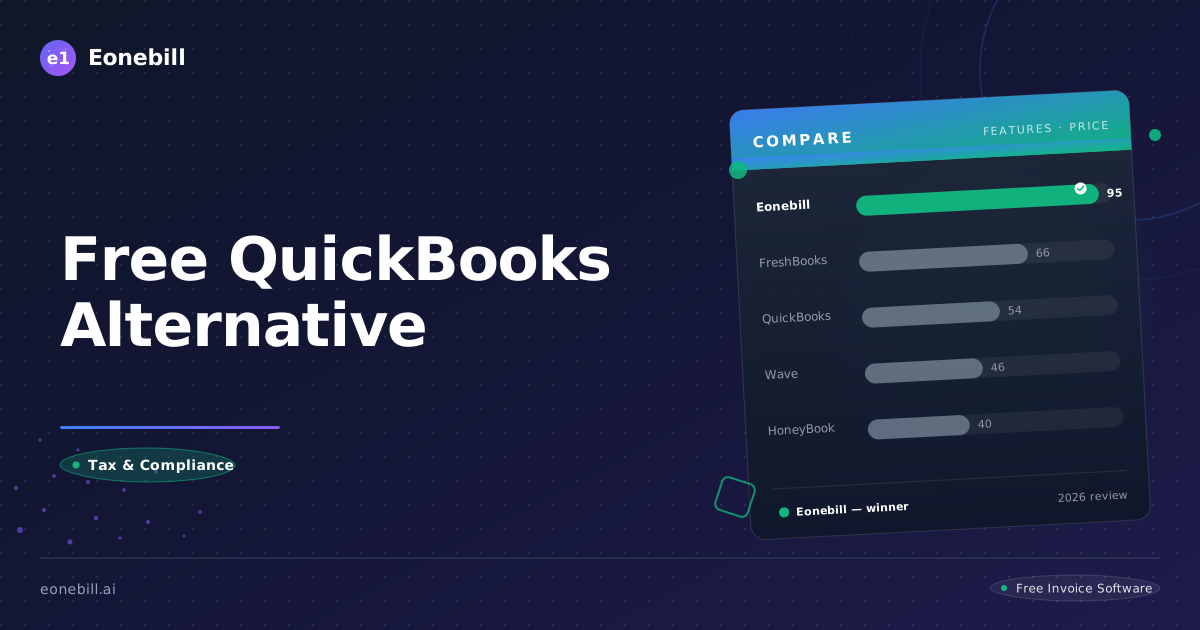
Free QuickBooks Alternative for Small Business — AI Invoice Generator
QuickBooks has been the default choice for small business invoicing for over two decades. Built in an era when software was sold on CDs and updated every few years, it carries decades of architectural debt — and price tags that reflect that history, not your actual needs.
A growing number of freelancers and small business owners are waking up to a simple truth: they've been paying $360+ per year for a tool they use at maybe 20% capacity, while a new generation of AI-native software delivers the exact features they need — for free.
This isn't nostalgia driving the migration. It's math.
Why Small Businesses Are Leaving QuickBooks
The price is the entry point. The pain is what keeps compounding.
On G2, one of the largest business software review platforms, QuickBooks Simple Start holds a 3.5-star average across 3,709 verified user reviews. That's not a terrible rating on its own — but when you dig into the qualitative data, a clear pattern emerges.
Among all the complaints in those reviews — about usability, performance, bugs, and reliability — 119 separate reviewers explicitly mention cost or pricing as their primary frustration. Not a footnote. Not a secondary complaint. The main event.
That's more than double any other single issue category. And it's growing.
Subscriptions have quietly tripled in five years
Five to ten years ago, QuickBooks Simple Start cost roughly $15/month on the introductory plan. Today, the same entry-level tier starts at $30/month — a 100% price increase in under a decade, applied silently through normal renewal cycles rather than announced changes.
When Intuit raises prices, they don't send a press release. They adjust the pricing page on a Tuesday and let the renewal notices do the talking.
If you're a freelancer who set up QuickBooks in 2019 and has been auto-renewing ever since, you've paid roughly $3,600 over that period — for software you probably open once a week to send an invoice.
The base product is intentionally underpowered
Here's how QuickBooks' pricing architecture works in practice:
You sign up for Simple Start at $30/month. You get invoicing and expense tracking — fair enough. But then your business grows. You start working with international clients. That requires multi-currency support, which isn't included. You add a contractor and need to send them a 1099, which requires upgrading. Your spouse starts helping with the books, so you need a second user — also an upgrade.
Before long, the $30/month promise has become $110/month across Simple Start + Payroll + the Multi-User add-on. And QuickBooks knows this. That's not an accident. It's a business model.
Customer support has become a casualty of scale
Across G2, TrustRadius, and Capterra, one of the most consistent complaints about QuickBooks in recent years is support quality. Users report:
- Average hold times exceeding 45 minutes for phone support
- Outsourced representatives unfamiliar with U.S. tax requirements or common freelancer situations
- Inconsistent answers between support agents on the same question
- Deliberate friction designed to push users toward paid support tiers or third-party bookkeeping partners
When you're dealing with a tax deadline, a disputed payment, or a client who refuses to acknowledge an invoice — being on hold for an hour isn't acceptable. And for a product costing $360/year, it's inexcusable.
The hidden cost nobody talks about: your time
Beyond the subscription fees, there's a subtler cost to QuickBooks: cognitive overhead.
Setting up chart of accounts. Learning the difference between accounts payable and accounts receivable. Figuring out why your invoice shows a credit and your bank shows a debit. Reconciling accounts manually because the auto-sync isn't quite right. Running the same report three times because the first two results looked wrong.
These aren't skills that make you a better designer, developer, or consultant. They're overhead. And most freelancers spend 2–4 hours per month wrestling with QuickBooks when they could be doing actual billable work.
At a $75/hour freelance rate, that's $150–$300 in monthly opportunity cost — on top of what you're already paying in subscription fees. Over a year, you're effectively spending $2,000–$4,000 in combined cash and time to use a tool that fights you at every turn.
QuickBooks isn't free. It never was. But it also isn't worth what it charges — not for freelancers, not anymore.
The breaking point
What's interesting is that the migration away from QuickBooks isn't being driven by a single catastrophic event. It's a thousand small frustrations compounding over years until one day you open Eonebill, send an invoice in 45 seconds, and think: why did I put up with that for so long?
Do You Actually Need Full Accounting Software?
Here's the question most small business owners never stop to ask: do you actually need accounting software?
Not "should you have organized finances" — obviously yes. The real question is whether you need a general ledger, trial balance reports, depreciation schedules, and double-entry bookkeeping — the core features that justify QuickBooks' complexity and price tag.
For the majority of freelancers and solo business owners, the honest answer is: probably not.
Walk through a typical week for a freelance designer, developer, writer, or consultant:
Monday: Send a new invoice to a client for work completed Friday
Tuesday: Follow up on an invoice that's 10 days overdue
Wednesday: Review a new client contract before signing
Thursday: Snap photos of three receipts from last week's client dinner and software purchases
Friday: Send a project proposal for new work starting next month
That's it. That's the job. Five tasks that have almost nothing to do with accounting principles and everything to do with getting paid and managing client relationships.
Now look at what QuickBooks asks you to learn to do those five things: a chart of accounts, debits and credits, journal entries, accounts receivable aging reports, payment terms configuration. For what? To send a professional invoice?
- Send an invoice → AI generates it from one sentence. "Invoice Sarah Chen $4,500 for brand identity design, Net 30 terms." Done.
- Get paid online → Stripe integration. Clients pay by credit card or ACH bank transfer. No chasing checks. No PayPal forwarding.
- Track expenses → AI Expense Tracker scans receipts and automatically categorizes spending. Quarter-end tax prep takes minutes, not hours.
- Send a contract or proposal → Built-in templates with legally binding e-signatures. No docuSign subscription required.
- ❌ General Ledger — useful for businesses with $1M+ revenue and complex multi-entity financials
- ❌ Trial Balance reports — your CPA generates these; you just need to give them clean data
- ❌ Payroll processing — only relevant if you have W-2 employees (not 1099 contractors)
- ❌ Inventory management — only relevant if you're manufacturing or selling physical products
- ❌ Project budgeting and job costing — useful for agencies, irrelevant for most solo freelancers
"If you're billing fewer than 50 invoices per month, you're paying for features you never open."
This is the core of the Eonebill argument. QuickBooks is a full accounting suite designed for businesses that need formal financial record-keeping. Eonebill is a precision tool for the revenue side of your business — invoicing, payments, expenses, and client-facing documents. If you need a CPA to file your taxes, Eonebill exports clean, organized financial reports that make their job easier and your tax prep cheaper. You're not giving up functionality; you're eliminating dead weight.
QuickBooks vs. Eonebill: The Full Comparison
| Feature | QuickBooks Simple Start | Eonebill Free |
|---------|------------------------|---------------|
| Monthly Cost | $30/month | $0 (6 invoices/mo) |
| AI Invoice Generation | ❌ | ✅ — one sentence to invoice |
| Document Types | Invoice + Estimate | 7 types (Invoice, Contract, Proposal, Quote, Credit Note, Retainer, Milestone) |
| Templates | ~10 | 89+ → 1,000+ |
| Multi-Currency | ❌ — add-on required | ✅ — 135+ currencies, included |
| Online Payments | ✅ | ✅ — Stripe powered |
| Expense Tracking | ✅ — manual entry | ✅ — AI OCR scanner |
| Contract & Proposal | ❌ | ✅ — built-in |
| E-Signature | ❌ | ✅ — Pro plan |
| Client Portal | Limited | ✅ — full portal access |
| Learning Curve | Medium (46 G2 reviews mention difficulty) | Zero — AI-first interface |
| Customer Support | 52 G2 complaints, outsourced | AI-powered self-service |
| Mobile App | ✅ | ✅ — iOS & Android |
| Tax 1099 Generation | Extra cost | ✅ — included |
| Time Tracking | ✅ — included | Basic |
| Invoice Customization | Limited | Full brand control |
| Stripe Integration | ✅ | ✅ — native |
| ACH / Bank Transfer | ✅ | ✅ |
| Recurring Invoices | ✅ — paid tiers only | ✅ |
| Late Payment Reminders | Manual setup | Automated |
| Data Export | Limited formats | CSV, PDF, multiple formats |
The math is straightforward: QuickBooks charges $30/month, then charges more for features that come standard in Eonebill. QuickBooks charges for multi-currency; Eonebill includes 135+ currencies free. QuickBooks charges for 1099 generation; Eonebill includes it. QuickBooks charges for e-signature integration; Eonebill has it built in.
Eonebill's free tier alone saves you $360 per year. If you're currently on a QuickBooks paid tier — which most growing freelancers are — your savings easily exceed $1,000 annually.
Who Should Stay with QuickBooks
This guide isn't about QuickBooks being bad software. It's about QuickBooks being the wrong tool for a specific job — and the alternatives finally being good enough to make switching a no-brainer.
You should probably keep QuickBooks if:
- Your business requires full double-entry accounting and formal GAAP-compliant financial statements for investors or lenders
- You have 10 or more employees and need integrated payroll processing with tax filings, benefits administration, and workers' comp tracking
- You manage physical product inventory and need stock tracking, COGS calculations, and reorder alerts
- You're running a product-based e-commerce business with complex fulfillment workflows
- Your accountant or bookkeeper requires QuickBooks Desktop file formats for tax preparation or audit purposes
For those businesses, QuickBooks (or Xero, or FreshBooks Plus) is genuinely the right choice. Eonebill isn't trying to be everything to everyone. It's built for a specific person: the freelancer, independent contractor, or micro-business owner who needs to invoice cleanly, get paid reliably, track expenses automatically, and spend less time on back-office work.
If you've been paying $30–$110/month for QuickBooks and opening it primarily to send invoices, you've been overpaying by $360–$1,320 per year — and spending hours of your life on a tool that doesn't serve you.
Eonebill is the tool you reach for when you want to send a professional invoice in 30 seconds, get paid online without chasing checks, and get back to the work that actually pays your bills.
Here's the honest test: go to QuickBooks right now and try to send an invoice to a new client. Note how long it takes, how many fields you have to fill in, and how many clicks are required. Then do the same in Eonebill. The difference isn't marginal — it's categorical. One tool was designed by accountants, for accountants. The other was designed by people who actually send invoices for a living.
Stop Overpaying for Features You Don't Use
QuickBooks was designed for businesses that need accounting. You're probably not one of them.
You're a freelancer who needs to get paid — cleanly, professionally, and on time.
You're a small business owner who wants invoices that look like they came from a company that has its act together.
You're a contractor who's tired of sending follow-up emails for payments that should have cleared weeks ago.
Eonebill was built for you.
- Send your first AI-generated invoice in under a minute
- Accept online payments via Stripe — credit card or ACH
- Track expenses automatically with AI-powered receipt scanning
- Send contracts and proposals with legally binding e-signatures — no docuSign required
- Never pay $30/month for features you open once a year
Your business runs on revenue, not on accounting software. Eonebill keeps the revenue flowing.
Start for free — no credit card required.
Eonebill Team — April 2026
Ready to manage invoices, contracts & proposals in one place? Try Eonebill free — no credit card required.
Start Free →Frequently Asked Questions
More Posts

Filing Taxes Late: Penalties, Extensions, and How to Catch Up (2026)
Missed the April deadline? Understand the 5 percent failure-to-file vs 0.5 percent failure-to-pay penalty difference, how Form 4868 extensions help, and the four-step protocol for catching up on years of unfiled returns.

Penalties for Not Filing a 1099: What Freelancers and Small Businesses Need to Know (2026)
Failing to file 1099 forms on time triggers escalating IRS penalties from 60 to 660 dollars per form. Learn the four-tier schedule, how to fix a missed filing, and when First-Time Penalty Abatement applies.

How to Write a Gentle Reminder Email (Templates + Examples)
Learn how to write a professional gentle reminder email that gets results. Includes 8 ready-to-use templates for invoices, meetings, deadlines, and more.
Newsletter
Join the community
Subscribe to our newsletter for the latest news and updates