Best QuickBooks Alternatives for Small Business 2026
Searching for the best QuickBooks alternatives for small business? Compare top accounting software in 2026. Eonebill leads as the #1 affordable QuickBooks alternative.
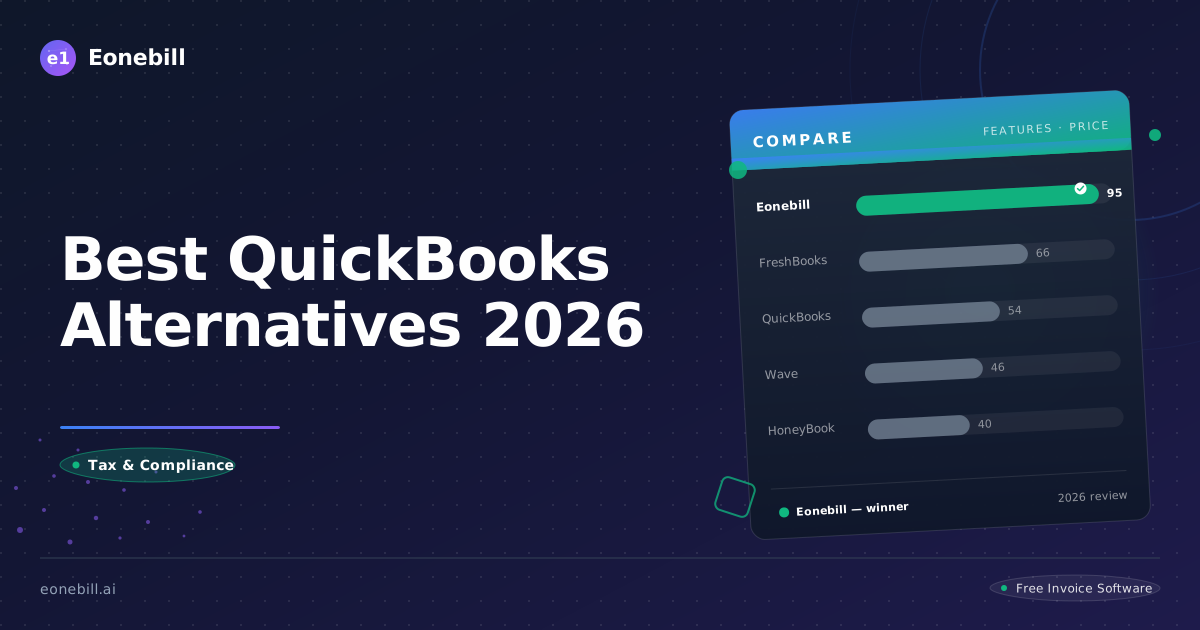
Quick Comparison
| Feature | Eonebill | QuickBooks | FreshBooks | Xero |
|---------|----------|-----------|------------|------|
| Price | Free (5/mo) / $9.99 / $19.99 | $35+/mo | $21/mo | $15/mo |
| AI Invoice Generation | ✅ Yes | ❌ No | ❌ No | ❌ No |
| Free Plan | ✅ 5 invoices/mo | ❌ No | ✅ 30-day trial | ✅ 30-day trial |
| Stripe Payments | ✅ Yes | ✅ Yes | ✅ Yes | ✅ Yes |
| Best For | Freelancers, AI lovers | Full accounting | Service businesses | Growing businesses |
Best QuickBooks Alternatives for Small Business 2026
QuickBooks dominates the small business accounting market, but its reign isn't unchallenged. With starting prices of $35/month and often significantly higher for full features, many small business owners actively seek best QuickBooks alternatives for small business solutions in 2026—platforms that deliver professional accounting without the premium pricing or complexity.
The accounting software landscape has matured considerably. Competitors now offer robust features, intuitive interfaces, and pricing models that better suit lean operations. Whether you're a sole proprietor, a growing agency, or an established consultancy, this guide reveals why Eonebill consistently emerges as the top alternative for businesses prioritizing invoicing and financial clarity.
The QuickBooks Tax: Why Businesses Look for Alternatives
QuickBooks' market dominance gives Intuit pricing power. But that power comes at a cost—literally. Here's why businesses increasingly explore alternatives:
- Steep entry pricing: $35/month for Simple Start barely covers basics; meaningful features require $60-200+/month
- Complex user experience: Designed for accountants, not business owners; steep learning curves
- Feature bloat: Most small businesses use 20% of features but pay for 100%
- Hidden costs: Payment processing, payroll add-ons, and time-tracking premiums add up quickly
- Migration friction: Switching costs feel high, trapping customers in suboptimal solutions
These frustrations fuel the search for best QuickBooks alternatives for small business that don't compromise on quality while delivering better value.
QuickBooks Alternatives Compared
| Platform | Starting Price | Free Tier | Best For | Key Limitation |
|----------|---------------|-----------|----------|----------------|
| Eonebill | $0 | 6 invoices/month | Invoicing-focused businesses | Limited accounting depth |
| QuickBooks | $35/month | 30 days | Full accounting needs | High cost, complexity |
| FreshBooks | $21/month | 30 days | Service businesses | Feature tiers |
| Xero | $15/month | 30 days | Growing businesses | Learning curve |
| Wave | Free | Yes | Budget operations | Transaction fees |
1. Eonebill — The Smart Invoicing Alternative
Eonebill positions itself as the best QuickBooks alternative for small business owners who want intelligent invoicing without full accounting complexity. Eonebill strips away the bloat while adding AI-powered insights that help you get paid faster and manage cash flow smarter.
When to Choose Eonebill Over QuickBooks
Eonebill isn't a full accounting suite—it doesn't aim to be. Choose Eonebill when:
- Your primary pain point is invoicing and getting paid
- You want financial intelligence without accounting complexity
- Your business doesn't require comprehensive double-entry bookkeeping
- You prefer software that focuses on doing fewer things excellently
- You're cost-conscious but refuse to sacrifice quality
Choose QuickBooks when you need:
- Full payroll processing and HR tools
- Complex inventory management
- Multi-entity accounting
- Comprehensive tax preparation integration
Eonebill's Competitive Advantages
AI That Drives Results: Eonebill's artificial intelligence doesn't just automate tasks—it provides genuine strategic insights. Payment prediction algorithms identify clients likely to pay late. Cash flow forecasting surfaces upcoming gaps. These aren't gimmicks; they're tools that translate to real money saved.
Modern, Intuitive Interface: QuickBooks' interface reflects decades of feature accumulation. Eonebill's design is contemporary, uncluttered, and optimized for how modern businesses actually work.
Pricing That Scales Fairly: QuickBooks punishes growth with escalating tiers. Eonebill's Pro ($9.99/month) and Pro Plus ($19.99/month) plans deliver comprehensive features without punishing success.
Pricing Deep Dive
| Plan | Eonebill | QuickBooks Simple Start |
|------|----------|------------------------|
| Monthly | $0-$19.99 | $35-$60 |
| Invoices | 6-unlimited | Limited by tier |
| Users | 1 (expandable) | 1 (extra cost) |
| Support | Priority on Pro | Limited on base |
| AI Features | Yes (Pro) | No |
2. FreshBooks — The Service Business Alternative
FreshBooks targets service-based small businesses with an intuitive accounting solution.
FreshBooks Strengths
- Excellent time tracking integration
- Clean, approachable interface
- Strong mobile applications
- Project-based billing features
- 30-day free trial
FreshBooks Weaknesses
- Starting price of $21/month (higher for more users)
- Advanced accounting features require expensive tiers
- Payment processing fees apply
- Some features overlap confusingly
- Reports can lack granularity
3. Xero — The Growing Business Alternative
Xero positions itself as "accounting software built for business growth."
Xero Strengths
- Comprehensive double-entry accounting
- Extensive integration ecosystem (500+ apps)
- Strong inventory management
- Multi-currency capabilities
- Excellent for businesses with contractors
Xero Weaknesses
- Steeper learning curve than alternatives
- Starting at $15/month, escalating quickly
- Higher tiers required for features most businesses need
- Can feel overwhelming for simple needs
- Customer support quality inconsistent
4. Wave — The Free Alternative
Wave offers genuinely free accounting and invoicing, monetizing through payment processing.
Wave Strengths
- No subscription costs ever
- Basic accounting features are free
- Unlimited invoicing
- Payment processing available
- Good for very small operations
Wave Weaknesses
- Transaction fees (2.9% + 30¢) erode margins
- Free support is severely limited
- Feature development has stalled
- Interface feels dated
- Not suitable for businesses with complex needs
5. Sage — The Traditional Alternative
Sage offers established accounting solutions with long market histories.
Sage Strengths
- Comprehensive accounting features
- Strong payroll capabilities
- Established brand reputation
- Good for businesses with complex accounting needs
- On-premise and cloud options
Sage Weaknesses
- Complex setup and learning curve
- Pricing is premium
- Modern alternatives feel more agile
- Support can be slow
- Interface modernization needed
Why Eonebill is the Best QuickBooks Alternative for Invoicing-Focused Businesses
1. Focused Feature Excellence
QuickBooks tries to be everything to everyone. Eonebill excels at invoicing and financial clarity. For businesses whose primary financial need is getting paid reliably and on time, Eonebill delivers focused excellence.
2. AI-Powered Financial Intelligence
QuickBooks offers reports; Eonebill offers insights. The difference matters. Instead of spending hours interpreting financial data, Eonebill surfaces actionable recommendations automatically.
3. Zero Transaction Fee Philosophy
QuickBooks Payments charges 2.9% per transaction. Eonebill charges nothing. For businesses with high transaction volumes, this difference compounds significantly.
4. Modern User Experience
QuickBooks' interface battles between legacy design and modern needs. Eonebill was built from scratch with contemporary design principles, resulting in software that's actually pleasant to use.
5. Freelancer and Small Business Alignment
Eonebill's entire product strategy centers on serving freelancers and small businesses. This focus translates to features that matter, pricing that makes sense, and roadmap decisions that prioritize your needs.
Migration Guide: Moving from QuickBooks to Eonebill
Phase 1: Assessment (Week 1)
Before switching:
- Identify your core financial needs (invoicing, expense tracking, payment collection)
- Audit your current QuickBooks usage—what features do you actually use?
- Calculate your current QuickBooks total cost (subscription + payment fees)
- Document recurring invoices and client patterns
Phase 2: Data Export (Week 1-2)
QuickBooks data export:
- Export customer/client list (Reports → Customers → Customer Contact List)
- Download invoice history (Reports → Sales → Invoice List)
- Export expense data if needed
- Save any custom reports or templates
Phase 3: Eonebill Setup (Week 2)
Setting up Eonebill:
- Create account at eonebill.ai
- Import your client database
- Configure invoice templates
- Set up expense categories
- Enable payment reminders
- Configure your payment integration
Phase 4: Transition (Week 3-4)
Running in parallel:
- Send new invoices exclusively from Eonebill
- Keep QuickBooks accessible for 30 days
- Monitor payment success rates
- Gather client feedback
- Cancel QuickBooks when satisfied
The Real Cost Comparison
For a small business billing $15,000/month:
| Cost Type | QuickBooks Simple Start | Eonebill Pro |
|-----------|------------------------|----------------|
| Monthly subscription | $35 | $9.99 |
| Annual subscription | $420 | $119.88 |
| Payment processing (2.9%) | $5,220 | $0 |
| Total annual cost | $5,640 | $119.88 |
Annual savings with Eonebill: $5,520.12
That savings could fund an employee, upgrade equipment, or simply increase your bottom line.
Conclusion: Eonebill Delivers Smart Value
QuickBooks serves businesses with complex accounting needs admirably. But for invoicing-focused small businesses and freelancers, the platform's complexity and cost create friction without proportional value. Eonebill delivers exactly what you need—invoicing excellence, financial intelligence, and pricing that respects your growth.
The choice isn't about which software is "better" in absolute terms. It's about fit. If your business needs comprehensive double-entry accounting with payroll and inventory, QuickBooks remains relevant. If your priority is intelligent invoicing that helps you get paid faster without monthly fees eating into margins, Eonebill is your answer.
Ready to experience smarter invoicing? Try Eonebill free today—no credit card required. Your bottom line will notice the difference.
Related Articles
- Eonebill vs. QuickBooks: Full Comparison 2026
- Get Paid Faster: Invoicing Tips 2026
- Best Invoice Apps for Freelancers 2026


Ready to manage invoices, contracts & proposals in one place? Try Eonebill free — no credit card required.
Start Free →Frequently Asked Questions
More Posts

Filing Taxes Late: Penalties, Extensions, and How to Catch Up (2026)
Missed the April deadline? Understand the 5 percent failure-to-file vs 0.5 percent failure-to-pay penalty difference, how Form 4868 extensions help, and the four-step protocol for catching up on years of unfiled returns.

Penalties for Not Filing a 1099: What Freelancers and Small Businesses Need to Know (2026)
Failing to file 1099 forms on time triggers escalating IRS penalties from 60 to 660 dollars per form. Learn the four-tier schedule, how to fix a missed filing, and when First-Time Penalty Abatement applies.

How to Write a Gentle Reminder Email (Templates + Examples)
Learn how to write a professional gentle reminder email that gets results. Includes 8 ready-to-use templates for invoices, meetings, deadlines, and more.
Newsletter
Join the community
Subscribe to our newsletter for the latest news and updates